Twitchoverlay v0.3a
|
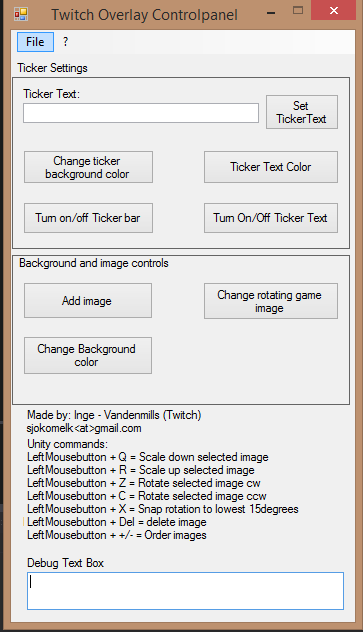
After my previous post, I decided to continue with the Twitch Overlay. I recently got done with a version I call 0.3a. The feature list isn’t that big, but I was able to reach a streamer and get some feedback on the program. That said if anyone reading this are streaming and want to test it out, let me know. I would love to hear from you. One of the features requested was a tray that comes in and out of the screen. The control panel itself, the user was satisfied with, but after some testing, I found that I wanted to redesign the Control panel as well. More to get all the controls into one area, so that it is easier to keep the panel open. Twich Controlpanel Evolution Last week the control panel looked like this: It also contains a lot of clutter and information. But basically I have kept that layout throughout the development process. There is too much text, but it’s difficult to tell the user what the different things are without some information. At a later point, I will refine this and give it shorter names. This is what I consider more fine tuning however, right now functionality far outweighs the text and what not.
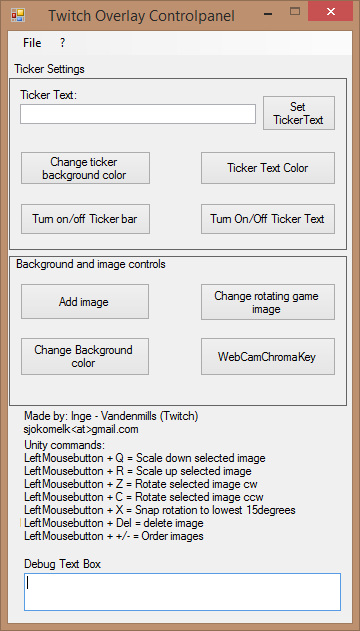
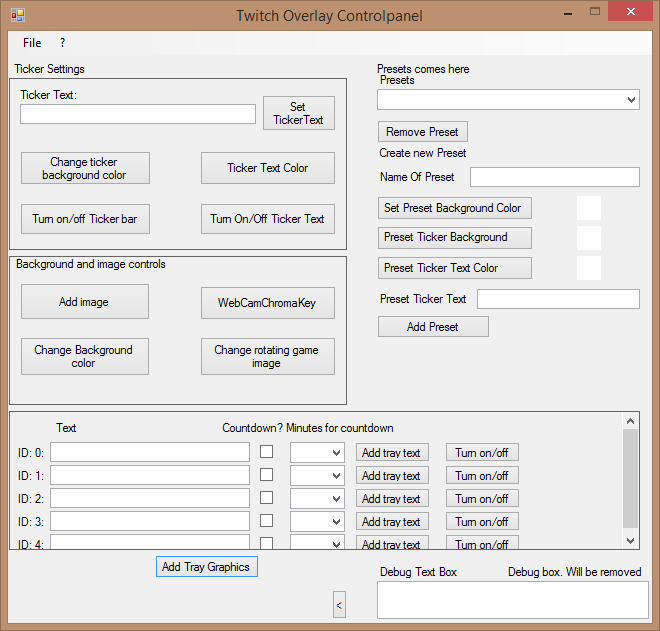
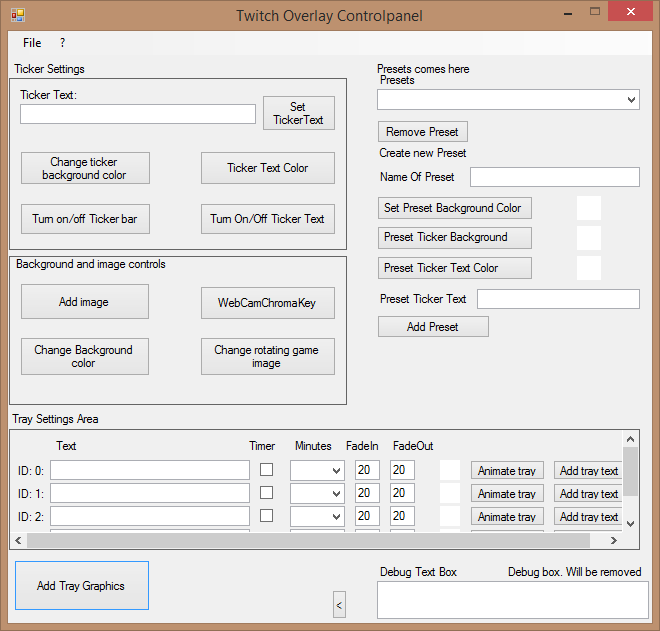
This was the next version. Basically the same, but I played around with the webcam. Actually got that to work and got a basic chroma key to work. It’s not flawless, but for Red, Green and Blue it works fairly well. That said, I will remove that feature as OBS has a better version. Only feature my webcam code has is that you can rotate it to the degrees you want to. In both 0.1a and the first “draft” the tray functionality was missing. The next version was 0.2a: Here I have started to clutter down the GUI again. This was not from feedback, but I wanted to add some functionalities to the requested feature. The trays can have text on it. The check box is if the user wanted to use a countdown timer and the dropdown box was to see how many minutes the user wanted to have the countdown clock to show. Then the add button was to send the information to the Unity window. The turn on/off button was simply to animate the tray on and off manually. I needed to fix some of the labels that were a bit weird, so I added some better and more text to the panel. Making version 0.21a look like this:
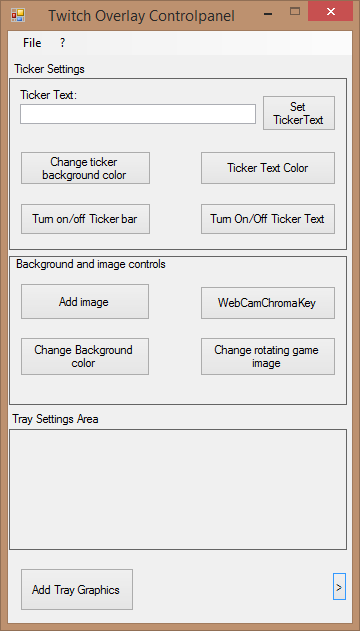
This is where I started to look at the user interface and see that I needed to fix this somehow. Firstly I didn’t want the interface to be this big. I only wanted to have controls so the user did not have to add stuff from that panel. So I decided to go back to the drawing board. I removed all of the presets, I shrunk the tray settings area down. Instead I created a separate form that contains all the information I wanted to have there. Making the GUI look more like it looked like before: Now when the user click the “Add Tray Graphics” button, they get a box up where they can enter all the settings and then the controls for the tray comes up instead. Since the tray options have more space I could add more options, so the user can now for the most part only select where they want the image to stop and the rest is automatically set up for the user. They can still use keyboard controls within the Unity window to change direction and location of text and counters. Zoom in and out graphic and text if they so desire. The interface is still not perfect. As mentioned above, I want to streamline the interface a bit more. Since I have ticker settings as a header, I think I should remove so that it says Text Color, Background Color, Turn On/Off Text and Turn On/Off background. But this is minor stuff at the moment, I am currently more focused on getting the features in and later I can modify and make the interface better based on feedback. Next week I want to get the presets to work, so that the user can send the preset to Unity. Then save the preset information in Unity, so next time the preset is sent it checks for two things. First if the preset exists the preset is loaded from Unity preset list. Image locations are restored and all settings are set the way the user wanted it to be. Unless the user selects to delete existing preset if it already exists. |