Week 5: The importance of detail!
|
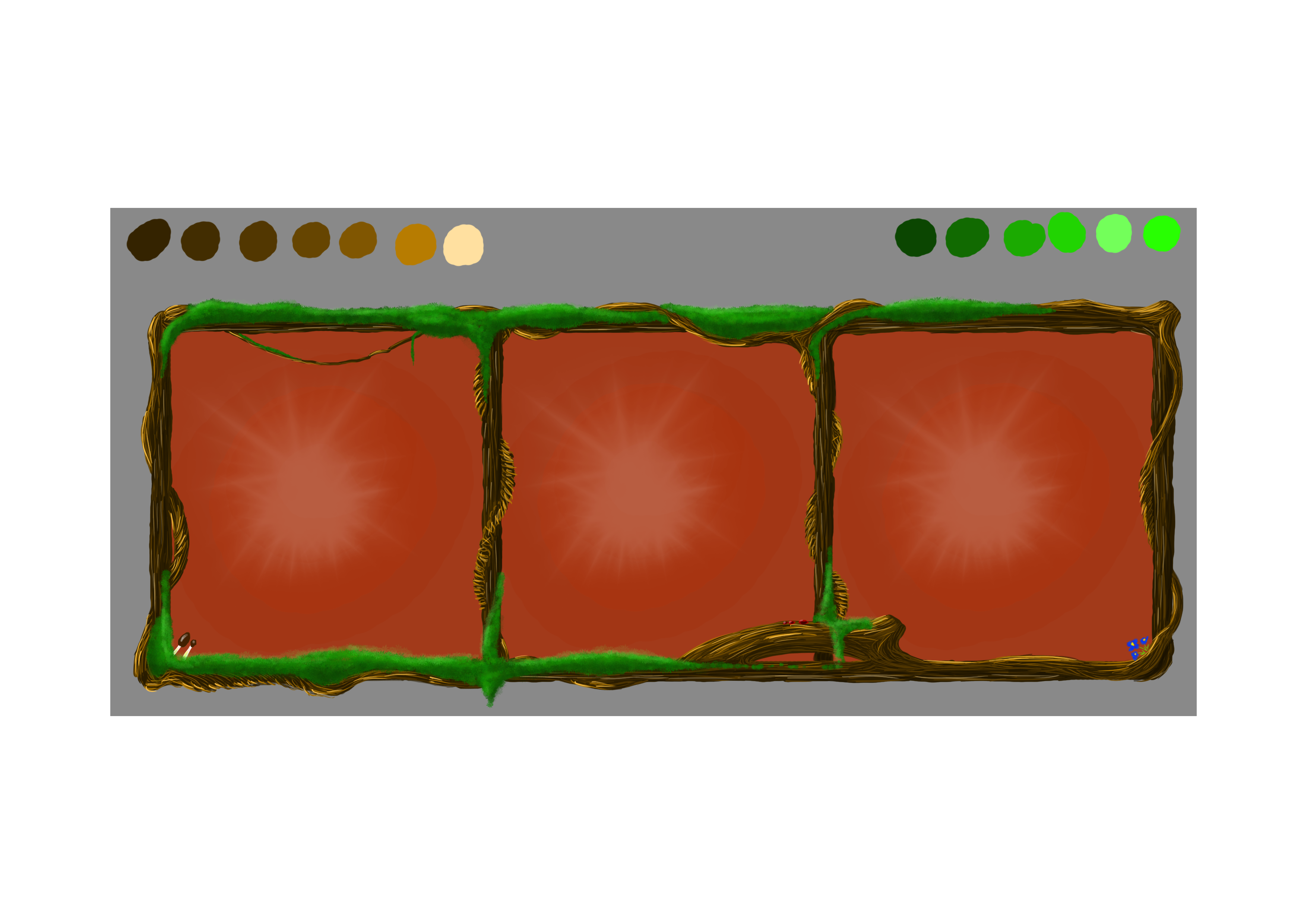
Hello again! So week 5 is coming to an end tomorrow with the presentation of our alpha build of Green Warden. Thanks to our programmers hard work today they managed to scramble together a functioning alpha with some of the core elements needed. I’ve been working on fixing up some sprites and parts of the GUI. However, I won’t be writing about a specific asset this time, as much as I will write about something else I’ve learned concerning designing and creating these assets. That is the importance of detail, and how to think carefully about what I’m doing, so that I won’t waste unnecessary time on small things. This is most likely something that has been brought up at a previous time in my courses that I’ve then forgotten about, and now re-discovered. That is knowing what it is you’re working with. The following image is of what’s called the seed counter, which will hose images of the seeds in the game (which you can read about in my previous post), and the quantity.
For the GUI design we went with a tree-textrue look, like the frames were made up of intertwining branches that came together to make up a square window. Since the game is based around trees we wanted the interface to fit in with the rest. The branches were drawn in Photoshop CC, on an A4 sized picture for easy reference. This also helped in zooming in and making finishing touches to certain parts, like the highlights of the twisting wood, or the little mushrooms in the lower left corner of the leftmost square. It was made using a simple round brush tool, size 8, with touch sensetivity turned on, so that the thickness of the lines could be easily manipulated. The vegetation was made easy thanks to a special type of brush that essentially looks like a bunch of leaves in a bundle. The background of the squares are just simple underlays in varying colors of red with a special brush for the white star shape. Here’s where the main issue came in. As a graphical artist I want my work to look as good as possible, so the majority of the time I spend on making certain details, like color differences to show off the shape of certain parts. I’ll use different layers to put in shade and lighting to make it look more like wood as best as I can. But I never accounted for the size. In our game, the assets will actually be rather small. Once the game is up and running, these lighting details on the roots and grass, and the small little flowers and mushrooms I put in place of each square will go completely unnoticed. When working with a higher resolution it becomes automatic that you zoom in and make finishing touches, that are ultimately useless, since no one besides you and some members of your team will know you made them. Once you take the image and re-size it for the game you realize that everything becomes so small or a different shape, that you can only see the base of it. This is something that really needs to be taken into consideration for future projects. If you think thoroughly about what it is you’re doing and what it will look like in the end, you cane save yourself a lot of time. Time that could be spent on other things, like more assets or perfecting animations. It’s such an incredibly important thing to understand, otherwise you’ll use your time on pointless things. It’s better to make alot of things look great, rather than a few select things look perfect. I hope that shows what I’ve learned this week, and what I’ve been thinking about. Until next time! //Markus Holm  |