Day of the Piñata Week 5
|
For this week I have started working on the animations for the Piñata. I decided to learn how to animate in flash with the bone tool to be able to produce animations faster as we will need three different animations for each action of the player character. How I thought the piñata would move proves to be perfect to this method as well. The Piñata is made of paper hence can’t stretch or morph much as it would break. The loss of animating with the bone tool is that you can either get no stretch or distorted stretches as you stretch the image itself. Therefor this technique is perfect when I don’t want to do any of that!
Starting with, when you are going to build a skeleton for 2D images you need to have every piece by itself. I want to be able to move the head of the Piñata without having a plank space being left behind it in its front part and neck. So I drew every piece as whole. Like this:
 It is like a paper doll, which is appropriate since Piñatas are paper made!
Next I had to import my parts into flash. I had big troubles with this because my images either lost quality or became distorted. My solution to that was to have a PSD with all the parts in separate layers. Then I imported one layer at a time from that PSD as a movie clip. If I did not follow this process the layers got confused with each other and got dirty with pixels from other layers.
The next step was simply to link all the pieces together with the bone tool to create a piñata skeleton. When done it was only to get animating. The skeleton makes it able to drag and move the pieces related to each other at once. It can’t be controlled to 100% so I had to go in and rotate and move some parts individually in the essential frames. Still it is a much faster process than moving each part individually for each frame. You just make a new frame and move the skeleton and adjust the parts to your liking, and the program does the rest. It is like a motion tween but much more manipulation friendly. Here is an image of the skeleton and how it keeps all the parts in place when moving them around.
 I would say that this method is very cheap, and it is difficult to get life into the animation since there is a loss of squash and stretch which is one of the twelve elements of animation. Yet, it is helpful and fast, and rather realistic to the material as of this case.
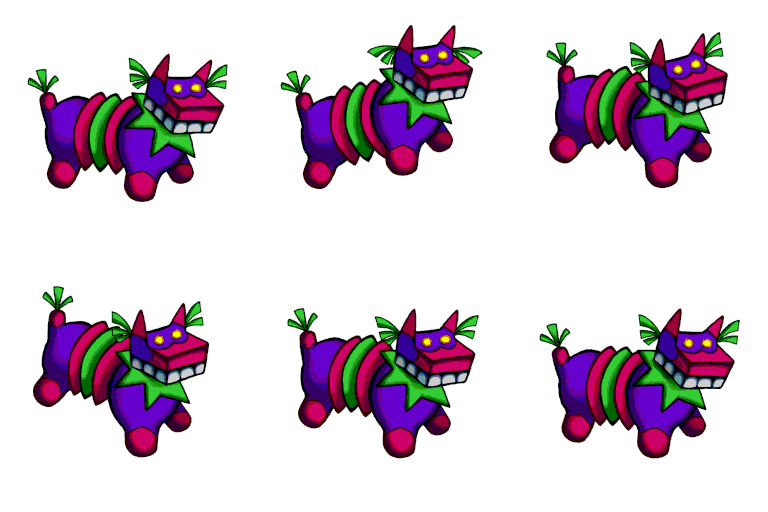
Here is a preview of the small piñata’s walkcycle. It needs polishing, but it is a start! See you next week!
  |