Coroutines and code Hygiene
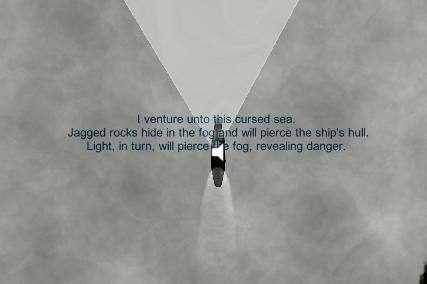
ContextAs we approached the end of development I’m starting to script events into the game, most notably we needed the game to display text on the screen for narrative and informative purposes.
Displaying text, by itself, is trivial. Displaying text while not interrupting gameplay is not especially difficult. I did not however knew of a method to do it that would neither turn my code into a jumbled mess of nested if statement or use a bunch of fiddly prefabs in the editor. Enter the sweet, wonderful Coroutines.
PrincipleI assume a lot of the people reading this already know about coroutines, or have stumbled upon them while toying with unity (and I expect they exist in a different form in ye olde C++), but for the sake of the assignment and for those that did not have to use it on their project I’ll talk about them a little. Coroutines are, as I understand it, function ran as “parallel code”. When called it is possible to have the function execute separate from the rest of the code, while your program continues to run past the function call.This is very useful to make function that you would want to execute over several frames, without cluttering your update functions with situational code, or making a bunch of prefabs that you would generate and destroy every-time you need that function. For the text display example it let me fade in text, wait a few seconds, and fade it out, without interrupting gameplay, and in one function call. Syntax
DisplayText() is the function that is called when text need to be displayed , the script it is part of is attached to a text manager that object that need to display text reach into. It instantiate a new textbox from a prefab that doesn’t have text set, then set the text to the string that was passed in the function call. The fourth instruction is a little weirder, the way the unity editor handles break character is a little bit wonky, so you can’t add things like “n” to have line break. Unless you use another symbol as a stand in and then replace it by a break character in the function (there’s probably an “easier” way of doing that somewhere in Unity options). The fadeInText function use one of the inbuilt function of unity to fade the text in, this function probably use Coroutine itself, but in this case Unity takes care of it for us. The last one shows the syntax for starting a coroutine. Note that the return type of fadeOutText(IEnumerator) is mandatory to use the function as a coroutine. By using the “yield return” key word you can pause the function execution, it will resume at a time depending on what the yield instruction returned, in this case it will resume after a set amount of time. You can also suspend it until the next update function by returning null. In this instance the function wait for the fade in function to finish its work, wait for a bit, then start fadeout. It then waits until the fadeout is complete before destroying the textbox. Speaking of destruction, be mindful of the fact that coroutine still depend on script instance, so if you destroy the gameobject that initialized the coroutine, it will also stop. ConclusionAnd that’s all. It is nothing extraordinary but I was very happy that that sort of operation were not as hard to do as I thought they would be. And if you did not know about them, I encourage you to try them out (Here’s a link to the unity doc about them ).
 |