Background layering
|
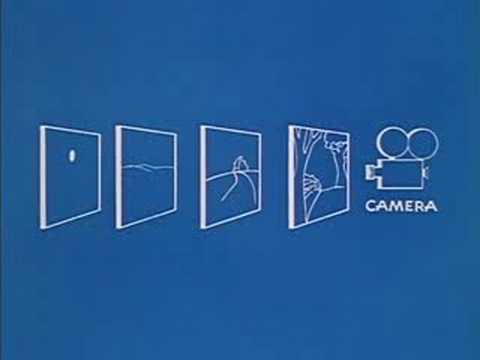
Entry Journal 2018/03/01 In this week’s blog post I will be touching upon the background sprites that I have created for Aetherial. As you probably know by now, the game me and my group are developing is a 2D side scrolling shoot em up, where the player controls a flying vessel that shoots down aliens from the sky. In order to create the feeling of depth, the background had to be drawn by using multiple layers of content. Much as in the example below.
That is a screenshot representing the same technique used by the animators from Disney. By stacking up multiple layers of drawings and moving them separately at different speeds, it gives the illusion of a 3D picture.
Picture taken from here. As you can see in the GIF above, although what you are looking at is a 2D image, not a 3D one, using the parallaxing method creates the sense of depth that we are trying to replicate in our game. Creating the background sprites for the game proved to be simpler than I had previously imagined, probably because I used a different approach. Instead of drawing small sized images that could have been easily attached together to create a long side scroller on which the player had a lot of free space to roam in, I wanted to create the whole scene at once. This way everything would have tied in together perfectly and would have looked consistent throughout the process. Hopefully, the performance of the game won’t be affected too much by the big images that have to be rendered. Since the player would have to have a lot of space to travel before getting at the end of the game play scene, I decided to create the background ten times bigger than the Full HD screen. The sprites in question have been made on a 19200x1080p canvas with a resolution of 300dpi.
These are just a few of the background layers that will be implemented into the game. As you can see, the background turns from the lighter colors representing the sunset into more darker tones towards the end of the game, where the player will meet the final enemy boss. I wanted to give the player the feeling of fighting at high altitudes in a quite epic environment. Besides adding a lot of clouds to the background, I also wanted to add snowy mountain peaks at the bottom of the screen. This is still a work in progress and there will be more elements added for the final background scene. At the moment, the layers work very well in creating the depth feeling when tested in Unity, so fingers crossed everything will work just fine until the game is finished. That was it for this week’s blog. See ya!  |