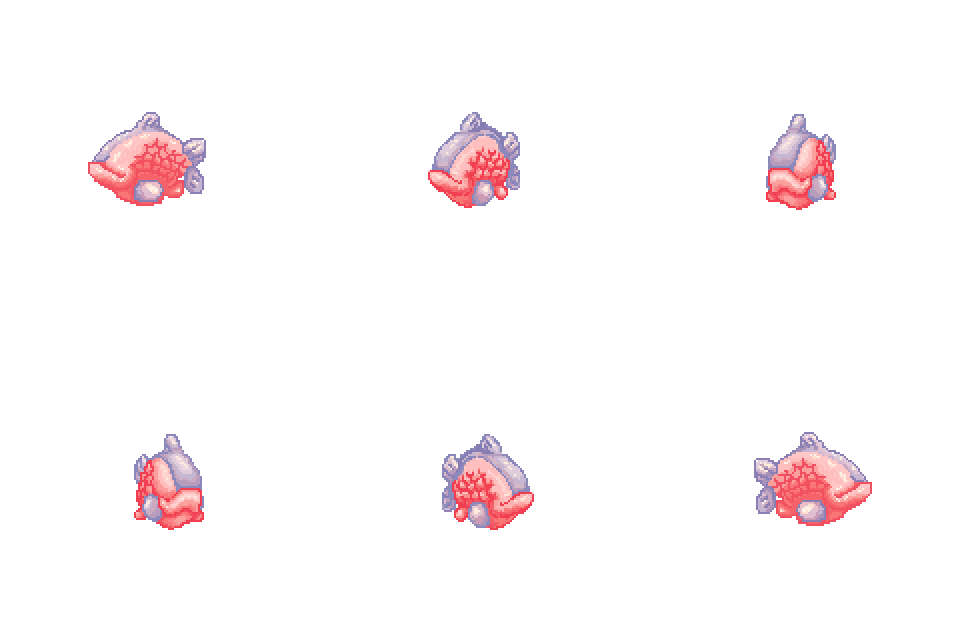
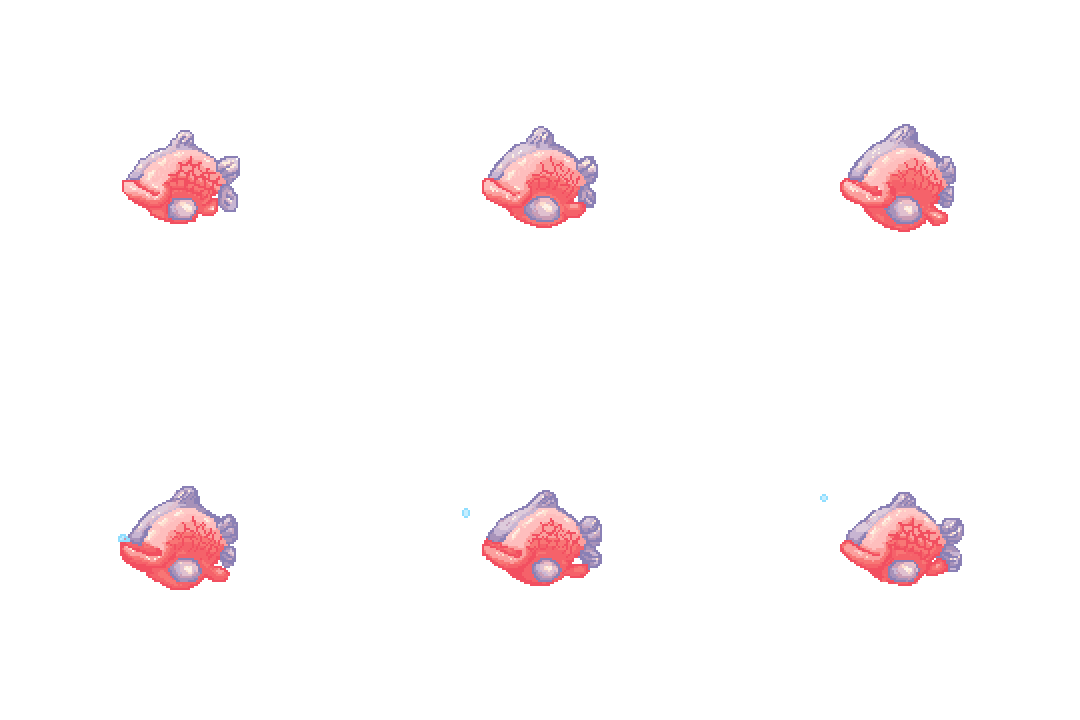
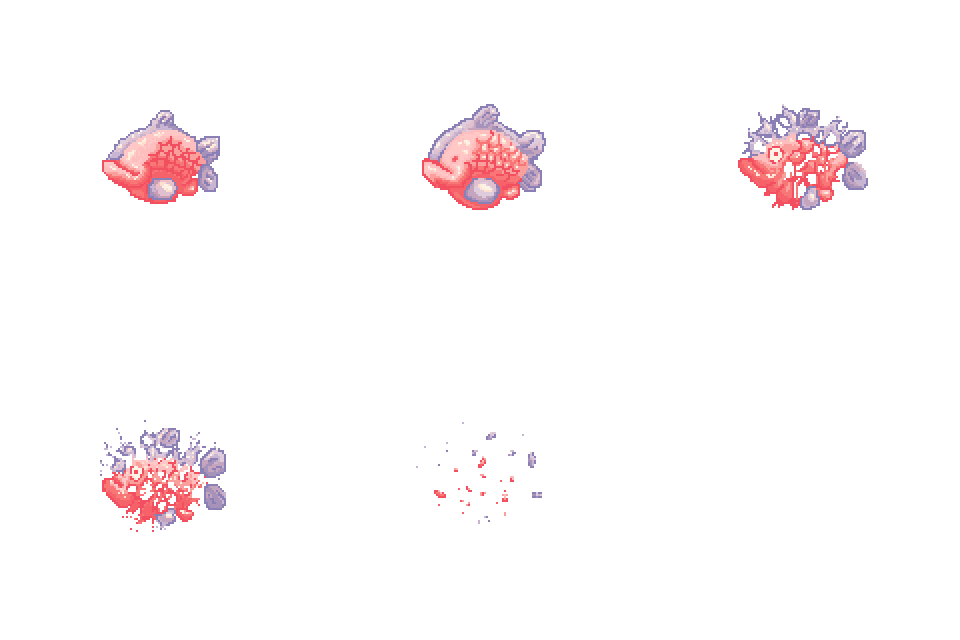
Animation cycles
|
Hiiiiiii! This week I am going to write about last weeks art assignment (as I imagine many Graphics minors are). We were supposed to create at least two animation cycles of the same character, and we were encouraged to pick a character from our shoot ‘em up. Surprisingly enough, I ended up animating my beloved pink Fish (!!!!). I decided to make a death animation, idle animation and a turn-around animation. I started with the turn-around, because I figured it would be the simplest. I, like many of my classmates, had no real prior experience with animation. Right away I had some difficulties, and I could easily identify the problem. As I have written in an earlier post, the design of my Fish does not follow the ”maximum 5 colors”-rule that I read about in a pixel art tutorial. This turned out to complicate things when animating. In pixel art, literally EVERY pixel counts, that is to say every pixel has an impact on the final image. Though pretty, the fish that I made was way to complicated to animate smoothly, since I would have to consider how to change the position of every single pixel. I tried to bypass this problem with the use of the transformation tool (a tool in photoshop which allows you to stretch or shrink your artwork in any which way), however, as I’m sure you can imagine, stretching or shrinking pixel art in this way does not work very well. My attempt was no exception. Although this miserable fail, I did not give up hope to somehow short cut my way to a beautiful animation °˖✧◝(⁰▿⁰)◜✧˖° I immediately tried to animate the Idle state of my Fish, using a similar technique. I call this technique cut,-copy-paste technique… ¯_(ツ)_/¯ I cut out parts of the fish, copied them and pasted them. I then moved, mirrored and placed these parts, and then I painted around the altered part to make it fit with the surroundings… It was not a beautiful sight. I knew I needed to change my ways if I was to learn and grow as an artist (pass the assignment)! When making the third animation, I decided to make a sketch of the animation. I also finally accepted that I needed to make some alterations to my original design, to be able to animate it. I traced the outlining of the fish, then based on that I drew new, original silhouettes for every key frame, and made a frame-by-frame animation with only line art. This proved not only to be the best way to make a smooth animation, but it was also the least time consuming way (surprise surprise). Maybe that’s why all the teachers recommended it??????? ∠( ᐛ 」∠)_ After I made sure that the line art animation ran smoothly and included all the principles of animation (arc, timing, anticipation, squash and stretch ) I colored all the frames with local colors, then shadows and finally lighting. This way I could compare each frame to the next, step by step, as opposed to finalizing the first image before coloring the next and getting lost in the process. The animation turned out pretty well. half-way into our assignment we had a presentation to show what we had made so far, I made it a point to emphasize that I had learned by my mistakes and improved my skills. Our teacher seemed to like my final animation and encouraged me to revisit the earlier ones. I decided to follow his advice, and I am glad I did because they look so much better now. I guess the major lesson I learned was to follow the advice (instructions hehe) of my teachers, and not short cut my way to a sloppy product. I’ll try my best to remember this lesson in the future.
Thanks for reading! Biiiiiie!  |