5SD064 – Blog Post 2 : Tutorial level
|
This blog post will center around the design of the tutorial level for our game, “Depth”. The aesthetic goal of “Depth” was “Last Leg”. We therefore had to make the player feel:
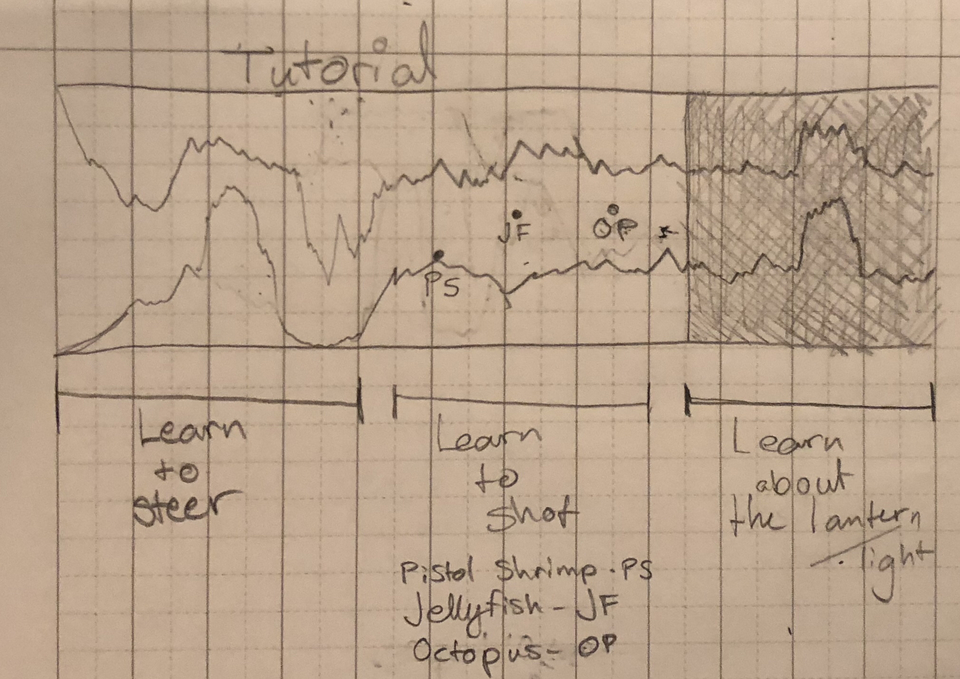
However, the game still had to be fair. We therefore decided on creating a tutorial in which the player could experiment with moving, getting hit by enemies and shooting without getting penalized for it. An added bonus to such a tutorial is the stark contrast it creates when suddenly, the player starts getting chased. A draft of the tutorial level was given to me, the lead (and sole) programmer of the group, by our designer, Carl Hvarfvenius Blomgren :
Movement was the primary concern, and therefore had to come first. A small obstacle was placed in the way of the player to make them have to steer. Shooting was paired with introducing enemies, one by one : pistol shrimp first, then jellyfish. Only after these two enemies were introduced did the level become dark. This way, the player can experiment with the enemy types before having to worry about managing the light. The squid’s effect on the player can only be seen in the dark, hence why I decided to introduce it in the dark section. Of course, this means that the player has to worry about the light as well as the squid, but it is a worthwile sacrifice. Otherwise, the player would not notice the light going out when they collide with the squid. Now that design was settled, I actually had to make the level in unity.
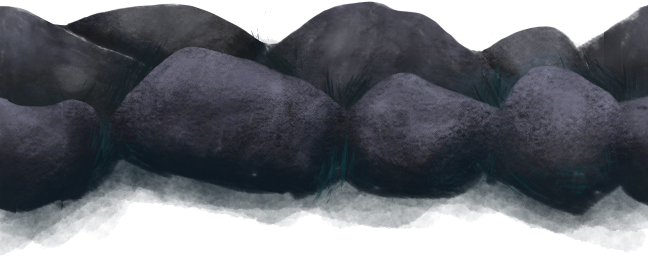
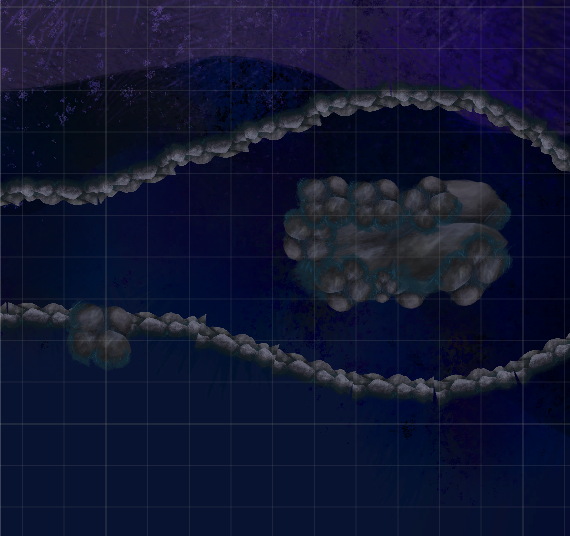
A wall sprite I simply added a polygon collider to the sprites and the job was done. I then had to go through the monotonous and boring task of drag-and-dropping the assets into the scene. Since this is an alpha after all, I must admit that after a while, I stopped caring about rough edges and so on. I simply created the shape I wanted and that was that.
The end result
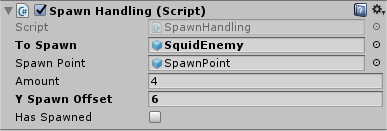
And that was that! Of course, I had to make the enemies spawn. I had done that part in advance, but nevertheless I will explain it here. I created an object (which I baptized “Spawner”) which has an edge collider (2D of course) attached to it, as well as a child called “SpawnPoint”. This Spawner then had a script (adequately named “SpawnHandling”) which, when the player collided with the edge collider, spawned a specified amount of a specified prefab (called “toSpawn”) at the position of the “SpawnPoint” child object. It also sets a variable called “hasSpawned” to true, meaning that the spawn point will no longer spawn anything when the player collides with it. Otherwise, if the player collides with the edge collider multiple times, multiple waves will be spawned. The code which actually spawns the ToSpawn object is as follows : private void OnTriggerExit2D(Collider2D other) Note that there is another variable I haven’t talked about called ySpawnOffset. This variable is there to specify the spacing of the enemies on the y axis. If it weren’t there, the enemies would all spawn at the same place.
The script viewed from the editor
All I had to do after that was drag-and-drop spawners onto the scene and change parameters around. I also had to create an object to turn off the light after a certain threshold, which I did in the same way as the spawner, using an edge collider and OnTriggerEnter2D. And that’s it for the level. With a bit of polishing, it will be a finished product by next sprint, hopefully.  |