5SD064 – Blog Post 1 : Lighting
|
Lighting is a big part of Depth. It both sets the tone and serves the aesthetic goal of the game. Outside of the player’s spotlight and a small light emanating from the cockpit, the entire screen is dark. The submarine which the player controls has a light which follows the cursor, goes off when you get hit by a squid and can be upgraded temporarily by a power up. This was one of the artifacts I had to create during the second sprint of our scrum. I wasn’t quite sure how to implement this, hence why in the sprint planning I wrote it’d take more hours than it actually took. Turns out Unity provides a very straightforward way to put lights in the game. The only complication was that I had to create a new material (which I called “Light-affected material”) and give that material to every sprite which had to be, well, affected by light. Now I just had to make the light follow the player, which would’ve involved a bit of trigonometry if it hadn’t been for the Global Game Jam 2018, in which I made a game with a few other people (refer to this post if you want to check it out) in which something had to follow the mouse position. I simply copy-pasted this bit of code : “void FixedUpdate() What the code does is it converts the coordinates of the cursor into world coordinates. It then substracts the position of the light to those coordinates (that way, we get the direction we want). After normalizing this direction (normalizing, for vectors, means that the “length” of the vector is set to 1), we need to set the rotation of the light to point to that direction. This requires a bit of trigonometry, as I’ve said.
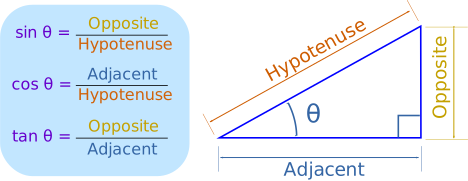
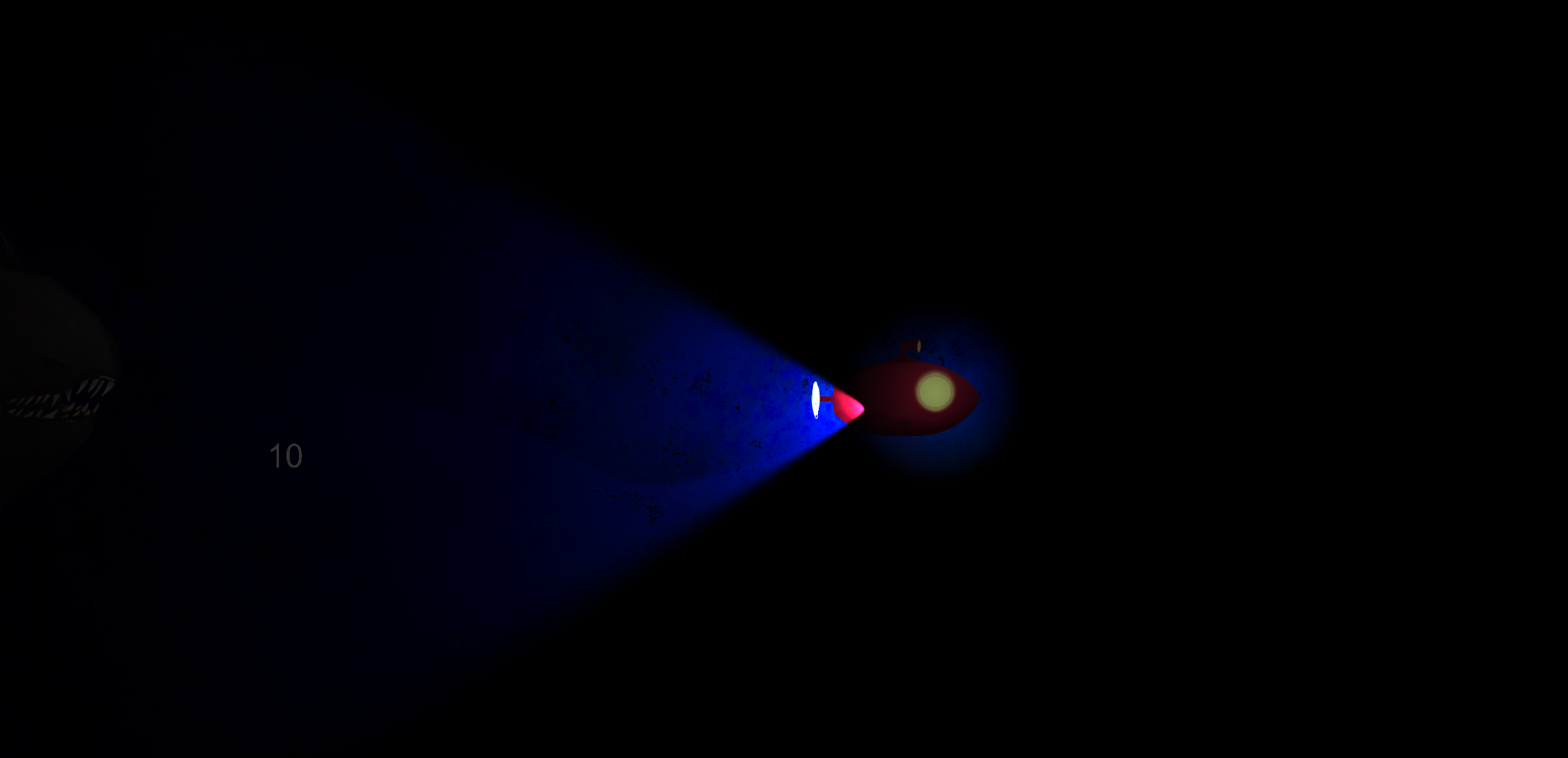
In a square triangle, the tangent of the angle theta is the opposite of said angle divided by the adjacent of said angle. The opposite, in this example, is the x component of the “dir” vector. The adjacent is the y component of that same vector. We need to find the theta angle, aka the angle at which the light is, which I called “z” in the code. This is done by using “Atan” (also written tan^-1 in some calculators, since it is literally “1 over the tangent of”, and therefore “tan to the power of -1”). Atan2 takes two arguments and simply takes the tangent of the first one divided by the second one, which is exactly what we want to do. If we were to write this formula in mathematical terms, it would look like this : θ = 1/tan(x/y) Now that we have that angle, we simply set the rotation of the light (transform.rotation) to be theta, or z. It is called “z” because we are rotating the light on the z axis (the axis which is “close” or “far”, instead of “right/left” and “up/down”). We call that every LateUpdate, which might seem like a lot of work for a human to do, but a computer is extremely good at stuff like this, which is why I let it do these calculations every frame (instead of, for example, every time the player moves the mouse). There was still one issue, though. When I created the project, I ticked the “3D” setting, which, weirdly enough, had the effect of adding ambient lights to every scene by default. After tinkering with the settings for a bit and with the help of second year students, I disabled the ambient lights and here was the result :
Spooky stuff. In Depth, light makes the player feel less safe, as they don’t know what’s in the darkness. This serves the purpose of our aesthetic goal, “Last Leg”, as the player will feel overwhelmed more easily, as well as stress out more easily. It also makes the player rely more heavily on sound design.  |