Week 5 First Animation (ever)
|
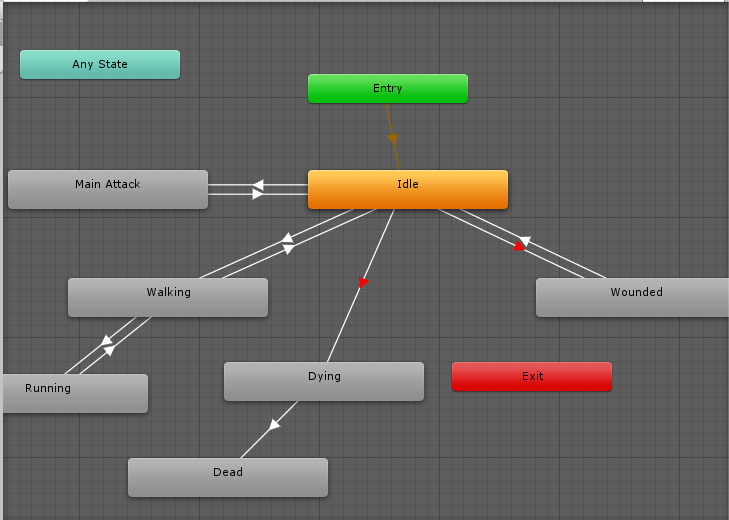
This week saw me taking my first steps into animation programming, resolving how to code to move a character according to input and the speed it was traveling. Unity’s animation solution is a new type of challenge, but not entirely. It is mainly built up from State Machines https://www.techopedia.com/definition/16447/state-machine , something which a programmer might be more familiar with than an artist. What these boil down to are devices or programs that produce a certain type of output depending on input, in this case calls from the Unity engine such as triggers, set values and Boolean variables. These start pre-made animations that artists have created beforehand which can be played at variable speed and merged into other animations via Blend trees https://docs.unity3d.com/Manual/class-BlendTree.html . These state machines are named Animation Controllers in Unity, an example of which can be seen below.
Arrows are drawn between each animation, indicating what animations can transition into which. These are given the aforementioned triggers or requirements, unless you want avatars to move into another animation at the end of a play-through of another without delay or prompting. Here we come to my first assignment and the work I needed to complete: Making our character walk towards a target tile and animate that walk. Setting up the state machine itself was as easy as creating an animation controller via Unity’s automated process, then creating two sets of animation possibilities: The Idle and Walking animation. At this point it did not need to check if a player was moving at higher speeds or not, so all that the controller had to check was if the player was moving at all. This however became a slight problem based on the fact that the player was often told to move based on lerping , or in other words moving not directly to a point but in increments based on how many ticks a process had accrued. A walking animation would therefore look jerky and “jumpy” if only polled from that data, with the character pivoting on its axis to move to new areas, should it be given a command to move in anything but a straight line.
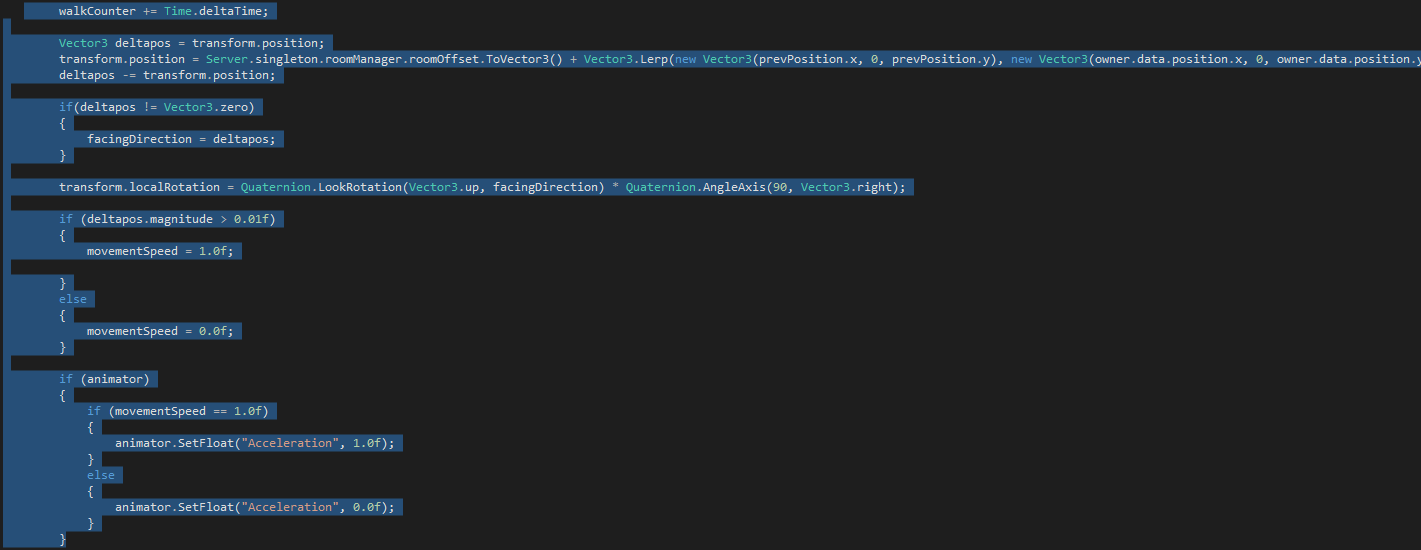
The solution was to not use the lerped movement, but the magnitude of it, that is determining if a character was truly moving instead of simply being adjusted to a point. The rest was a simple if/else check to set the attached animator to run or not, since high-speed movement as mentioned was not requested at that point. The result was better, but not perfect. We would eventually need to put in a delay on tickrate, to ensure the animations played to completion as they should. (GIF of this incoming at a later date)
 |