BGP Two: Making stuff glow.
|
Today I created a shader in Shader Forge for making certain player-interactable objects glow, to help set them apart from the environment.
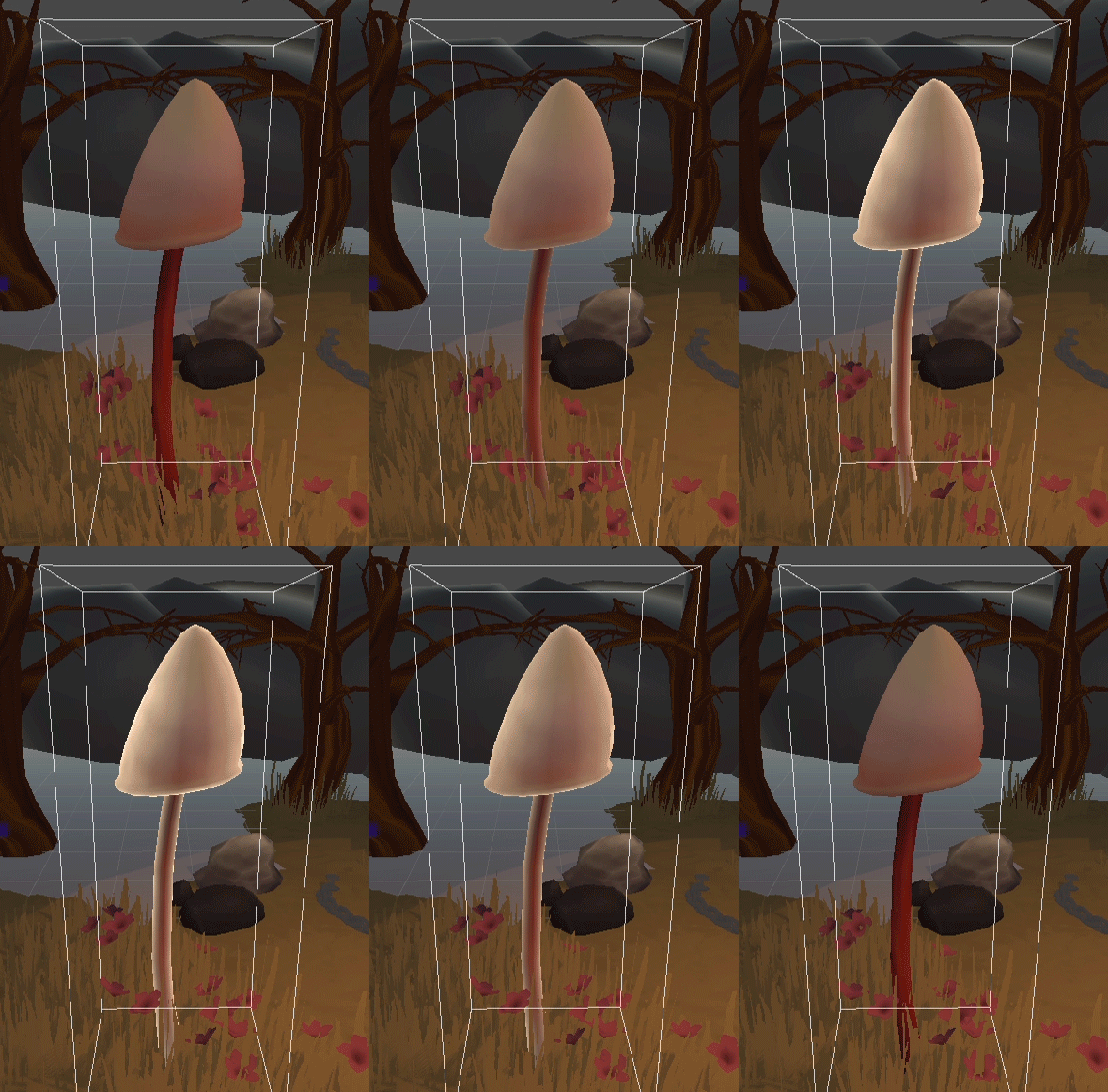
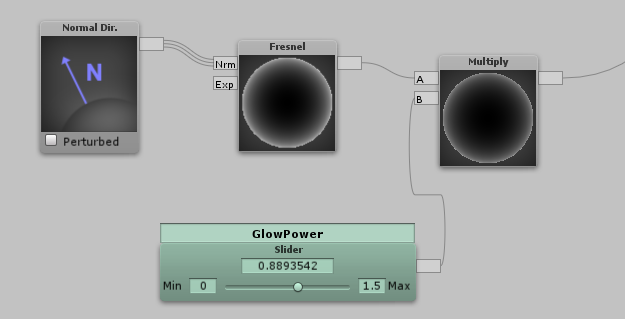
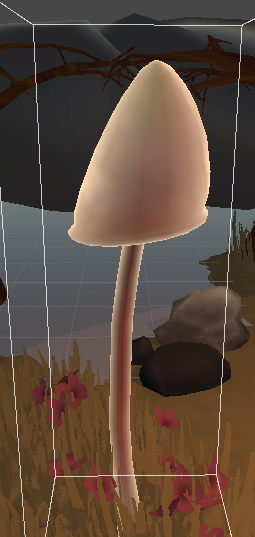
This was the end result. And now I’ll go over the process of creating this effect. Hopefully I can make myself understood! First of all, I don’t understand how to do everything in shaders, so the first thing i did was to try and find a tutorial. I found this picture using google. The part I’m interested in is at the bottom of the picture. I recreated this string of nodes in my game project, to see if it would work:
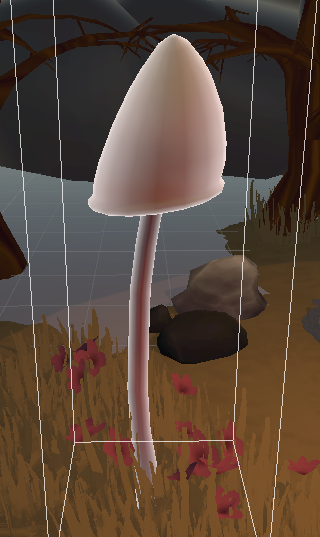
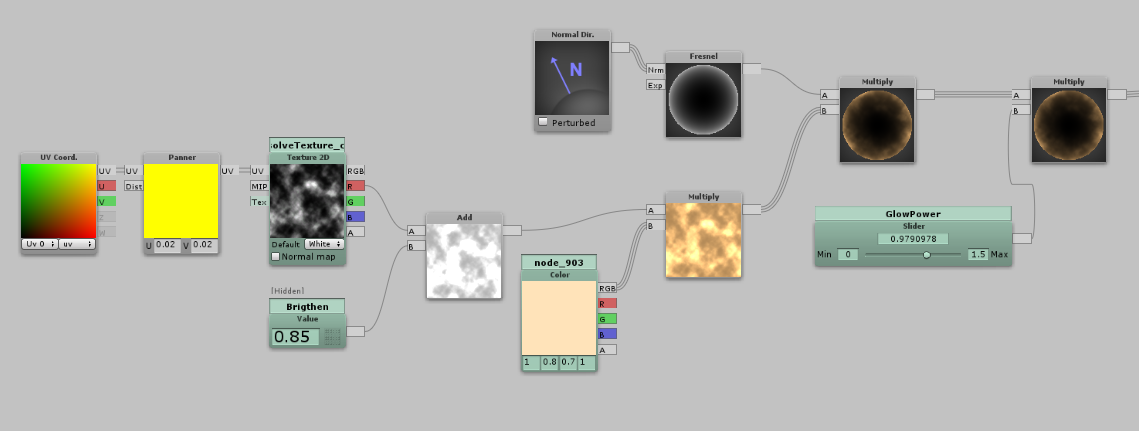
The effect itself is basically the Normal Dir node and the fresnel node. The output of the fresnel is multiplied with a value slider to control the amount of glow. The output of this is plugged into the emissive channel of the shader itself. Here is the result:
So, we now have the basics down! For my purposes I’d like to add a texture and a color tint to this.
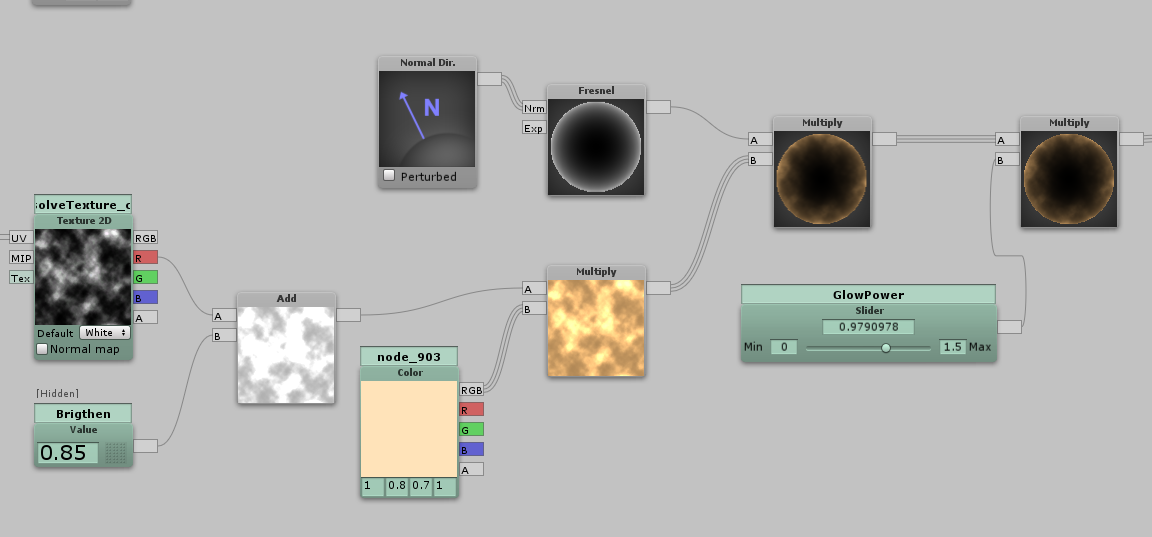
So, I added a texture 2d node, with the texture set to a noise map that comes with Shader Forge. It was a little dark though, so using an Add node I added the value 0.85 to all the values of the texture. (Each pixel of the texture has four values between 0 and 1: Red, Green, Blue and Alpha which is the opacity of the pixel.) Note: I should probably create a brighter texture to begin with instead of changing it in the shader. That would probably be a tiny bit easier for the computer to work with. The texture is then multiplied with a color that can be changed from outside the shader, and that is in turn multiplied with the glow effect itself to create the desired effect.
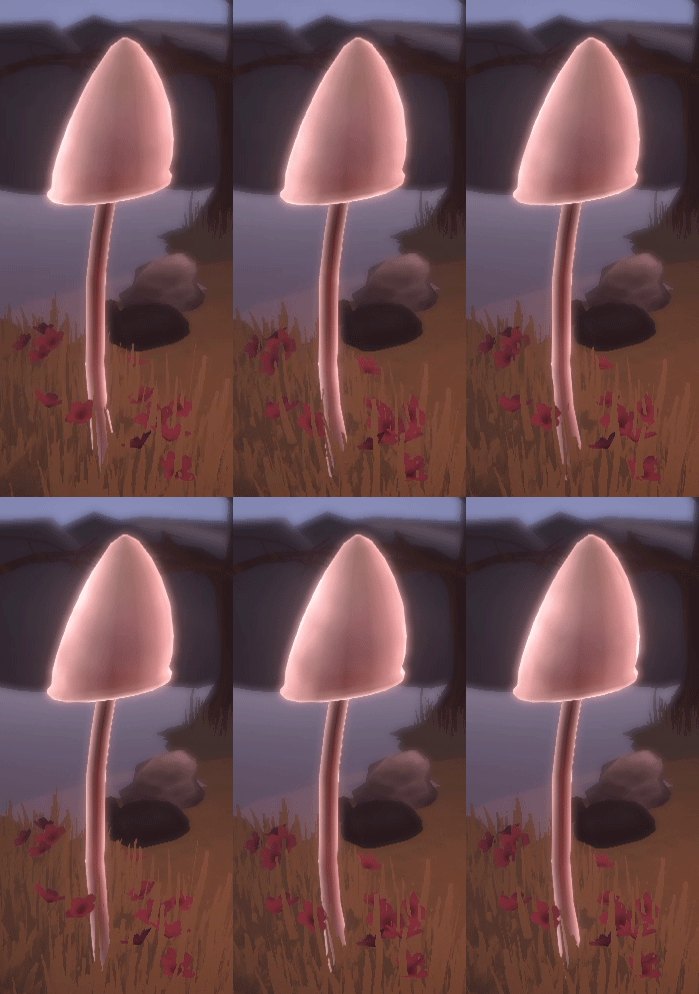
To make the glow seem a little more alive, I added a texture panner to the noise texture. This makes the texture itself move across the surface of the object. The ingame result:
..And that’s as far as I’ve come so far! Right now the texture might be a bit too subtle. Lowering the brightness a little could help with that. Also, I think the glow needs to be compressed a bit, since it covers a lot of the surface of the object. Thanks for reading!  |