Touching the game world
|
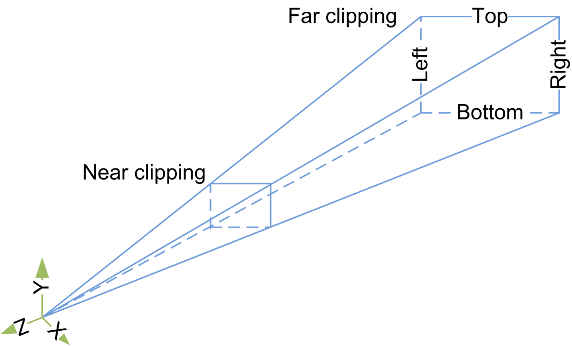
I’ve been working on a system to detect the touch of a finger, this of course is because we are building the game for an android device. For this we need to have a series of inputs that sense the difference between when a finger is touching the screen, letting go of the screen, and movement of the finger across the screen. Since the game also uses 3D perspective and 3D assets, it is crucial that the fingers positioning on the screen, matches the actual position in 3D space within the game. To do this i started by testing the built in Ray cast class in unity. The simplest way to describe it is that you draw a vector between two positions in 2D or 3D space. These two positions are translated as such: the first position will always be the position where the finger touches the screen. That means that the depth of this position is zero at the near plane of the camera. The second position needs to be the same position but translated to the far plane of the cameras view since the camera for a 3D view is shaped as a lying down pyramid with the top cut off. When this was done, i had the ray that would work as an extension of the finger inside the 3D space. I then connected this ray to an if-statement that checked for touch input on the screen. Now i could create a ray by touching the screen, and move the ray by moving my finger across the screen. With ray casting, you can also check for collisions with objects, these objects only need a collision box to make this work. Another if-statement is implemented to check weather or not the ray hits an object. With unity you can send messages between game objects, I use this when i have checked for collision and depending on which kind of touch input it is, sends the corresponding message with a reference to a function inside that object. The object in question then runs that function. All this from one ray….  |