BGP ONE: exploring Unity
|
Hello! This post will look back at the pre production phase of our game, where I, because I took on the roles of Lead Artist and ‘Unity guru’, started looking at what we could do with Unity. At this point we did not have a clear idea of what our game would be, mechanics-wise. Some thematic and graphical decisions had already been made though; the game would be set in a forest dream world inside our character’s mind. The dream itself would change from good dream to nightmare and back depending on the character’s current mood. This required us to do certain things:
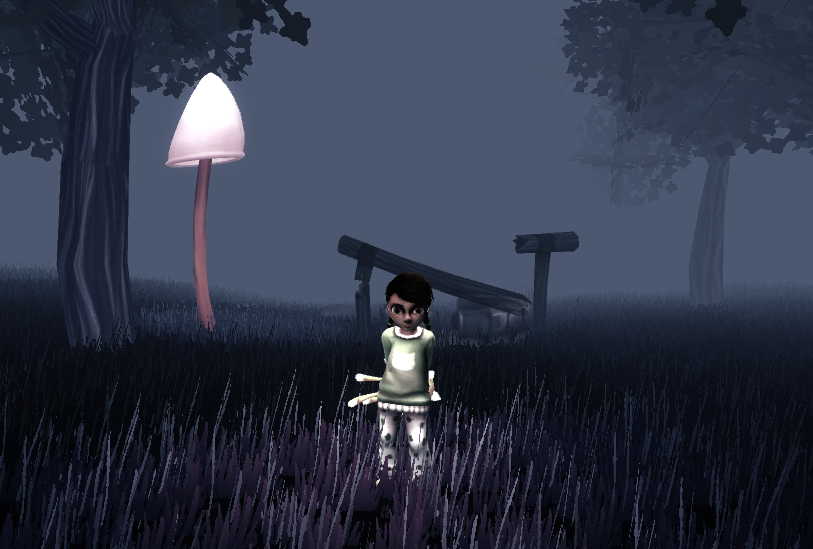
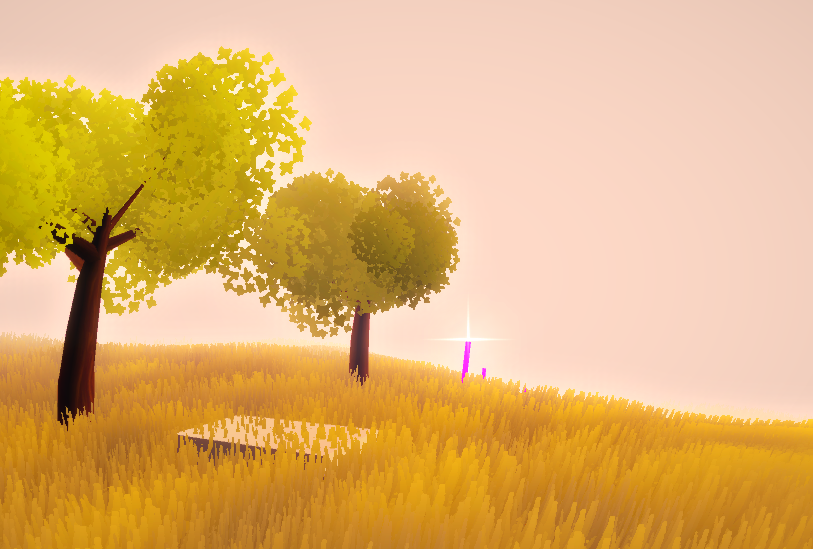
The first thing I discovered was the terrain tool, which generates a plane that can be set to any size. It can also be painted with textures and objects like trees and grass, making them child objects of the terrain. Last but not least, the height of the terrain can be painted with a variety of brushes to create a surface that looks natural. The terrain in combination with Unity’s built in tree editor made for a pretty good looking prototype where I could experiment with colors and light. Regarding the objects, I found a script that could change one object into another. At first this looked like it could solve the object and texture transformation for us, but I discovered that using this script, every instance of the object would change at once. Since we wanted to only change objects within a certain range of our character we would have to find another way to solve this problem. (And we did, but I will cover that in a later post!) As for the lighting and colors, I found that Unity’s standard assets include a range of camera effect scripts, including color correction. This could be used to enhance the contrast between the two dream states. Since I am not a programmer, and thus could not program the transitions myself, I set up two separate scenes in Unity containing each of the dream states so that I could experiment with them separately. These were the results after the first two weeks of pre production:
Thanks for reading!  |