Online Leaderboard!
BLOG POST #4The winning condition of the game that I am working on in my group is to achieve the highest score, staying alive as long as possible. For this reason, a highscore system was necessary in order to keep track of the highest score of each person that played our game. During the group meetings, we discussed to have a tutorial in the beginning of the game. As usual, we gamers know that playing a tutorial is a little bit boring and annoying and often we try to avoid it. But for our game, the tutorial was essential in order to understand the main mechanics and the controls and, of course, this tutorial shouldn’t be skipped by the player. The question that we asked each other was: why should I follow the tutorial every time I start the game even if I have already played before? The solution to this problem was to create a login interface, where was possible to insert a new username or select an old one from a drop-down menu (see image #1). Doing so, I could make an old user player, avoid playing the tutorial again, and a new user, play the tutorial first.
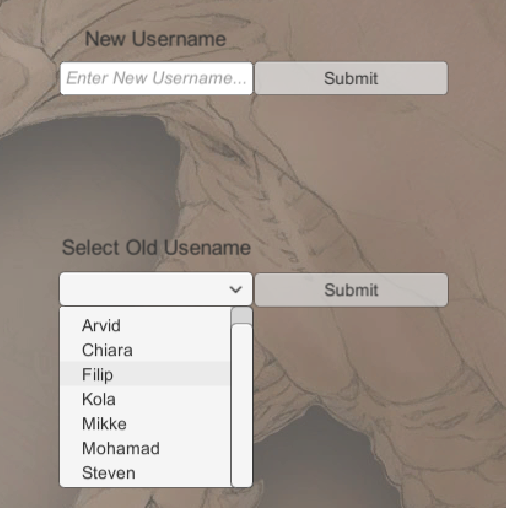
At this point, the difficult part came. Each user needed to have his highscore to be stored somewhere on the hard drive of the computer in order to load all the users and the highscores when restarting the game. So, I started looking on the web how to store data in Unity and I figured out that there were functions to store and load strings and values as “keys” in the registry (regedit.exe) of the computer. These functions were very easy to use and I could store the usernames and their highscores, but then some problems occurred:
To solve these problems, I found the solution surfing on the web. I discovered a website that offered a plugin for Unity that was able to store the users and the leaderboard online instead. In the beginning, I was unsure of dealing with networking, since I am still a beginner programmer but at the same time it would solve the problem of the reordering the leaderboard manually. The website in question is http://api.shephertz.com/. On the website is possible to download and use for free the plugin and a sample with the functionalities. After I downloaded the plugin, I first had to understand the functionality and how the plugin managed to upload and download the leaderboard on the server. After that, I had to implement the functionality in our game. Before starting coding, I made a scheme on paper about how to manage the logic of the leaderboard, the usernames and the highscores. In other words, I needed to extrapolate the highscore of the username, present on the HUD the top highscore and the user highscore (see image #2), and afterwards, update the score online. So, I thought that having a single class with static variables for the username and the highscore of the person who was playing was the best solution. Doing so, since the variables were static, I was sure to just have a single copy of them in the game and didn’t make any confusions. This is why I created an UserManager class that was able to store the previous mentioned static variables as well as do some functionalities such as downloading the leaderboard, registering a new username and uploading the new score of the user.
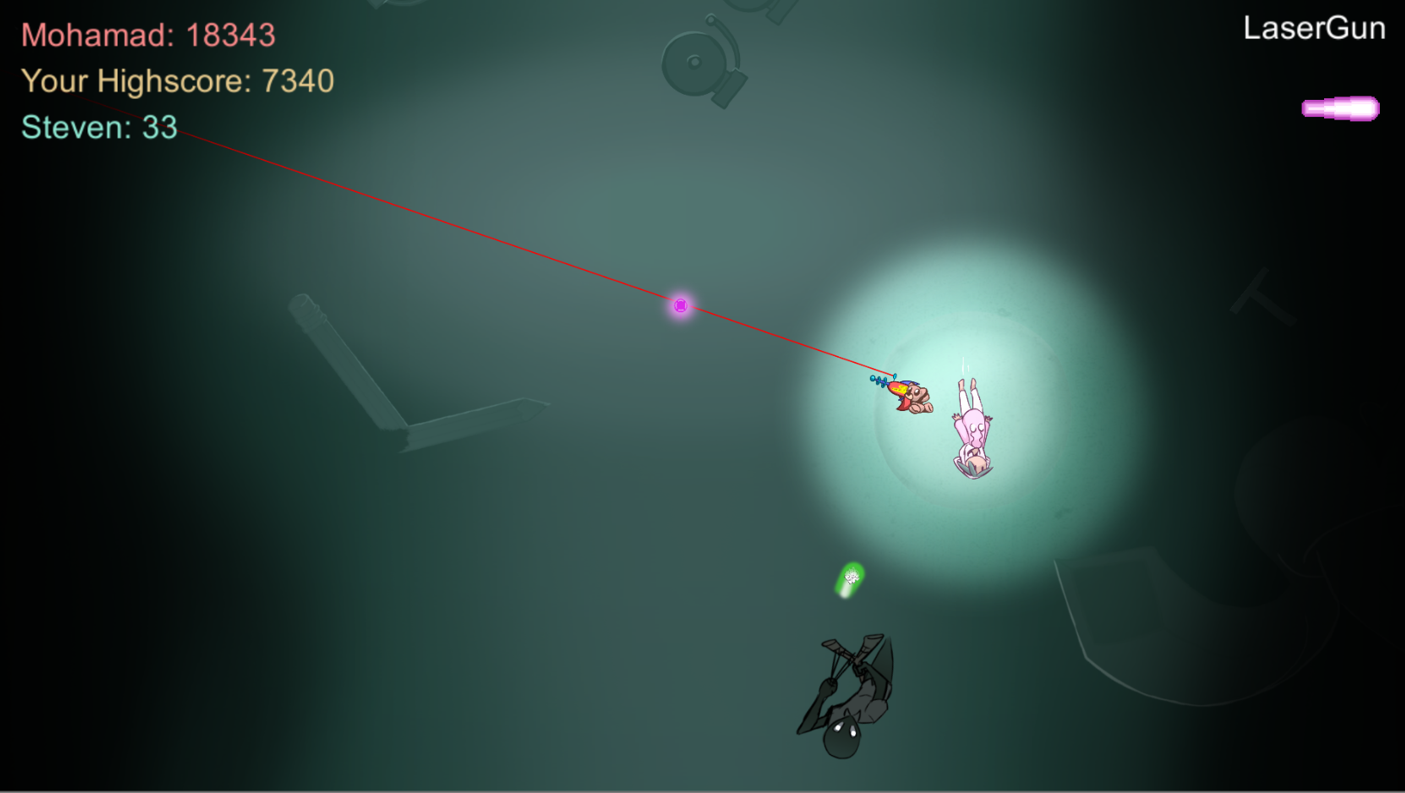
The class that I created was working well, but sometimes I realized some strange behaviors. For example, when I tried to restart the game, after being dead, I noticed that the new highscore was not being updated. After some debug checks and showing some text on the screen to understand where the problem was, I finally figured out that uploading and downloading data required a few milliseconds of course!! So, I always downloaded the -not last- updated leaderboard. To solve this problem, I implemented a delay between the upload and the download functions, but this will be also solved when we will implement some cutscenes, where I will upload in the beginning and download in the end. A question that you might have is: what happen when there is no internet connection? Well, this plugin is so sophisticated that, when there is no internet connection, it can store one or more scores in the hard drive and then upload them when the connection is back. The only problem is that, is not possible to select an old username from the drop-down menu or see the leaderboard, since there is no connection. So the only way is to register a new username or insert the old one if we remember it.
Possible future implementationsFor future implementations, I firstly would like to show on the HUD the nearest username and relative highscore to the current score of the player. In other words, the player will see the nearest highscore of another user and if he overlaps it, the next nearest highscore will be displayed, and so on. Secondly, I would like to fix the problem of the internet connection that I mentioned before, in order to have an offline leaderboard. To do so, I will have to save the leaderboard on the hard drive, before closing the game, using the same functionality that the plugin uses when there is no internet connection and load it when there is no connection.
In conclusion, I have to admit that I spent a lot of hours working on this implementation even though it was a big challenge for me using networking and maybe not completely necessary for the project, but I feel more motivated when I have challenges and this is why I managed to achieve this goal.
 |