Leafy green veg for your fish tank
|
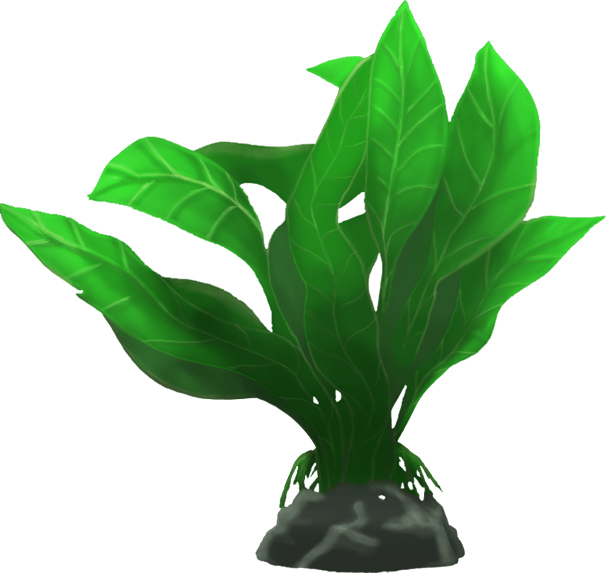
With the first plant finished, I started to create a second plant as concept art. This time I wanted a plant that was more concentrated with multiple stems as large leaves. I found something that I could start with and began to create the shape. This type of plant has a central base or rock and has multiple large leaves that come up from the center. The general outline gives this appearance and was a simple way to put together some concept art to add to our background. With some simple colors it would be easier enough to see for testing and evaluation.
After the first evaluation I could add a simple amount of color to simulate texture and lighting so we could move forward with putting these art assets together. The basic idea being that the bottom of the plant receives less light than the top. The leaves are translucent and should be brightest at their ends which stretch up towards the top of the tank. Revisiting this plant later on allowed me to add the proper color treatments. Using our main color palette I chose a lighter and darker color for the veins on the leaves. Each respective color was place in such a way to show where the light was strongest on the veins. Lighter colors were added to the edges towards the top and darker colors for the opposite edges. The final phase was lighting and shadow to round off the plant. Again using the top/light and bottom/dark scenario guided the process. For the lighting on this plant I wanted it to be very strong on the top portion. This meant I had to use brighter colors and in turn create brighter lighting on the tops of the leaves. For the shadows I had to do the opposite effect. A very light shadowing in the middle of the plant and stronger shadows towards the bottom. The very bottom of this plant will be obscured by other assets in the background so details were not as important in that area. I am very pleased with the final result and you can see how it came out.
 |