Implemented a shooting enemy
|
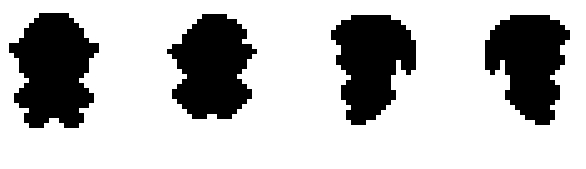
Image: 4 different directions for the enemy that would correspond to the angle of where it is looking in a pivoted angle. What? I got the assignment of creating an enemy for the game that would have a quite simple behavior of shooting the player. This enemy would have a minimum range from where to shoot from, meaning that if it was too far away from the player, it would just walk towards the player until it was close enough and start shooting projectiles. At the beginning of our process, we had planned to have the game in a top-down view, but we thought it would not have the same feeling due to that there wouldn’t be any depth of our characters. So we changed it so that it would seem that we were looking in a pivoted angle, even though it was just 2D. For me as a programmer, this would mean that I would have to change the sprites depending on where the enemy looked. How? Different states, different behavior. The first thing I did, was setting up a simple state machine for the enemy where it could be in a certain state for when it was chasing the player and another one when attacking. Each state would have its own behavior such as creating projectiles going in a straight line towards the player or for the chasing state, moving towards the player. Basically, each state checked how far the player was from the enemy and switched depending on just that. The main functions such as checking the distance was called each frame as well as angle which became very important for the sprite and animation changing depending on the angle. We decided to have four different directions for the enemy; left, right, top, down. That would mean that I had to check the angles of the enemy and then change the animation depending on that. So I retrieved the animation controller of the enemy object and used the specific variables that I had created within it. So, I would first check the enemy angle since it would always look towards the player and then set the angle variable within the animation controller to that value, let’s say an angle looking to the left and then set the corresponding bool value to, let’s say, Walking if that was the state it was in and that would mean that enemy would be displaying the walking animation in the left direction. The angle was always updated since I used 360 degrees and the animation controller would be aware of the current angle at all times, the bool for Walking or Attacking would however be changed accordingly when updating the enemy’s state. Why? I decided very early on that I would use a state machine system for the enemy behavior since I see its use pretty obvious for matters such as this. It also easily let me change The behavior at the same time that it makes the code very clear. The way I did the changing between animations wasn’t very obvious for me at the start, but after a lot of testing and trying, it worked really good and became very clear at the end. I haven’t used unity before this so I’m in a huge learning curve at the moment but feel glad that I solved the issue with animation, giving it depth.  |