Back to the backlog
|
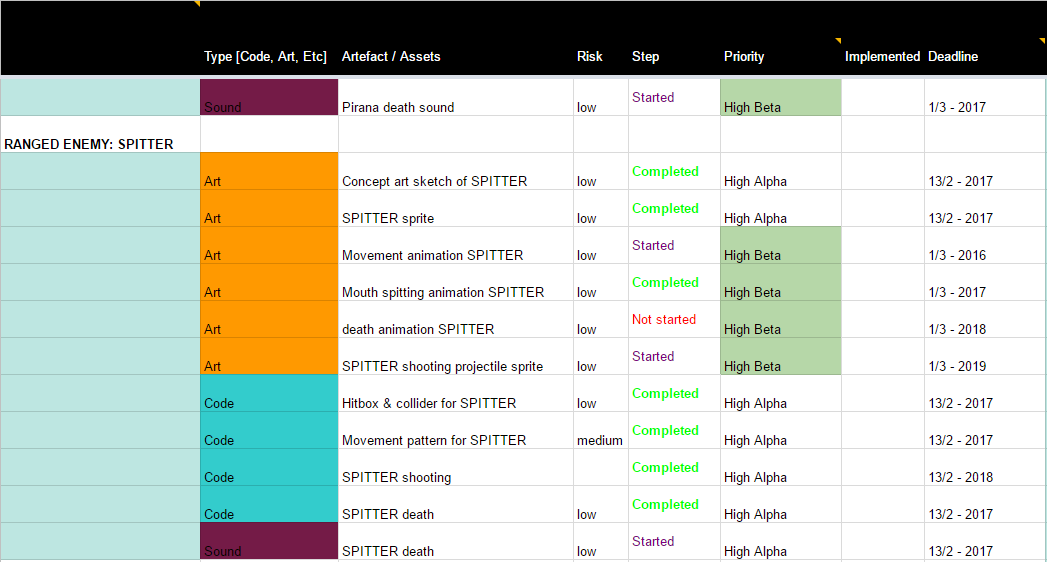
After finishing the Alpha and receiving a pass on all the requirements for our game, we have now headed back into game production development to make sure we pass the Beta requirements. The beta is our next production milestone which means that the game should have all playable features completed. As we have recently started to work again we noticed quickly that our Sprint plans have started slowly but surely started to deviate from the product backlog. The backlog has not been properly used and looked at when each member has been choosing artefacts to work on for each week, which is the sole purpose of having a backlog. The backlog is crucial when it comes to sprint planning and remaining a vision of the game. Anyone related to the project should be able to look at the backlog and understand what we have done and need to do to complete our production. This is also my responsibility as a producer to make sure that the backlog is updated and is easy to understand. I realized that I may have failed in this aspect and had to create some drastic changes to make it usable again. Which is the reason for why I wanted to go back and recreate the backlog. It all started with a very productive sprint plan meeting that evolved into more of a design meeting. We discussed the final design we wanted to game to have and did so but using the whiteboard to visually communicate our ideas with each other. Once we a had the clear vision of our game, I could go back to the backlog and eliminate all the unclear and worthless artefacts that were in the backlog. I completely changed the previous categories and removed all unclear “type 1”, “type 2” labels that the enemies were labeled previously. Making it far easier to find items that are related to specific features.
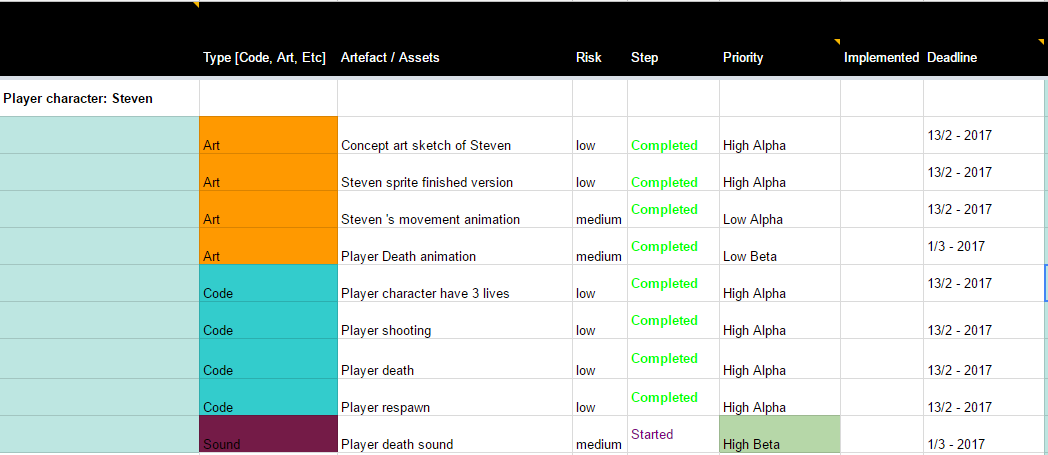
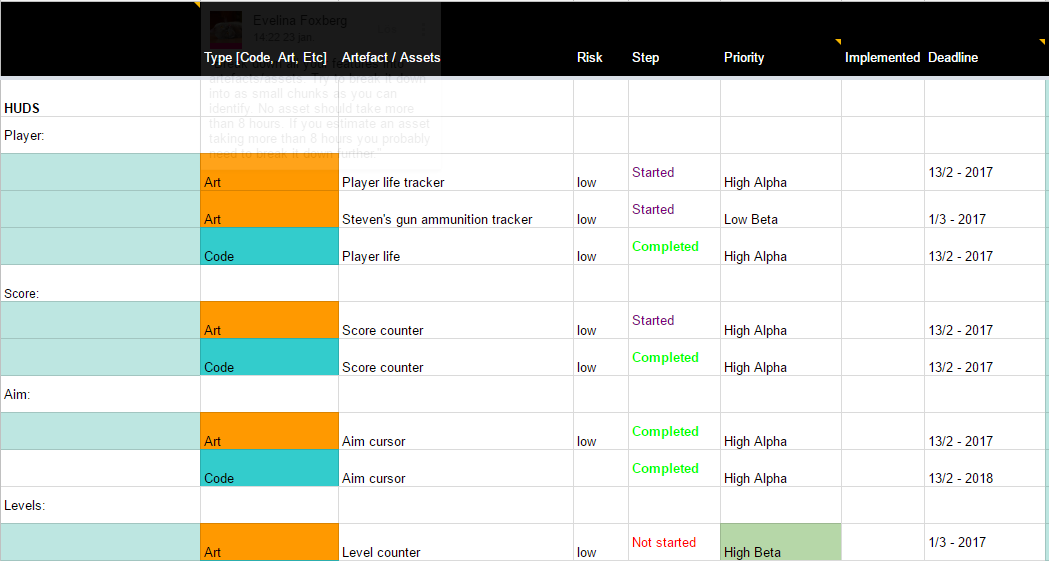
I made a lot of replacements of previous tasks that I thought belonged to the wrong category and put them instead into new categories with similar artefacts. For example, in the old version of the backlog I had all the hud elements within their related area that they were going to be used. So, the player hud elements was placed in this category shown below, in the player character. Now all hud elements are put into one category instead making it far easier to see which huds that completed vs not completed.
Here is a picture of the Huds as well.
 |