Animating a projectile
|
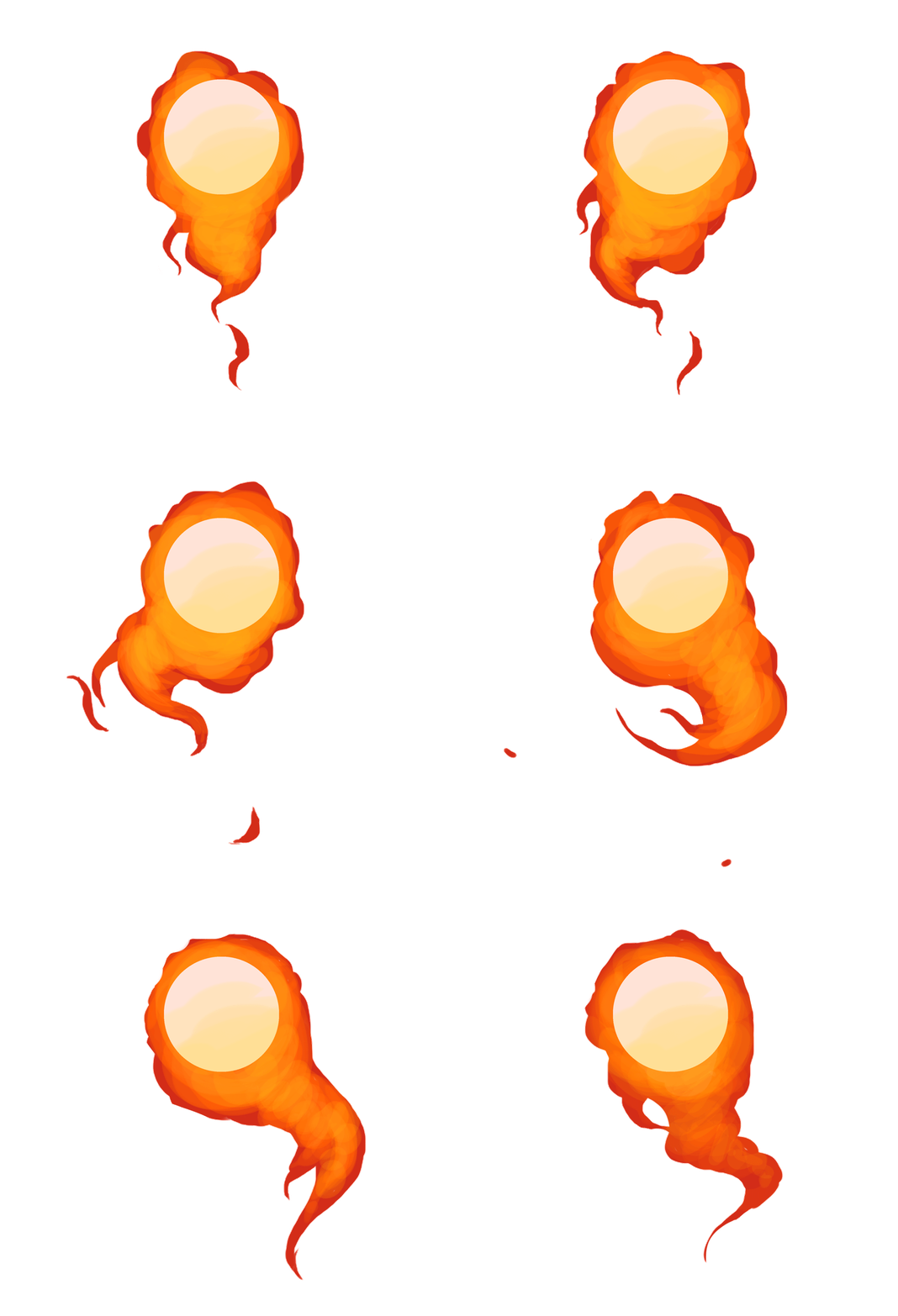
This week I have been working on a wide variety of assets for our game, but the artefact that I have chosen to write about for this week is the standard projectile I designed and animated. This projectile was produced during previous weeks, but it did take some time for me to finally get it right. I drew and animated the projectile in Photoshop using my Wacom Intuos Pro. So, as the main character’s power is fire, it would only seem logical for her standard projectile to be a fiery orb of some kind. I am not familiar with animating fire at all, so this was a challenge for me. What I did was that I attempted animating a bunch of different flaming orbs just to get a rough idea of the loop. The orb was always static in one layer at the top, while I animated the flames surrounding it in several different layers underneath. When I, after a long struggle of tweaking and fixing, got a somewhat seamless loop, I tried to figure out how to color the projectile properly. We needed a projectile that stood in contrast to the darker background of our game, and I really wanted the flaming colours to pop somehow. In order to do this, I drew the outer parts of the flames a darker red, but not too dark so that they’d blend in with the background. As a contrast, I added a very intense, orange-yellow color that got brighter towards the center of the almost white orb. I did this to emphasize the heat of the sphere – the core of it being the hottest (pale yellow/white). I also added an adjustment layer on top and tweaked the intensity a little bit further to make the colours and contrasts pop even more. As for the animation part, I knew that the way fire moves is kind of random and unpredictable. I tried to put this behaviour into the animation by making the flames dance rapidly from side to side. I also had to take the loop into consideration, and making the ‘tail’ of the flame sway back and forth emphasized this the best. I animated the flames closest to the orb itself bulge and wave a bit uncontrollably, as it would give away the idea of rapid movement of the projectile. However, it still didn’t quite look as fiery as I could’ve made it. Something was missing. In an attempt to make the flames look even more like flames, I added little sparks that ‘fell off’ the large flame and eventually faded out into nothing. I made this fit into the loop as well, making the animation seamless. With the sparks added, the projectile now resembles actual fire with a more lively look. Something that I intend to add in the future is a glowing effect that makes it pop even more and contrast from the dark background.
 |