My First Game Design Blog Post
|
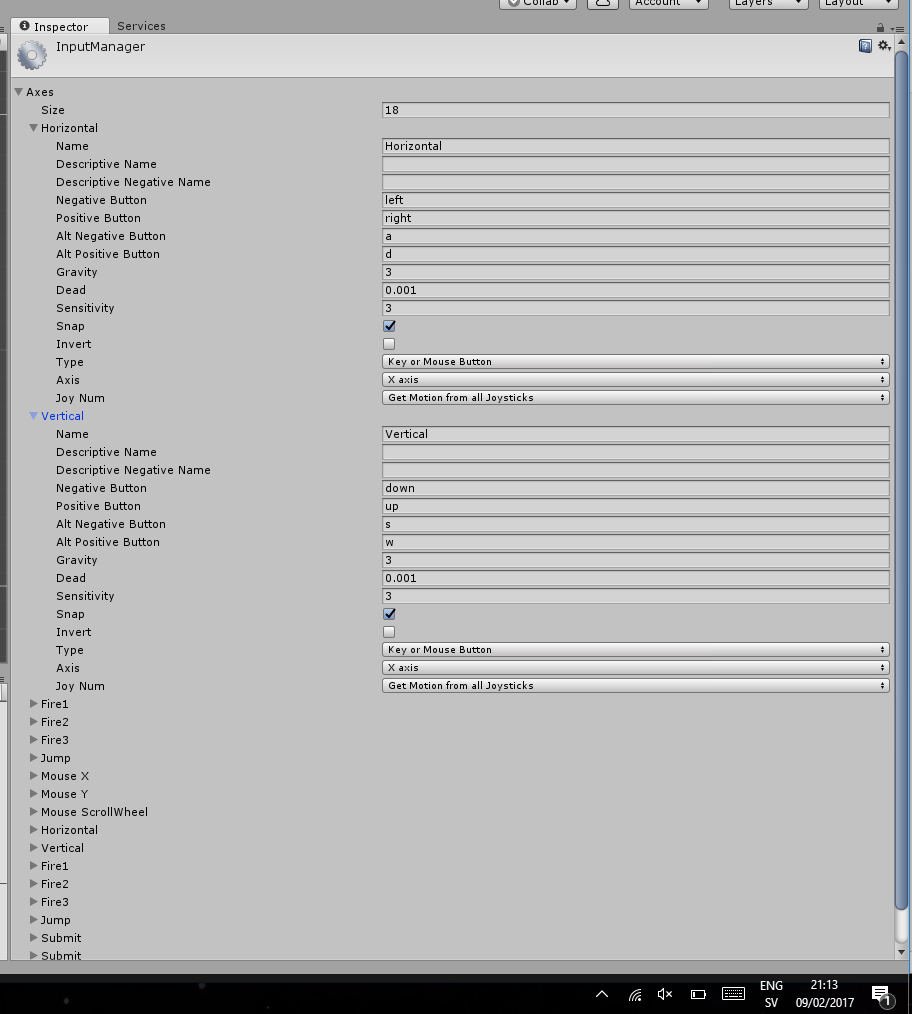
My group Shadhavar has chosen the Selfisch game as its project. My role is a lead programmer for this game and as a first blog post I will write about something quite simple but needed in almost any game out there which is movement. There are many ways to make a character move, you can make it so the player moves by mouse buttons or just mouse movement, different keyboard keys and controllers. But let’s not talk about that. Let’s talk instead about how to make you character move. There are as well many ways to do that, you can create a function that takes in command from any pressed button that you assign in the code and use a method like “if you press this button then character will move on the X axis or Y axis.”. My first way of doing the movement was to make the fish move just in 4 directions which wasn’t really what our game designer wanted. I did that first because it seemed easier to me and I thought about changing it later. So, what I did was to use the Rigidbody2D assigned on our player with the velocity and made it to a new Vector2 which is a vector with two values, inside the vector I used the Horizontal axis which is a component in unity itself already that you can use freely. Lastly, I multiplied it by speed which is a simple method that I also made that you can assign value to. The whole function only worked on X axis in the beginning but then I added the code for Y axis. To use Unity´s Y axis movement by using their component you use Vertical. The component or Input Window itself that you are using for the controls is under Edit/Project Settings/Input. There you can see the window with all the settings and commands that you can use and change in the window itself. If you see commands like Vertical and Horizontal you can automatically use those settings and move your character with arrow keys and W,S,A and D. In the end, I redid the coding because we wanted 8 directions movement, so instead of two different codes for movement on X axis and Y axis I merged them into one and it worked very well. The code was short and simple. The new movement function also allows the player to change values of the speed both on the X axis and on the Y axis.
 |