Designing Levels outside of an Engine
|
During the last couple of weeks, one of the things I’ve done is make drafts for various types of levels. As the game is still in the early stages, making these drafts has been relatively difficult. The main reason for this difficulty has been due to not knowing exactly how the enemies/objects will function. The way I dealt with this problem was by making multiple simple drafts rather than having one that is filled with detail, but would end up getting scrapped due to not being compatible with a more finalized version of the game. The structure and look of the drafts have changed over time. When I started out I used a lot of colors, drew all the objects/enemies manually and wrote explanations for them in the midst of it all. 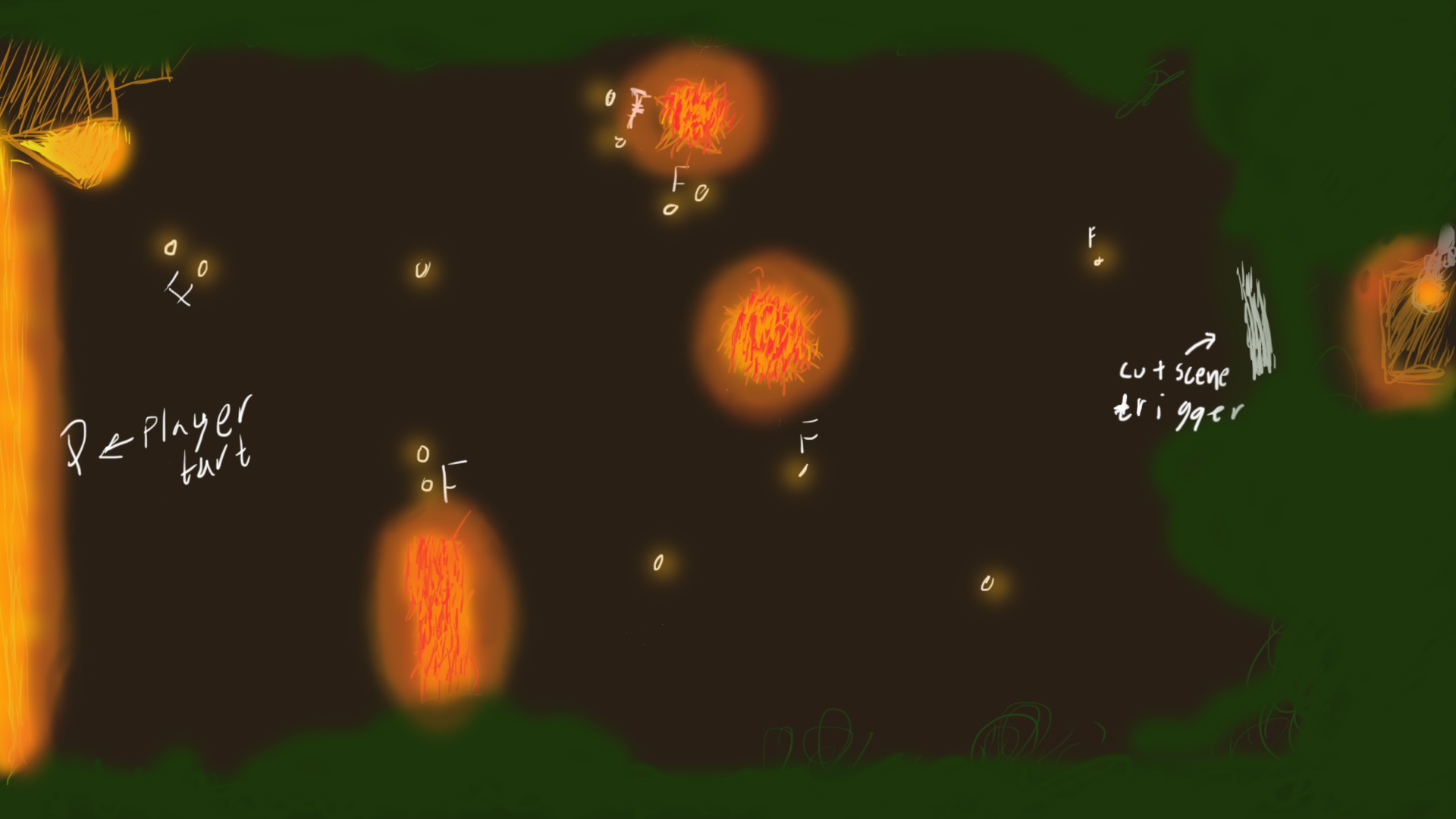 This had the benefit of making the draft look like an actual level and it was easy to get a quick overview of the level. However, the cons with this style was that it was quite visually cluttered, it was hard to determine the scale of everything and it took a long time to make a single draft. As a result of this, I opted for a more minimalistic approach towards the designing of the levels. 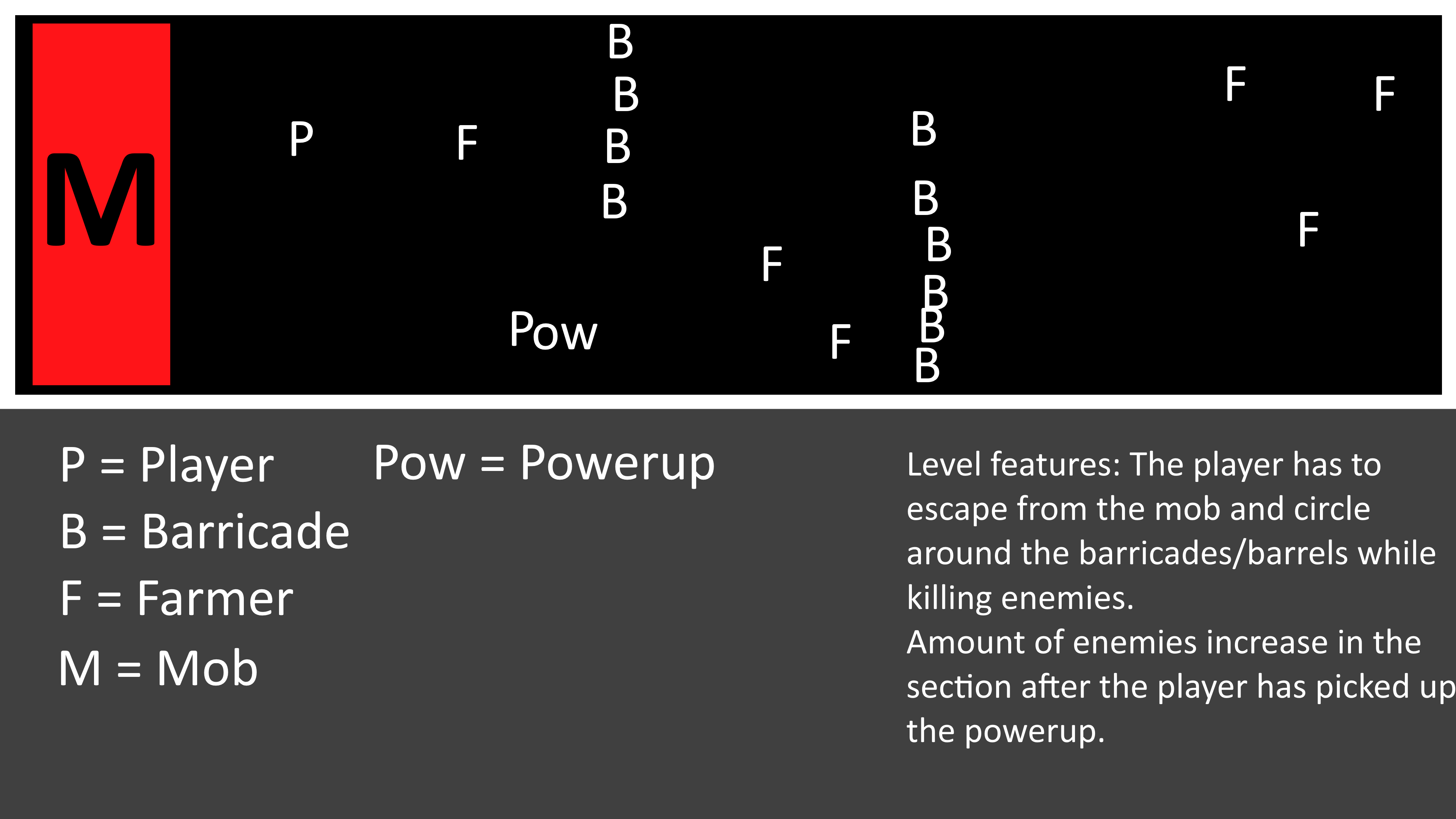 Instead of using a multitude of colors, I scaled it down to three; instead of drawing everything manually, I started using symbols and simple shapes. I also started including a glossary in the bottom, which contained explanations for the symbols used and general information about that draft, so that it would later on be easier to choose one to start with when designing the actual level. The latest approach to creating level drafts allows me to spend more time on designing and thinking of different designs, since I don’t have to spend as much time on drawing as before. One con I have noticed with this approach, however, is that the drafts will either be too cluttered or look a bit empty. A way of dealing with this is to, in some cases, have symbols represent clusters of objects, such as trees, rather than a single object. Since this lets me make bigger levels, without requiring unnecessarily large resolutions, I can make multiple drafts faster and when I start making the actual levels I can choose among the drafts for a starting point.  |