Blog 1 – Week 6
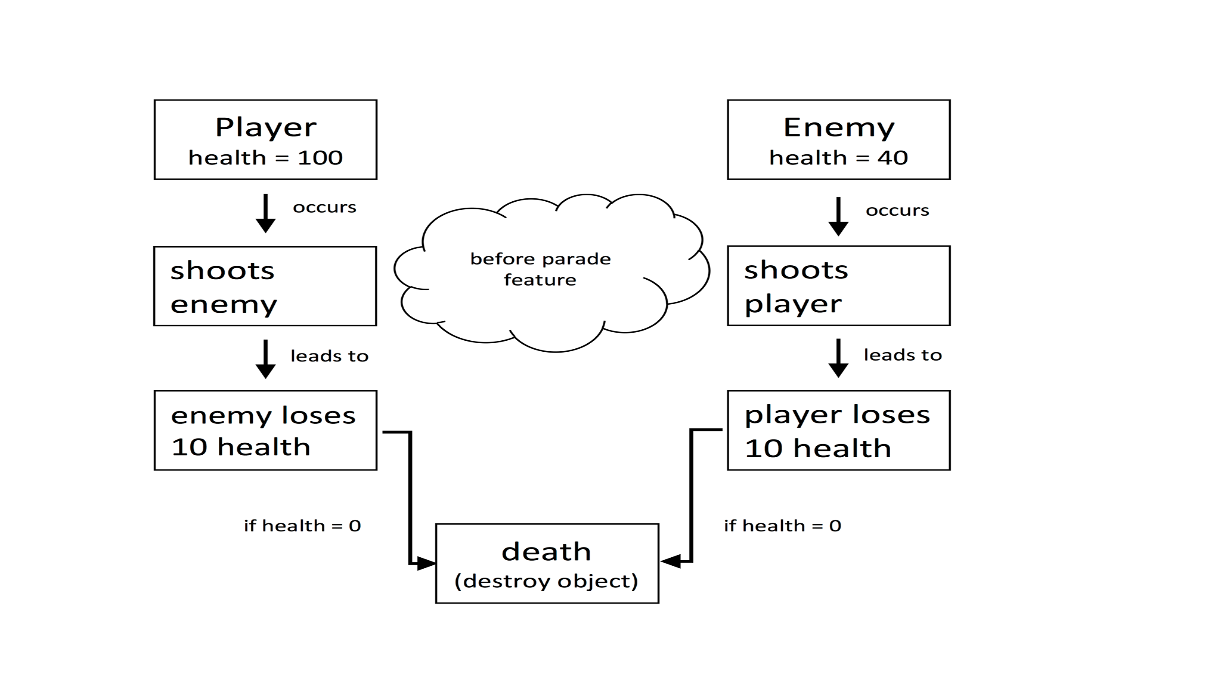
Figuring Out the Health and DeathLast week for the sprint plan I was tasked with making the enemy and player have health and when their health reached zero, they would die. It was simple enough making the enemies and player get destroyed from the scene after collision with a bullet, but having a decreasing health with each bullet that hits you was a little bit harder. I had to do a lot of research and simple planning on my own to solve how to get it done. I tried just going into Unity as if I knew what I was doing but I really hadn’t had much experience with using Unity.
After having this thought process and making a map of what I was planning to happen I was ready to look online for some tutorials on how to approach this. We wanted to have the option of being able to set the health value on our own (so not hard coded) as well as set the damage the bullet caused. With this we also wanted to be able to set what was destroyed once the health value reached zero. For a bit, it was a little confusing on how to get the bullet to kill both the player and enemy but not themselves when they shot. I played around with a bunch of different lines of code and finally realized that we needed some sort of ‘type’ of object that the bullet is colliding with not just on collision. Even realizing this I was trying to implement this into the HealthScript that I created which was not working. After sitting and thinking about it, putting the actual collision and processing of the hit points into the BulletShooting script seemed like a smarter plan. The actual HealthScript contains very little lines of code which simply handles if the health is less than 0, destroy the dead object. This process and step in our overall project came right before the completion of our parade which will eventually turn into the health bar where every enemy you kill counts as an addition to your player health. When enemy dies, they do not disappear from screen now, they join the parade that is collecting behind you.  |