5SD064 Implemented a spawn manager
|
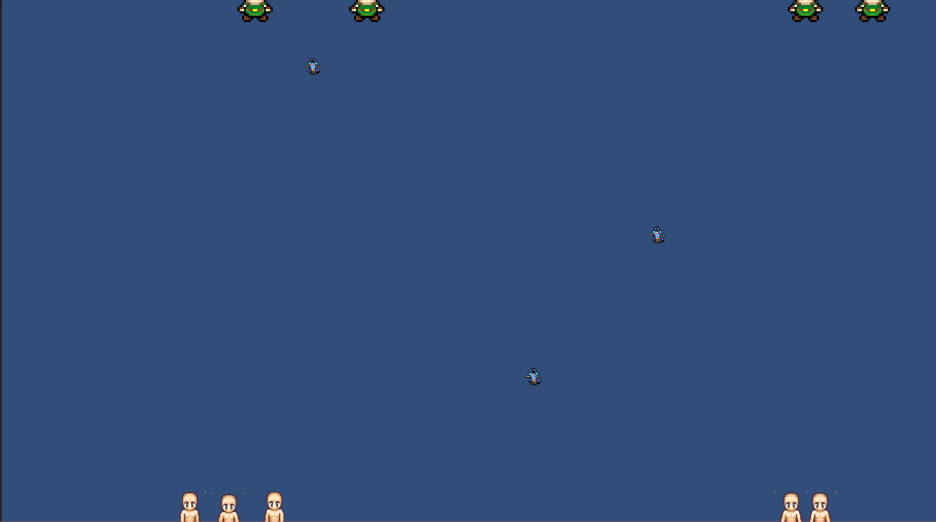
ImageText: Showing some “temporary” enemies, spawned with the spawnmanager within certain boundaries. The previous week, my sprint partly consisted of developing an enemy as well as an enemy manager which would have the ability to spawn a certain type of enemy depending on certain factors. What? The spawn manager was supposed to give the designer an ability to spawn whatever object that he wanted, depending on time as well as randomness at different positions, such as within two positions on the x axis as well as a fixed y position. Also, it was supposed to keep track of the amount of spawned enemies and keep the amount of enemies currently alive at a flexible maximum. How? At the start we discussed in the group what we would need to include for the spawn manager to fulfill as much as possible from the start, allowing us to use it for as much as possible when it comes to spawning things on the screen. What came to my mind at that point was basically to allow the spawnmanager to be enabled or disabled easily throughout other files, i.e making it public, as well as the rest of the variables. Since we were going to use it, basically the important variables such as positions, random factors etc. were made public so that the game designer would easily be able to change and try-test it later with less effort, no coding would be needed. The spawnmanager follows a hierarchy from which the different variables check further on with true or false statements, coming to a point where something spawns in the end depending on the checked boxes and values from the inspector. I also found it suitable for the designer to be able to maintain a maximum amount on enemies on screen, not to overload something, not just incase a value was forgotten, but there really should be a maximum, if we want. So I checked the amount of created enemies with the certain tag that we created, since one spawnmanager would hold only one enemy object and then check how many of them are alive, if the maximum cap is full, the manager is stopped until an enemy is dead and also haven’t reached the amount of total maximum spawns. Why? The manager would have a lot of public variables, in other words, they are shown in the inspector. Why I chose to do this was both for development where we would be able to see how the values change during testing and so on, but also easily allowing to change the values from outside the game. The designer can easily change the values from the inspector and see its differences when played, but also it’s possible to change them easily from other places. The order of values was supposed to follow the code structure, in other words changing something would affect the next one in the hierarchy but that is still in progress, but really doesn’t matter for the rest of the code since it’s fully functional at the current state of our game progress. The reasoning behind my decision on making such an hierarchy of the values and statements, mainly aiming towards the fact that so many different factors would change how things would spawn. In other words, what order these things would happen would need to be well thought through before coding it and I didn’t really see any other way at that moment than creating a hierarchy in the most logical order. Also, unity handles objects very well by being able to destroy objects non dependant of outside things except itself, but by keeping track of the objects created by tag, very easily the manager can keep track of the amount of enemies alive and also in future cause, perhaps call for functions on a certain object being affected by something, such as an ignite of the player which might be common for every object.  |