BGP Blog 1 – How does Unity handle animations, anyway?
|
Alright so, in the previous course, in which we were to model, texture and animate a 3D character, I got to do the animations. Now, this happens to be the same character we’re using for our Big Game Project – a little, like, lava stone kind of creature called Neiva. So I did some animations in Motionbuilder for that, six to be precise. That first week, I spent most of the time adjusting and cleaning them up for use in Unity – as well as learning how Unity handles animations.
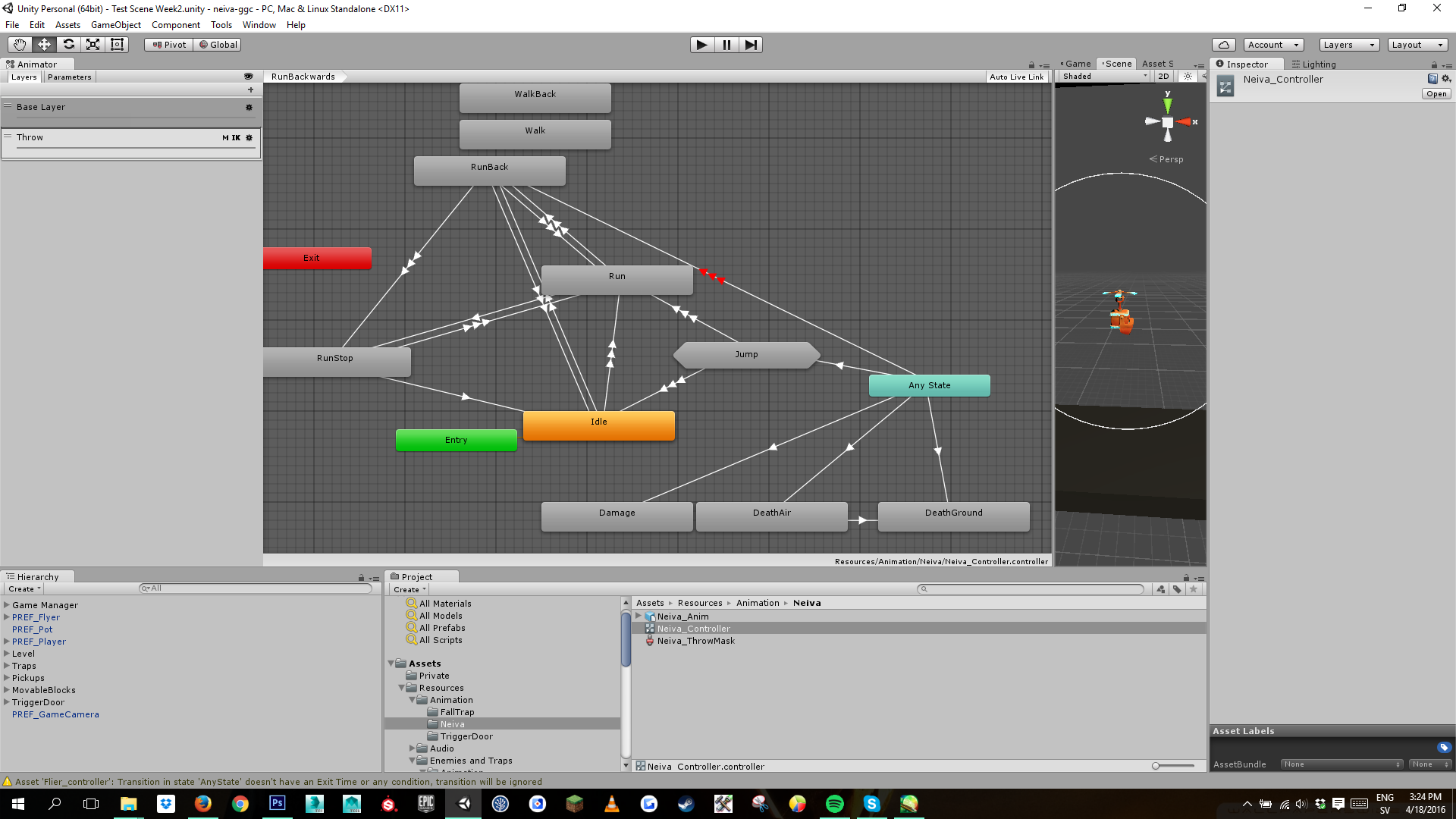
The short of it is, Unity has a thing called an animation controller, a state machine which handles transitions and blending between all the different animations. A script, provided by a programmer, gives me a set of parameters with which to control these transitions. For instance, the VelocityX float let’s me decide when the character should go from the idle animation into a run. When VelocityX is greater than 0.1, the Idle state transitions into the Run state. Then there’s parameters for Jump, Throw, Aim, VelocityY etc. I didn’t have a script with which to make the animations functional in week one, but I did build up a prototype animation tree to figure out which animations I would need, and how they’d need to move together.  |