[5SD033] Final Week: Interactive Tutorial
|
Hey! First of all sorry I’m late with this post, last week was really rough. I was supposed to write this post last Thursday, but since we had to finish this game by early Friday I and the rest of the team was hard working on all Thursday day and night. Now when that’s over I think it was fun to crunch on this game a last time, but I really hope it will be a month or two until next huge crunch. Working on another project of course. But on to this weeks topic: The Interactive Tutorial. In our game we wanted to learn the play how to move, since you play as two characters at the same time, it is really important to tell the player how to steer both players immediately. In our game Datepocalypse you can also use a shield, surrounding both characters and blocking incoming projectiles and other threats. This shield is activated by colliding with both players, so that is why I decided to make the player unintentionally colliding with both characters at the end. This by showing what arrows the player should press on, to move in a predetermined pattern. After you have moved and activated the shield, it is time for the next task: shooting. I most say it maybe was not the best idea since we literally implemented this feature few hours before finishing/(releasing) the game. But what happens is that the game will start and the first enemy will show up, the Head Up Display will show a image with the text ”Spacebar” to let the player know you should press the ”Spacebar” key. When the player has pressed and released spacebar to fire, the game has started for real. What I mean with this is, the player will be in the normal state called FlyingState. Under the hood the characters uses a statemachine, this way we could split actions into different states. For example, when the player uses a power-up for instance, the boomerang. Both character are in a different state then they are when they are just moving or are dead. Same goes for when the player just started the game, because the players will start in the InteractiveTutorialState. To switch state, we return a value from our handleInput method in each state. You can read more about that over here: http://gameprogrammingpatterns.com/state.html 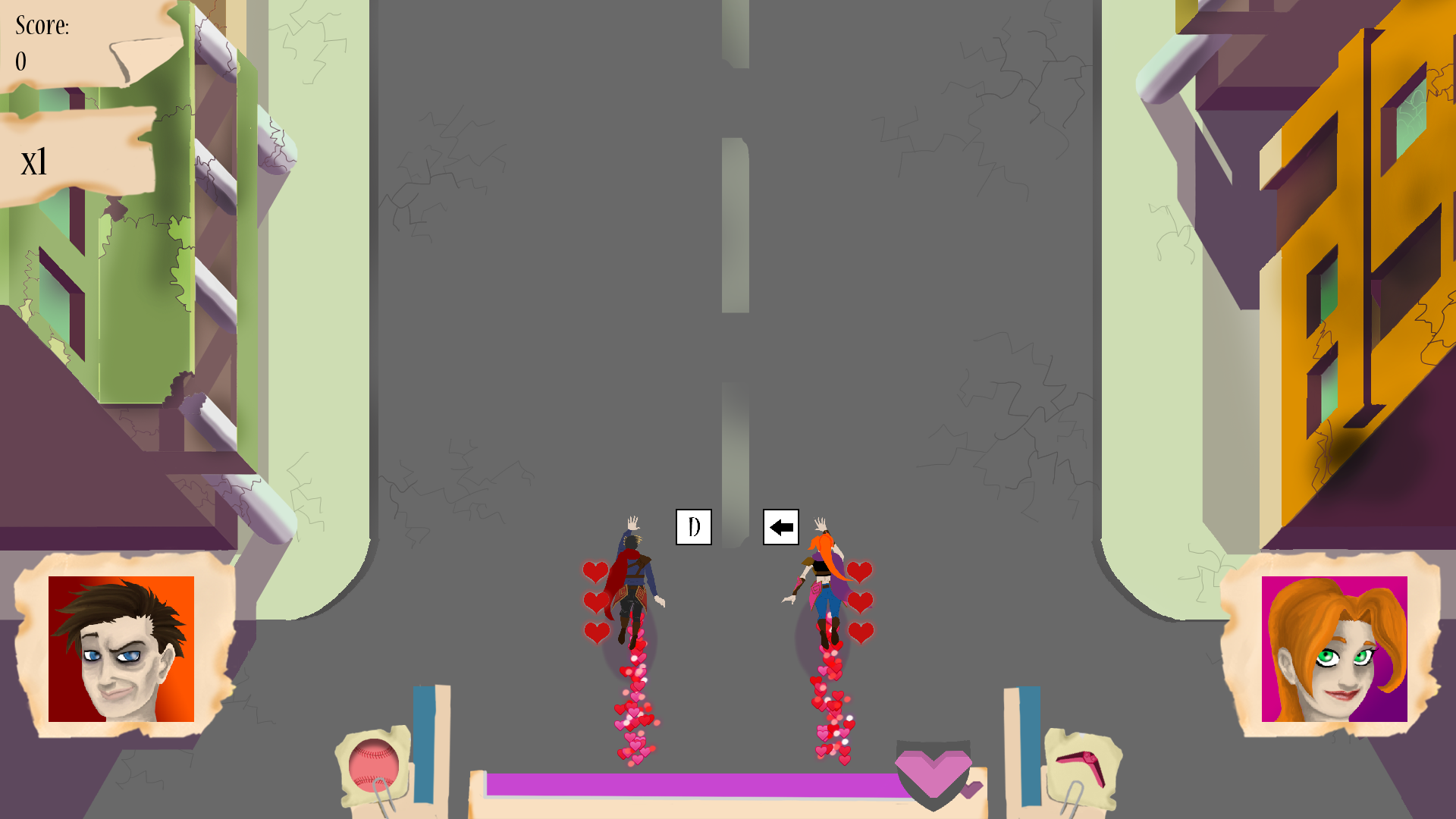 Since this project is done and the course is almost done, I ”just” have to write a final report. So it will probably be some time until next post, but I will promise to write something in a near future.  |
