Building a Menu ground up. Part 2.
|
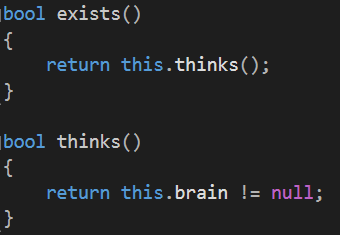
Welcome back! Last time we went through everything that was needed to build the buttons we need for the menu, and since they’re completely self-managing we dont need to do anything except check if the button returns true or false when we update it. What we need to do is some kind of structure that decides what buttons we currently can look at, what buttons we can interact with, and some way of knowing what will happen when they are pressed. So for the issue of only showing a set combination of buttons depending on where in the menu you are positioned I figured using states is a good way to go. And since our state machine will keep updating the menustate until we return false as a signal to change state we are able to have a switch statement in the update function of the menustate. As our buttons will give off sounds when we hover over them, we only want to update the buttons that are relevant for this state of the menu, so we will iterate through our container of buttons, and if we find an button that matches the type of button we want active in our state we proceed by updating it. If it returns false we keep on iterating through the container, and when we reach the end we are done with this update of the menustate. However, if the button returns true, we first need to know what type the button is, so that we can figure out what to actually do now that the button has been pressed. Things we might want the button to do include: That’s the end of my guide of how to make a menu for your game! I hope this was helpful and that you will not have any problems when it is time for you to make one. I will not see you next week, as this is the end of our project. I might write more in the future, but for now there will be no more posts until I am required to write more. I wish my readers all the happiness in the future, and I might see you in the future! For the time I will leave you with what René Descartes could’ve written had he lived in our age.
That is all
 |