Menu polish
|
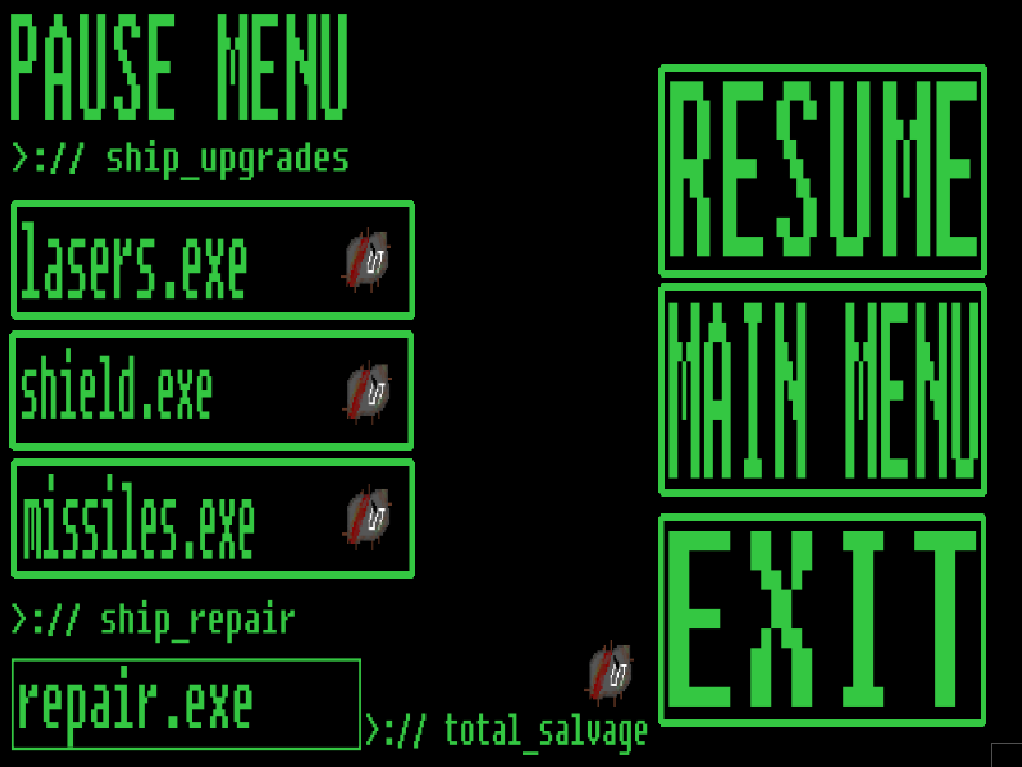
First week of beta and that means polish, polish and polish. There’s a lot to do with so little time left until the game is supposed to be in it’s final version. However since every mechanic and big feature is already implemented into the game there will be a slight change of pace and a change in how we work. Polishing and refining what we already have requires a different mindset than before. Because now we’re deciding whether something is ready for release or not, while before it was whether the mechanic or feature was actually working. First up to do is to refine how our games’ upgrade meny works. When the beta started all we had was the upgrade menu itself that also paused the game, but there were no indicators on how to use it for the players. All of the materials the player could or had scavenged for couldn’t be seen anywhere and if the player managed to figure out that they had to use the buttons of 1, 2 and 3 all of the materials were consumed on the first button press. Which is not ideal since it removes the need to scavenge for several things, and forces the player to only pick up one material at a time. These were all things that obviously needed fixing before the game enters it’s final stage and to fix these are my weeks assignment. First thing that I felt like I could fix was the issue when all of the materials were consumed at the same time. Well, not really at the same time but the longer you held down one of the three buttons (1, 2 or 3) the more materials were being consumed. To fix this I had to create some kind of break method or pause function for when you clicked one of the buttons. In more detailed words, if the player pressed one of the buttons, the function would stop working after it’s been activated once. After that, even if the player are still holding down the button, nothing will happen. Luckily we had already done a similar thing to our cannon and when it shoots. When we didn’t have the break method the cannon would shot one projectile for every frame, resulting in massive framedrop. Since theoretically the player were shooting 60 projectiles per second. We solved that issue by creating two different variables. One called “pressed” and the other one called “lastPressed”. The variable pressed is then made so that it’s equal to the button click of the button 1. However, lastPressed is put to false, which means it’s inactive, or not used. When the variables are done we then created an if statement that tells the game that if pressed(which means that if button 1 is pressed) and lastPressed is false then the action will happen. After the if statement we then tell lastPressed that it is equal to pressed, which then puts it to true. If we then do the exact same thing for buttons 2 and 3, every time you press another button, the button that was pressed beforehand will be put to false again. So that you can use it only after you’ve pressed another button. Creating an illusion of a break method or timer or pause function, whatever you want to call it. We then implement this into the pause menu’s button clicks and lo and behold we have fixed the issue that needed to be fixed!
 |