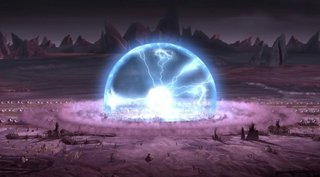
5SD033 Screenclearing and EMP effect
|
This week, one of my assignments was to create an EMP effect, to give our game a Smartbomb variant (as can be found described in this book, https://books.google.se/books?id=UT5jAwAAQBAJ&lpg=PA384&ots=Jxfj-f8x9K&dq=Smartbomb%20game%20powerup&pg=PR1#v=onepage&q=Smartbomb%20game%20powerup&f=false) . The effect would not only need to clear the entire game screen of enemies, but also have a negative effect, that of disabling all turrets on the game’s planet. This was done to have a power up that would give the player breathing room, but not be used lightly if the player had stocked up heavily on turrets.
To begin with, the effect was to emanate from the player’s position, and so I created a class that inherited from our Projectile class, that spawns an entity at the top portion of our player sprite position. The entity itself was an SFML circle shape, with a radius set at similar dimensions to the player sprite. Every time the game updated, the radius would expand by double the screen size, so that the effect would be near instantaneous and not get in the way of the player seeing what was going on onscreen., as the EMP shape was set to be destroyed once it had covered the visible screen entirely.
empShape.setRadius(empShape.getRadius() + 12000 * dt);
empShape.setOrigin(empShape.getRadius(), empShape.getRadius());
if (empShape.getRadius()>6000)
{
Destroy();
}
Using the regular collision check for projectiles positions as outlined in earlier blogposts, any enemy that collides with the EMP is instantly destroyed instead of having an HP variable lowered like with a normal bullet, accomplished by adding an if statement to our enemy manager, checking each enemy to that effect. Having finished with that collision check still left me with the issue of having the EMP affect the turrets, as they had no collision code themselves, what with our enemies not being able to damage the player or buildings by shooting them, only able to alter our planet’s Market Value. To accomplish this, I created a timer with the SFML clock class in our turret manager class, activated whenever the EMP itself was activated as an instantaneous effect. This was done as the screen was covered near instantly by the EMP effect anyway, and would give the player a set time they could plan around having their defenses down. The timer would then count down back to 0, and whenever the timer was not 0, would display an electric effect on top of each turret’s regular sprite and not fire on or aim for enemies.
if (disableTimer <= 0)
{
auto it = turrets.begin();
while (it != turrets.end())
{
(*it)->setTarget(enemyManager->GetShipInRange((*it)->getPosition(), (*it)->getRange()));
(*it)->Update(dt);
++it;
}
}
else
{
disableTimer -= dt;
}

if (disableTimer > 0)
{
shockSprite.setPosition((*it)->getPosition());
shockSprite.setRotation((*it)->getRotation());
window->draw(shockSprite);
}
What still needs fixing is to add an expandable sprite effect that is more than a simple transparent blue colour to the EMP effect, but that is a job for the later beta. The EMP power up itself drops like all other powers currently in our game, though at much lower frequency.
 |