Hi!
My name is Peter Camerini and I am new at this. Phew! That felt good!

A short introduction
Me and my team have for the last three weeks been in process of making a game called Geneva Lost. The game is a top down shooter and placed in the near future. The main character is a soldier, wounded in war he/she was brought to a top secret underground facility located in the heart of Sweden’s capital. Upon wakening the the main character realizes that her body is genetically altered giving her unnatural powers. The character finds an ally and manages to escape the facility but then finds herself hunted by the very same people who experimented on her, hunted by failed mutant creatures and soldiers, regular ones and mutated ones with powers similar to hers.

During these weeks we have been prototyping different components in our game to see if they are any good. I assigned myself different tasks based on my skill level and started working. One of my tasks was to prototype movement of the player, a stressful but fun task and I looked forward to learning more about c++ and SFML. As mentioned before i’m new at this and so i wasn’t sure where to start. Luckily internet exists with enough content to make your head explode and asking fellow students hovering nearby on their own tasks was always an option as well, I wasn’t alone.
Basic movement
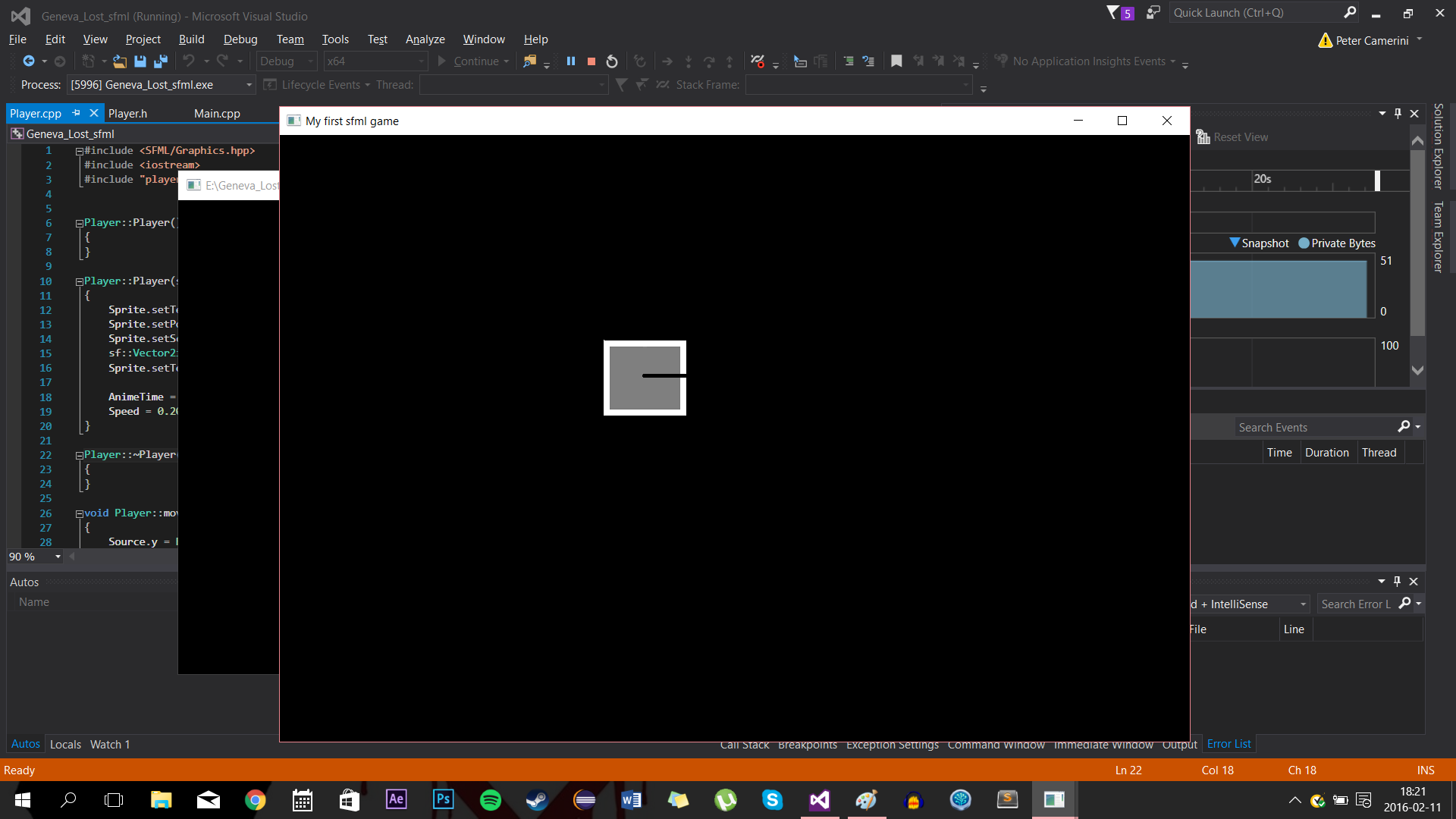
Creating a window and making a sprite appear in said window was an easy task. Movement on the other hand was a little bit more trickier for me. For a person that hasn’t been writing code previous starting at this program, the first challenge i faced was basically not to overthink it and keeping a cool head. After reading some tutorials and asking my teammate for advice i had a something to go on, it also helped considerably that the SFML library is easy to use of course. After a considerable amount of hours i had the basics of my movements done! Up Down Left and Right worked and you could move the box with the WASD keys. Now on to the next part!
Strafing
*(I may have gotten this wrong since it is silent information that I haven’t spoken out laud)
A space shooter using WASD keys and the mouse to move and aim isn’t that fun if the character cant face the mouse or strafe at an angle relative to the mouse on the screen. This was the part where i couldn’t find any good documentation on the World Wide Web, I had to find another source! My teammate had considerably more experience than me and could show me how it was done. 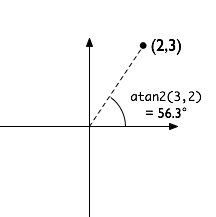
With his help I managed to create a vector that housed the mouse’s X and Y coordinates ( each minus the sum of the height divided by the width of the window ) of the window it for every frame. Then using atan2 and giving it the X and the Y coordinates it calculates the right angle of the mouse against the middle of the screen as it’s center.
After this step all I that needed to be done is give the .move() the information it needs when moving the shape. For this I was told to use cosine and sine, two terms from trigonometry that calculates the degrees of a shape that has three sides. This would produce the degrees of the angle for the shape and make it face the direction that the mouse is currently positioned. Every time the mouse moves, the x and the y angle for the shape changes to match the mouse’s position.
So…. yeah…. that’s what I’ve have learned this week.
 
About Peter Camerini
2015 Programming
|
