A new course, Introduction to Game Development! First week? Wut
|
2D graphics and applications I is now finished and so I start a new course. Introduction to Game Development, oh so exciting!! This is a continuation on my first course Game Analysis and Game Design, that I had last semester. I have been now moved to a new group, and this time instead of creating a game concept we have to create an actual game based on another groups idea. So now we are three weeks into the course, not the first week as the headline might imply. BUT, it is the first week of artifact blog post reflection (wow that’s a mouthful)! These posts are for us students to reflect over ONE of the artifacts we’ve created during the last week. Artifacts being programming code bits or in my case the creation of graphical assets. This week’s chosen artifact is the creation of our games avatar sprite. One of the most important artifacts, as this is the actual avatar the player would fly around with. And this is how it was created. From an idea, to a sketch, to redesign to a finished functional sprite! So let’s start with a quick summary of the game. The game is Colossus Core, which is a 2D side scrolling space shooter. In where you controls a hovercraft flying through an uncharted underground world. The game will have a dark cyber/steam punk style. So when making the avatar, I tried to reflect this in the ship.
As the concept for the ship was done, I started up Photoshop and began creating the avatar sprite. I blocked out the shape and redesigned it to work out better with the game, and make it workable as an actual functional sprite. When making the sprite I made sure to keep all of the parts on a separate layer. As these different parts would later be animated in the engine, eg. the rotating gun and thrusters. I kept the whale shape (affectionately named so by the artists) and the overall design, but had to make some changes. One of the biggest changes was the removal of the “overcharge core”, as the oval shape clashed with the squarish design. This was replaced with a rectangular power bar and more compartments for storage. I also moved the light to be
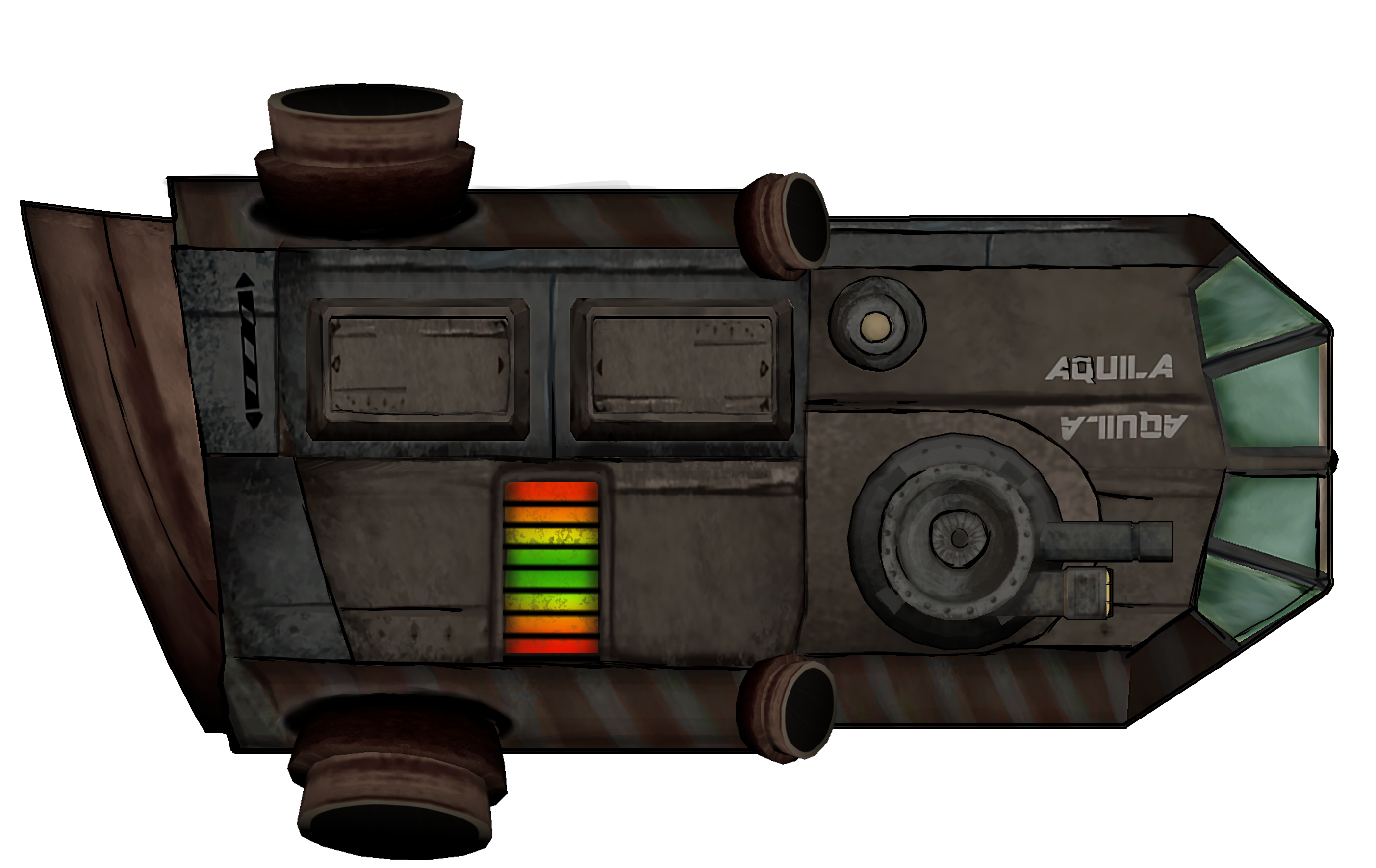
Later though, the group decided to make some mechanical changes to the game. The ship had to be able to be upside down. This meant I had to redesign Aquila to look good both right-side up and upside down. This was actually easily fixed, as it only took some small corrections to look good. What I did was making the glass to be both up and down. Adding an upside down version of the name, and also change so the power bars would meet in the middle, instead of just going up. So here is the finished design and also some of the actual game sprites.
Overall this has been a very teachable experience, and I believe that I got a good looking and functional asset in the end!  |
 with last resources but also being able to survive a hostile environment. So we designed Aquila to look made out of iron but reinforced and fixed with brass. This nicely colored the ship and made it look rough. We also made it compact and sturdy, to be able to survive collisions and have space for a lot of cargo. Designed in was also a lot of indications of states of different weapons and overcharge. This, to keep the HUD minimalistic in the way we wanted for the game. Together we voted and decided on a concept that we liked. Here you can see how we initially wanted Aquila to look like.
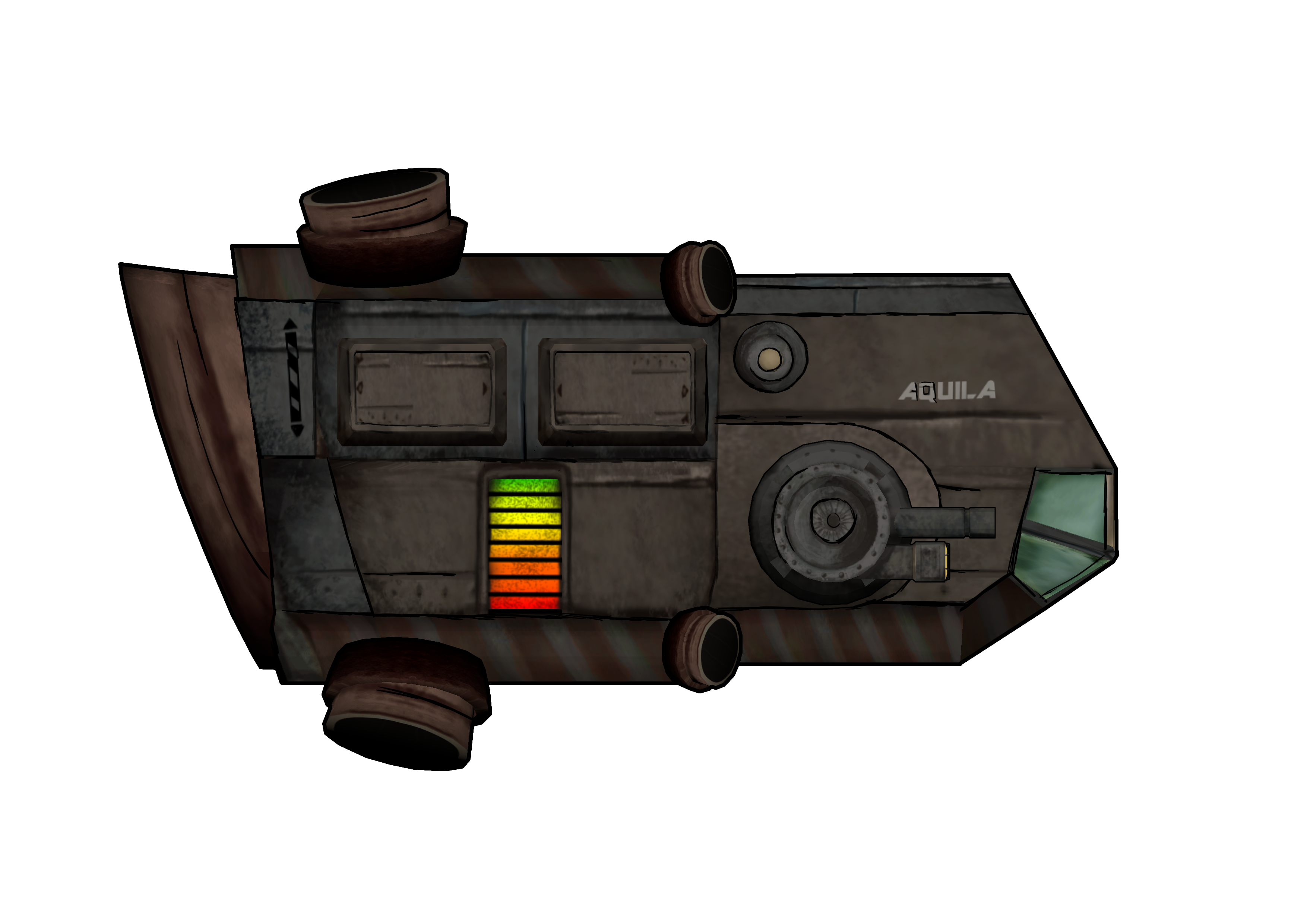 on the rotating gun and hid the scrap collector, so not to be in the way. Here you can see the “finished” design.