Update #4 On Project Mole Munch
|
This post is going to describe the implementation of a finite state machine (FSM) and the various uses of it. I’ll also try to describe many of the difficulties I ran into during the process. This might get fairly technical and contain some programming expressions but I’ll only show pseudo code that hopefully will be readable even if you have no programming experience. First of I’ll shortly talk about what a finite state machine is. Very simply put, it’s a form of logical circuit commonly used in mathematics and computational processes. By having an FSM controlling the logical way the compiler reads the code, you as a coder have good control of what and when something happens. To give you an example of what makes it very useful in game design. We had an Update() function in our Mole’s class that controlled everything the player did and it quickly grew huge, messy and it became a problem to control the logical flow in the function. When we wanted the Mole to move underground when pressing space we had problems with the animation breaking if the player pressed another key. So we had to control what the player could do when the Mole was in a certain State such as moving, throwing and transitioning. 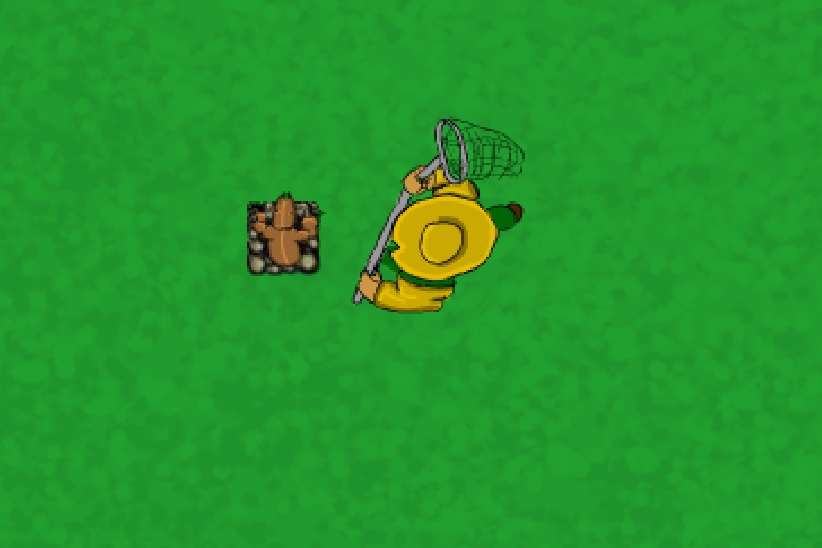
An example of finite state machines working. The player is transitioning and the Gardener has gone from walking to catching. After a quick Google search I found a site called gameprogrammingpatterns. The author as experience in game code patterns and describes a few different ways to implement the FSM commonly used in the industry. The idea is actually quite simple and here is how a basic state machine could be designed: 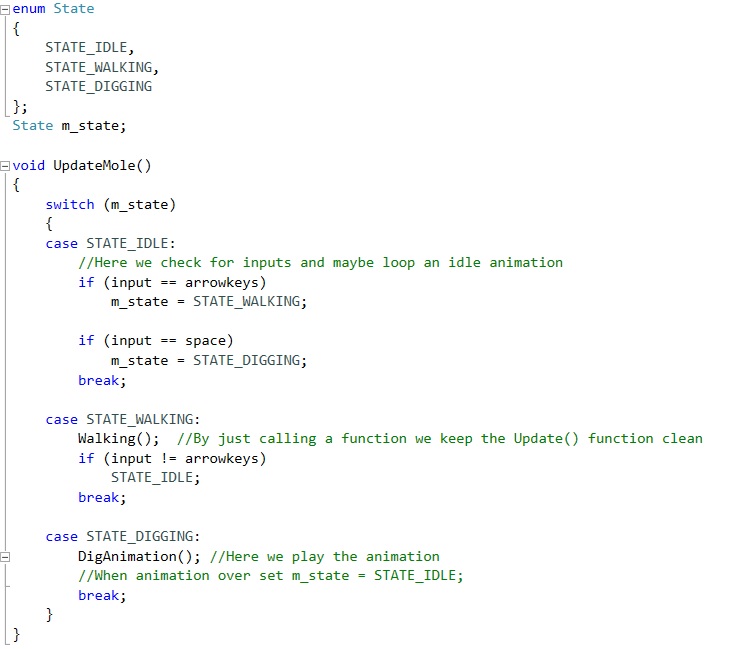
This is just very basic. But this is how you could start. Try to build it up slowly and check often if you left something illogical that breaks the FSM or if it gets stuck somewhere. I used the console output A LOT when trying the see how to compiler read the code. By having a switch statement with different cases you effectively have multiple update functions since it only checks one case at a time. This way the code looks cleaner and you have good control of what an entity can and can’t do in certain situations. I also implemented in the same way an FSM for animations since the same principles apply. This way it’s easy to keep the player from doing something while an animation is playing. Like in the example of our dig transition between under and over ground. When the animation plays the player can’t change the m_state until the animation is done. This also keeps the animation from playing more than ones. Many of the problems I stumbled upon came from not wanting to delete previous code and it was hard to get an overview of the FSM and find bugs. But it became much easier when i erased all code from Update() and just slowly built it up from the ground. It was a scary thing to do since I’m fairly new to programming and it was code that we had written over several weeks. But it actually wasn’t as hard as I had thought and it was a huge confidence boost to succeed because I got to see what I had learned during this project all in one take. So that’s a lesson I’m taking with me from this week’s work. Don’t be afraid to delete (back up the file before) and rebuild. The code becomes so much clearer and you learn a lot from it.  |