Creating a score multiplier
|
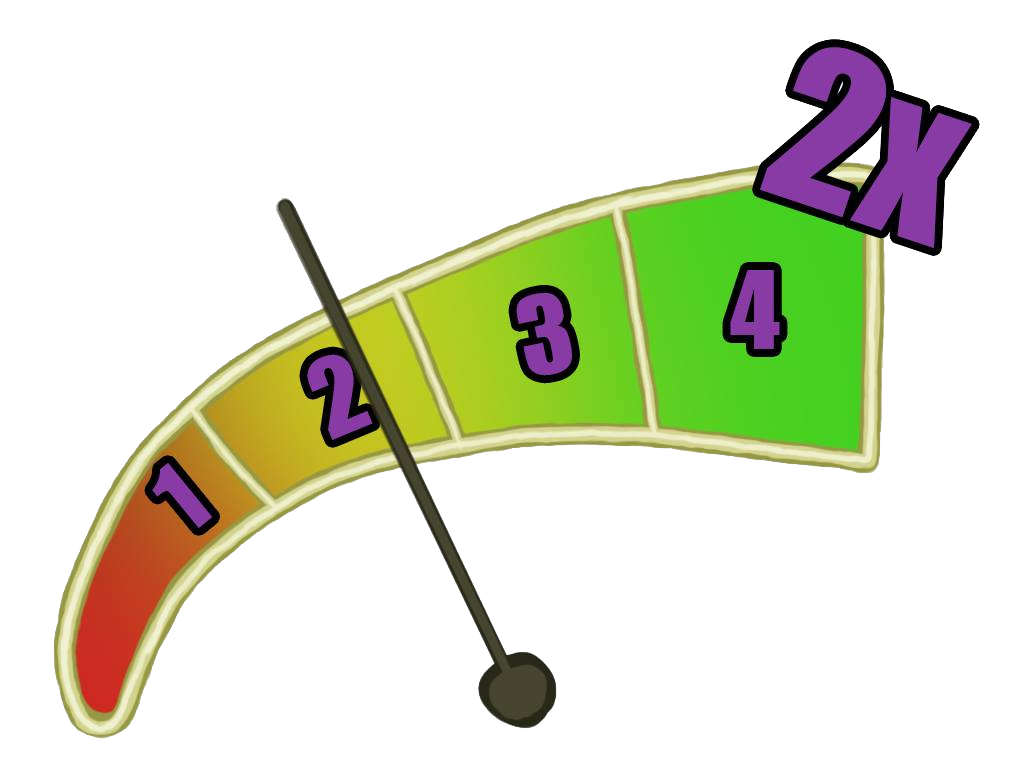
Score is an important part of our space shooter-game. To make the player want to come back and play our levels, we have implemented high score. When you hit enemies close to the beat, you will start to build up a score multiplier which gives you a higher score. Therefore you will get a higher score when you practice the different levels over and over again. To show the player how well he or she is doing, I have created a score multiplier that will be placed in the upper left corner together with the current score. The original concept was that it would look something like a traditional meter with an arrow that shows which multiplier is active. I realized that it would be hard for the player to quickly look at it while he or she is playing the game. It would take too long to read the meter. I also thought that it used the screen space badly and didn’t fit in with the rest of the information in the HUD.
So i redesigned the whole meter. My first thought was to clearly show the good and bad places to be. Therefore, I made it expand from small to big and end with an even bigger shape that is also different from the others. To quickly see which multiplier is currently active, I made the whole meter become filled with a color. As the current multiplier change, the whole meter changes. Every color blends into each other, so the biggest multiplier contains every color of all the other multipliers. Since our game is a techno music game, I wanted it all to have disco-attributes. Therefore, I made it all look like it is sparkling (this will probably be animated for the final version of the game). I wanted the biggest multiplier to look like a disco ball, so I gave it some extra sparkles at first, but that was a bit too much so I removed it. In the end, it almost looks like a microphone as well! To follow the game’s graphic style, I made the different parts have black lines around them. This also made the numbers more easy to read. Especially x2 that has the same sparkling colour as the text. I created an animated .GIF-file to show the rest of the team how it would look in-game. After approval, I sent the five frames to the programmers who could implement it into the game. The score multiplier indicator where made entirely in Photoshop CC 2014.
 |