Artifact 4
|
Artifact 4- Heartbeat Bat
Our game project is slowly coming to an end and most of our assignments are getting finished. This week I am going to write about my work on the dash effect that our bat is going to use in the game to get to different places faster. The dash effect will be available to use downwards, upwards and forward by double clicking the keyboard buttons “d”, “w” and “s”. Our group got inspiration from the game “Robot unicorn”for creating a dash effect (http://games.adultswim.com/robot-unicorn-attack-twitchy-online-game.html). In Robot unicorn the dash effect is used to get through different objects but our group wanted to use the dash effect to avoid obstacles or to use it to catch a difficult placed powerup item.
Since we decided to go with a sparkly and colorful theme I decided to match that with my dash effect as well. I started with painting a white shape for the dash and made the shape fitting for the bats dash effect at the time when it is in full shape. I then started to paint on different effects like glowing stars that I colored in different colors. I wanted the dash effect to be more colorful so I decided to change the all-white shape to a shade of green-blue, blue, pink and purple. I made the outer edges of the dash effect more dark and purple and the front more light to get some kind of feeling of speed.
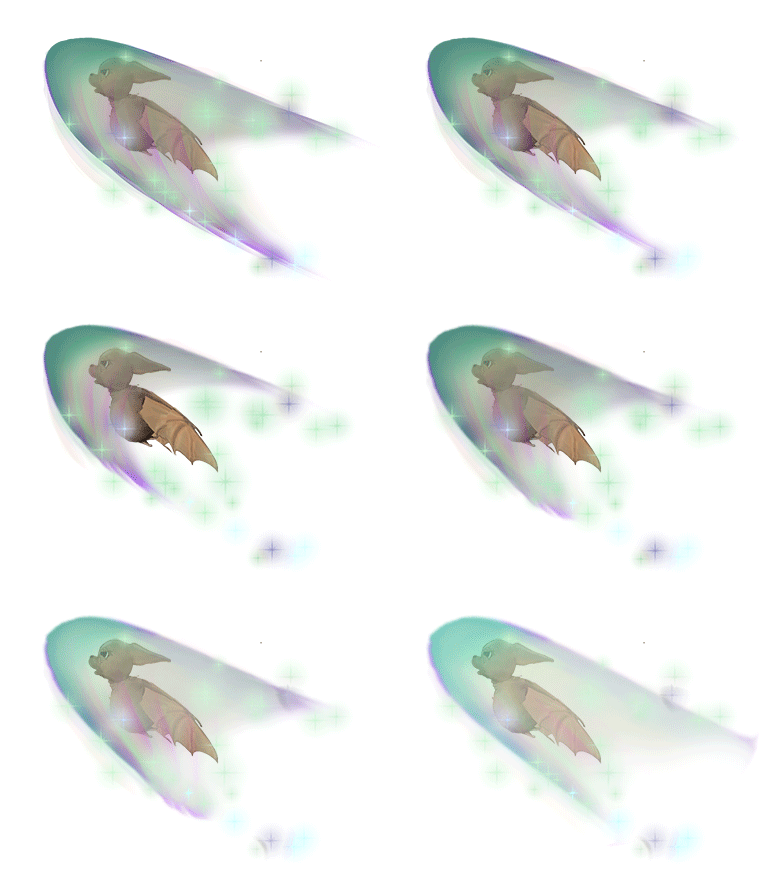
Here is the dash spritesheet
 After my first dash prototype was done I continued to work on several dash pictures for creating an dash animation.
I changed the form on the dash shape from big to small and from “normal” to stretched. At the same time I also changed the color to make the dash effect brightest and more strong colored when the bat are going most upwards/forward or downwards. I also did the dash effect lighter when it is at its peak in the animation with the most power.
For program I used Photoshop with some custom brushes and some of the effects used was “Hue/saturation”, “selective color”, “brightness/contrast” and “dodge tool”.
When the dash effect was ready I had to make sure that I also had an animation of the bat fitting for the dash. I therefor made an animation where I turned the bats body in an flying upward state and changed the wings position and expression of the bat to make it fit more properly.
When all was ready I created an animation using Photoshop’s timeline tool. I created an animation with 19 different frames plus one with the bat included. 19 frames might be to many but the effect it gave looked nice.Our groups programmer will then make the animation go faster in game.
Here is the final result
  |