Animations
|
This week I’ve been working on the animations for our game, and since I’m coding in SFML it is in theroty pretty simple to implement animations, however I wanted to do it in a object oriented manner which made things a bit harder when trying to figure out a solution. Cred to this guy: ( https://github.com/LaurentGomila/SFML/wiki/Source:-AnimatedSprite ), since I used his code as a starting point, however I believe my code looks and functions a bit different than his. The basic idea when animating a sprite in SFML, and most other libraries, is that you have a texture with all the different frames for the animation, and you crop out one of the frames and display it for a tenth of a second, maybe even less. Then you crop out the next frame and display that for the same amount of time, and on it goes. Pretty standard procedure, yeah? So what I did was that I created two classes that handles animations, Animation, and AnimatingSprite. They are pretty self explanatory, Animation is holds the data for a specific animation and AnimatingSprite uses Animation to animate a sprite. When creating an instance of the Animation class I give it a name, say WalkCycleLeft, tell it via a texture reference what texture (sprite sheet) is has and all the coordinates for the different frames. So I have a sf::IntRect vector that I push new frames into.  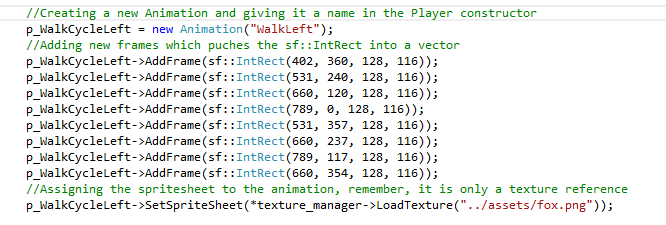
So now I have a reference to a texture and a std::vector filled with rectangles that holds the data to each frame. The AnimatingSprite class now uses the data from an instance of the Animation class to animate a separate sprite. This separate sprite can be any sprite, in this case it is the players’ sprite. It functions like this: 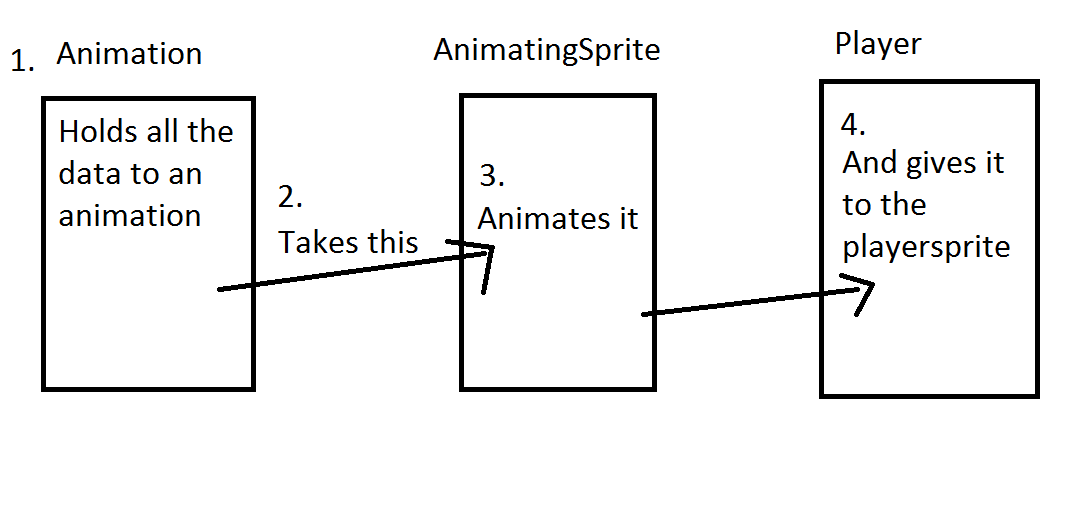 I give the AnimatingSprite class an Animation pointer, a sf::Sprite pointer and the duration time of each frame, all of which can be changed whenever another animation needs to be played. So it takes the first frame from Animation and tells the sprite it is pointing at (the players’ sprite) to display the texture and crop out this part of the texture. Next, a timer is started and if this timer is greater than the defined duration time of each frame, the next frame in the vector is to be display, unless it is at the last frame. In that case, the first frame in the list is set to be the active frame. I do have a few bools that are used for pausing or stopping the animation when needed. Here is the code: 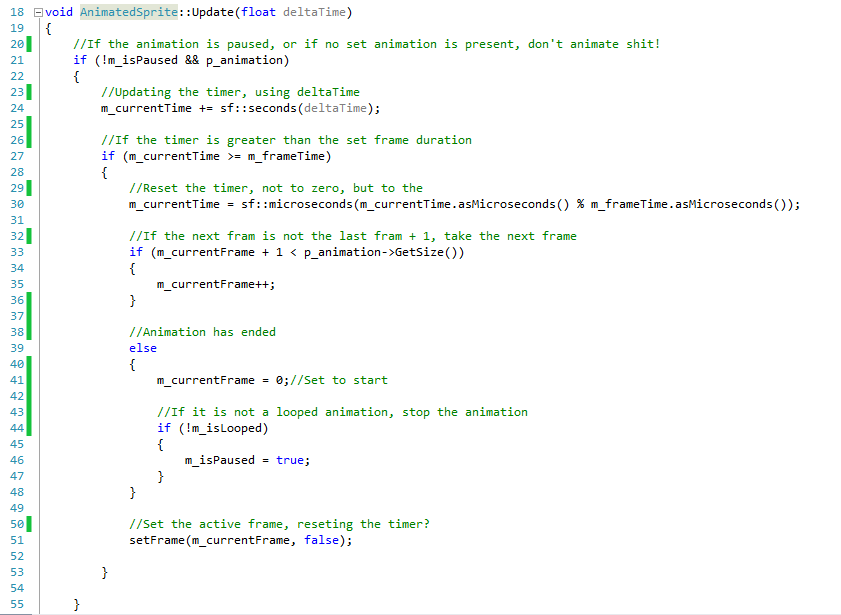 Now why do I use a class that animates an animation and gives it to a separate sprite in the player class, instead of having something like an animated sprite in the player class that has all the data already? Or why didn’t I just handle all the changing frame stuff in the Player class? Well, for one, I wanted the animations to be object oriented, allowing for easy implementation of new animations, and animation functionality for other entities as well. Also, by telling the players’ sprite what it should contain and display I didn’t have to rewrite the way the game retrieves and displays the sprites in the Gamestate class. It simply workes well and it didn’t require a lot of extra work. I can quite easily change the animation and configure stuff by calling methods in the AnimatingSprite class. Also, I might make is so that the program automatic can create all the animations by reading form a .txt file via some sort of AnimationManager, if I have time, but hard coding stuff works fine for now. Next week we have beta release for our game, and I think we’ll make it.  |