Destructible terrain
|
I’ve been working with the background and foreground implementation of our game during the last and this week. What I mean when I say the background and foreground implementation is more like a bitbased map. At first when we started working on our game, we had this mindset of going with a tilebased map, since that was what we knew how to program. However we felt that it would make the gameplay while underground worse. It would feel choppy and not as free roaming as we want it to be. If we would have gone with a tilemap, it would feel more like an arcade game while digging those tunnels. So we decided to go for a bitbased map instead. A bitbased map is used in worms for an example, where the destructible terrain feels kind of free for the player, and not so rough. So, the implementation of a bitbased map is quite easy at first, but is hard to perfect. First off you add two backgrounds, so basically just two sprites as large as the screen size. When I had added them, I had to convert the sprite that’s used for the foreground to an sf::Image which is done by using GetTexture() and CopyToImage(). After that I added a function to the image called createMaskFromColor which basically makes a color on the image transparent, so I put the color Magenta to be transparent. That’s basically it for the background and foreground implementation. This is a quite performance demanding task to do though. Since every time the image is updated, it gets copied to the graphics card, the screen clears and then the updated image is drawn out to the screen again. First we had two very large sprites used for this, so whenever we made the tunnels underground the game would crash, so what we had to do was to break the sprites down to smaller files. It’s still quite laggy though, we’re still working on how to break the sprites down even more. To dig a hole underground we basically just create a circle shape in the color of Magenta, which makes the circle transparent. Making it look like the player is digging a hole, but actually just drawing a circle.
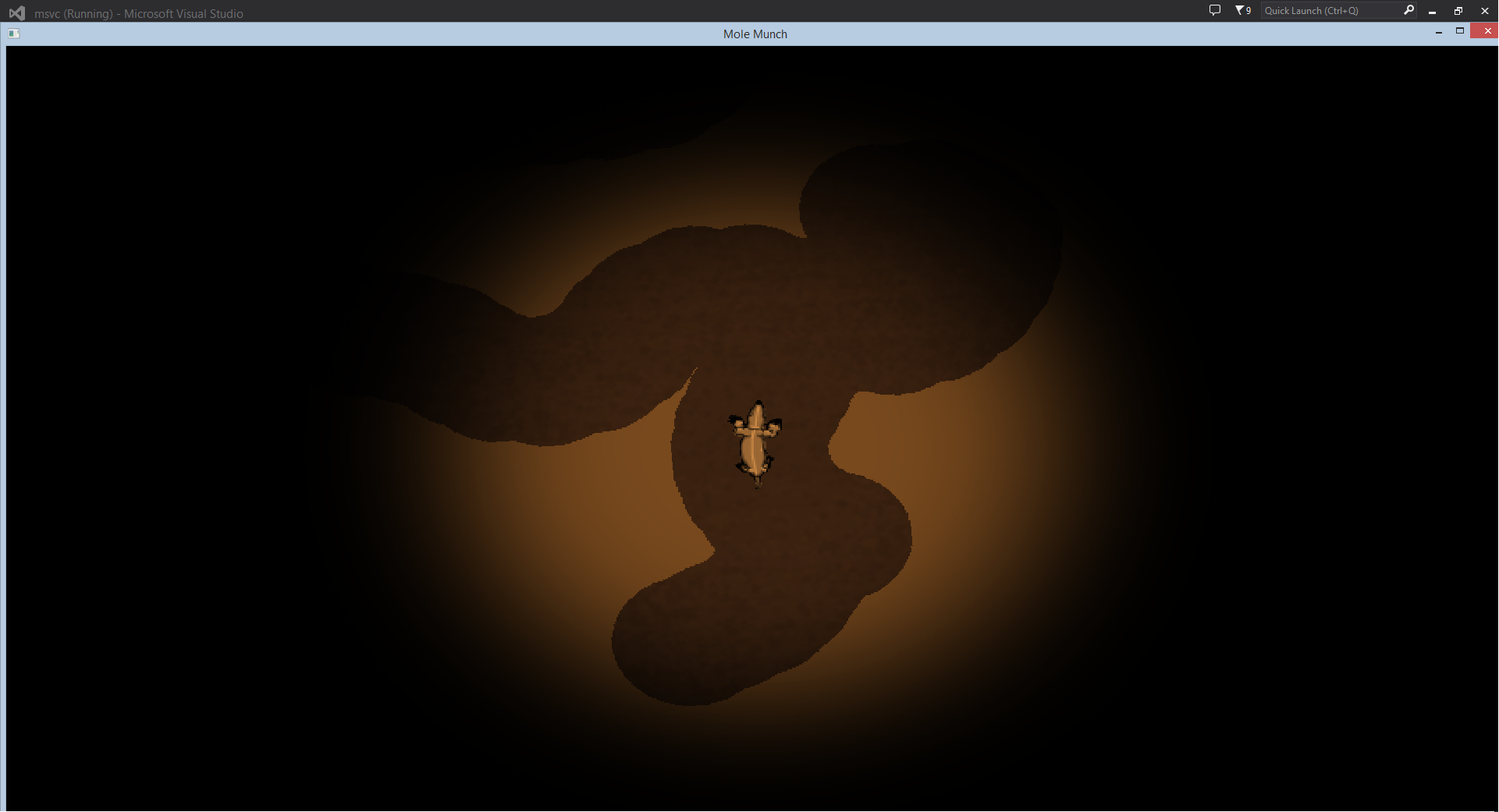
In this image you can see that there is two sprites, one that is darker, this is the background. And one that is brighter, which is the foreground that I was speaking of earlier. The tunnels are just circle shapes made transparent on the image, which makes it look like the mole is digging tunnels.  |