Yearly Archives: 2014
Programming Project, day 29 – part 4 – Game complete and no memory leaks
I ran the Visual Leak Detector for Visual C++ 2008/2010/2012, and “No memory leaks detected.”. I thought for sure that I had forgotten some pointers somewhere.
I also put all #includes in a certain order in every .cpp file.
The game is done now, there is always improvements that can be made but I’m feeling pretty done now.
My final project score should be at least 110 points (that’s about top score), I may get extra points somewhere. I’ve got every single thing […]
Programming Project, day 29 – part 4 – Game complete and no memory leaks
I ran the Visual Leak Detector for Visual C++ 2008/2010/2012, and “No memory leaks detected.”. I thought for sure that I had forgotten some pointers somewhere.
I also put all #includes in a certain order in every .cpp file.
The game is done now, there is always improvements that can be made but I’m feeling pretty done now.
My final project score should be at least 110 points (that’s about top score), I may get extra points somewhere. I’ve got every single thing […]
Programming Project, day 29 – part 3
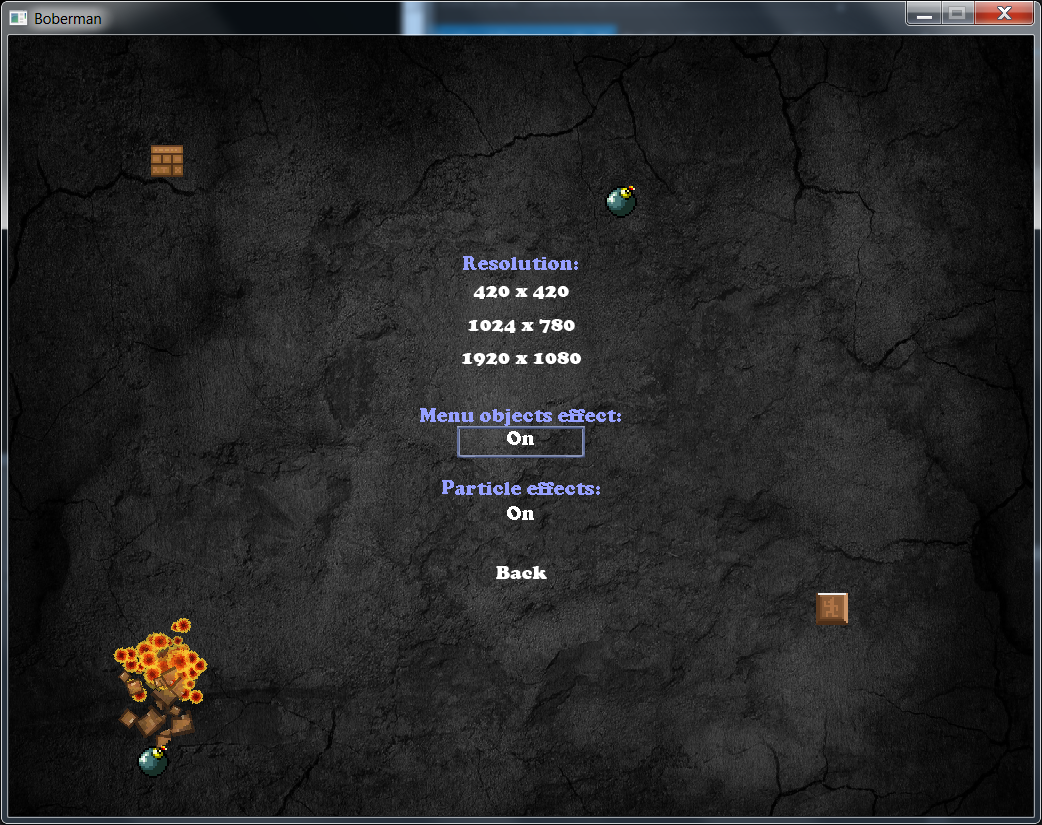
There is now an option in the graphics options state to turn off the “menu objects effect” (the objects flying around colliding when in certain menu’s).
Programming Project, day 29 – part 3
There is now an option in the graphics options state to turn off the “menu objects effect” (the objects flying around colliding when in certain menu’s).
Programming Project, day 29 – part 2
Added a desert level and custom particle effects for it.
Now it’s time to check the circle vs circle collision again to see if it isn’t box vs box.
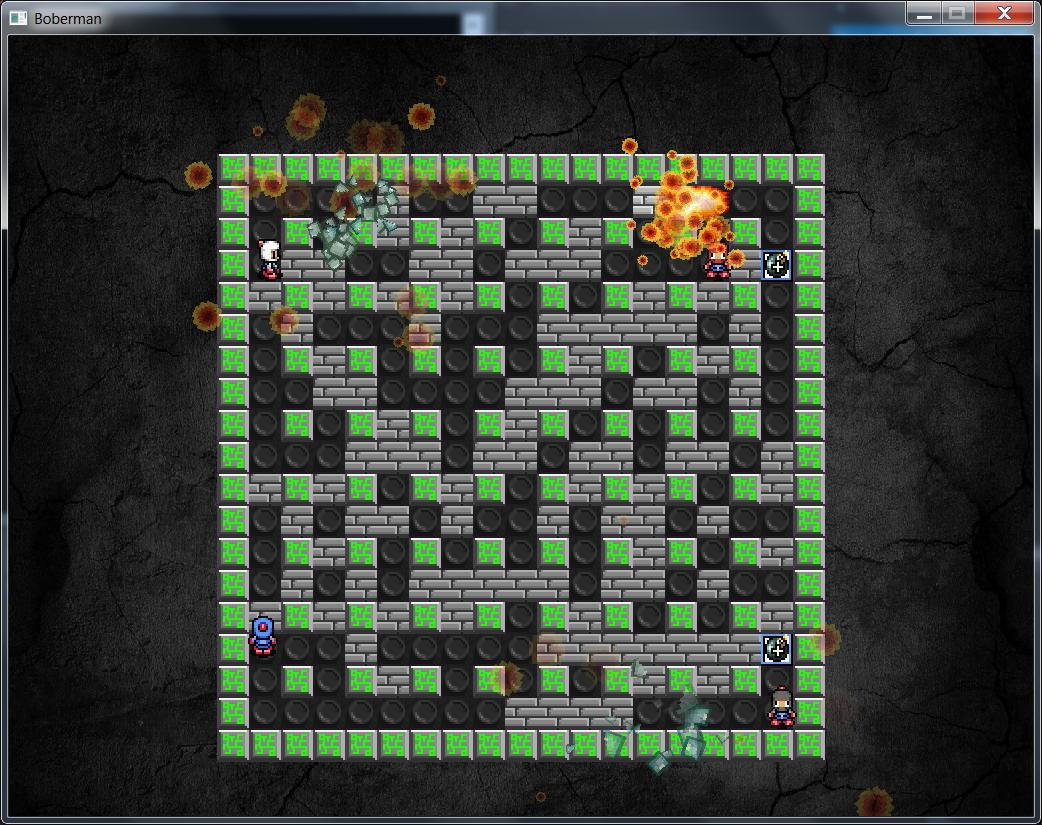
There is also an alien level (thanks to Ludde!):

Programming Project, day 29 – part 2
Added a desert level and custom particle effects for it.
Now it’s time to check the circle vs circle collision again to see if it isn’t box vs box.
There is also an alien level (thanks to Ludde!):
This is the end! Post #8
We wrapped up the last of our game last night. With Fabian’s fabulous dedication and with some guidance from Jerry we got TTF to work, and we now have everything we want in the game. Time to write the individual report today-tomorrow and then that’s the end of Game programming 1. Rushing into game programming 2 and game development next week.
This is the end! Post #8
We wrapped up the last of our game last night. With Fabian’s fabulous dedication and with some guidance from Jerry we got TTF to work, and we now have everything we want in the game. Time to write the individual report today-tomorrow and then that’s the end of Game programming 1. Rushing into game programming 2 and game development next week.
This is the end! Post #8
We wrapped up the last of our game last night. With Fabian’s fabulous dedication and with some guidance from Jerry we got TTF to work, and we now have everything we want in the game. Time to write the individual report today-tomorrow and then that’s the end of Game programming 1. Rushing into game programming 2 and game development next week.
This is the end! Post #8
We wrapped up the last of our game last night. With Fabian’s fabulous dedication and with some guidance from Jerry we got TTF to work, and we now have everything we want in the game. Time to write the individual report today-tomorrow and then that’s the end of Game programming 1. Rushing into game programming 2 and game development next week.
Programming Project, day 29 – part 1
I tidied up the code and removed some things that Isn’t needed.
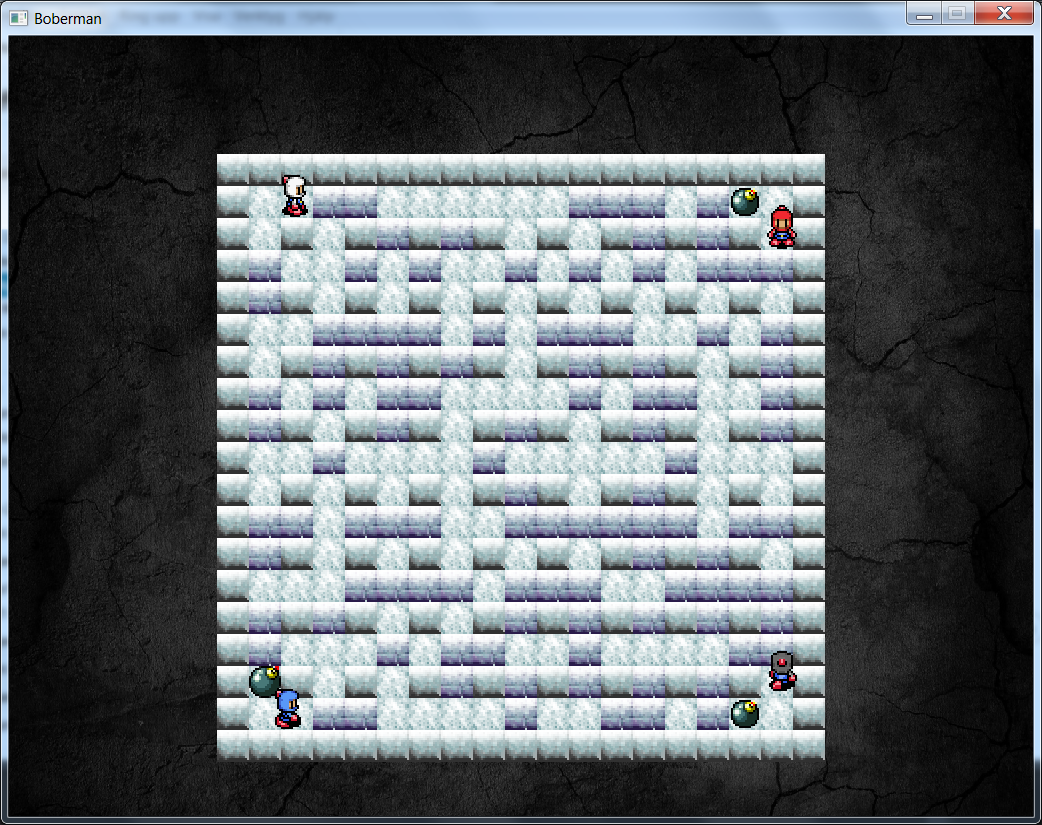
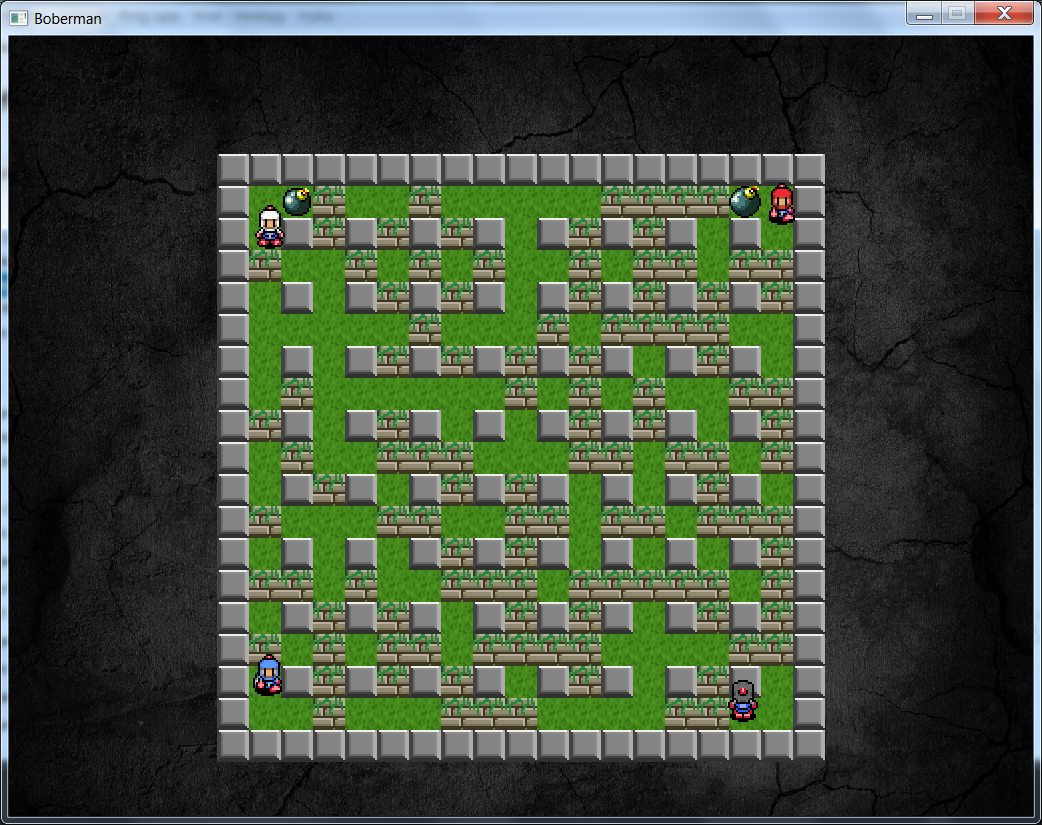
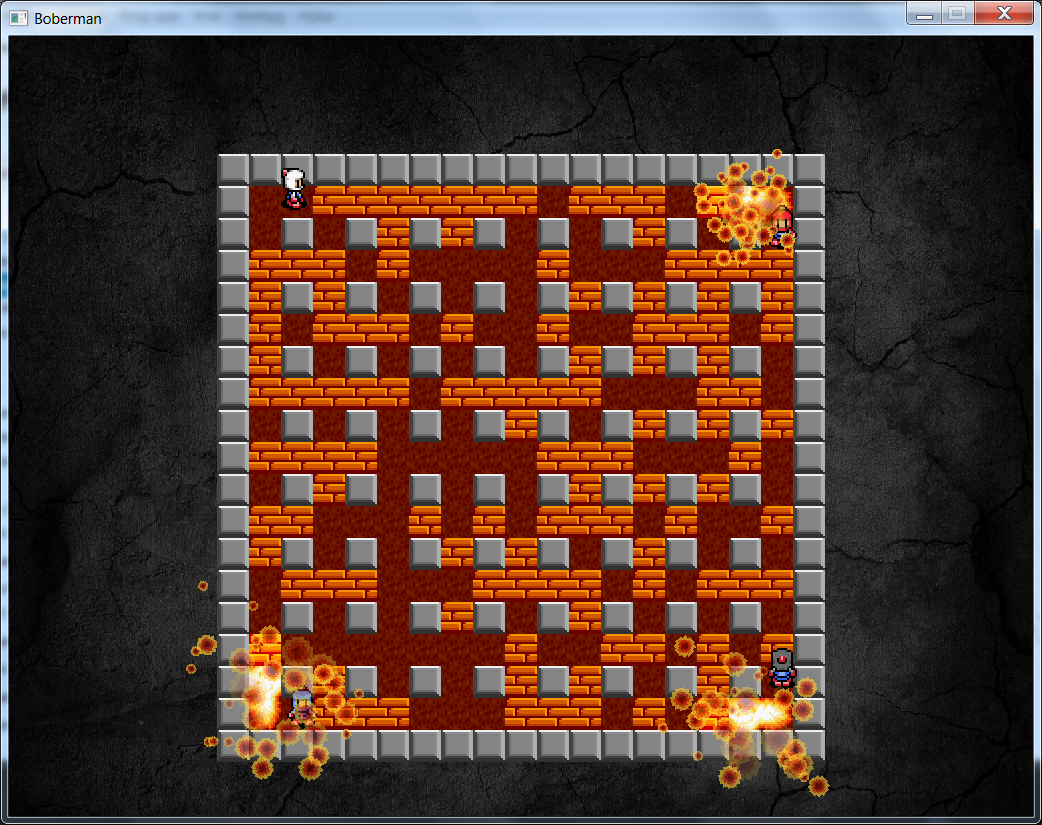
I added map-change support (only sprite change) and added some types of sprites. A graphic student, Ludwig Lindstål, made many of the map-types.
This is the result:

Programming Project, day 29 – part 1
I tidied up the code and removed some things that Isn’t needed.
I added map-change support (only sprite change) and added some types of sprites. A graphic student, Ludwig Lindstål, made many of the map-types.
This is the result:
Past 2 weeks
Ok, so I’ve been slacking off with the typing, and didn’t work for a week after new year. So here’s a summary.
I mentioned that SDL_Timer took a lot of CPU last time, and it was partially true, but not the sole reason. I had forgot to add SDL_delay(), causing the application to use any available CPU power, updating an arbitrary amount of times a second. after adding a delay of 10ms, it worked smoothly (albeit still use more CPU than […]
Past 2 weeks
Ok, so I’ve been slacking off with the typing, and didn’t work for a week after new year. So here’s a summary.
I mentioned that SDL_Timer took a lot of CPU last time, and it was partially true, but not the sole reason. I had forgot to add SDL_delay(), causing the application to use any available CPU power, updating an arbitrary amount of times a second. after adding a delay of 10ms, it worked smoothly (albeit still use more CPU than […]
Programming assignment 2014-01-18
Been working around the clock but now I’ve finally got the menus working as intended, they all use the same window! This was achieved by making a pointer from engine’s drawmanager to every state so that they all received the same window.
UPDATE: I’ve added the a background color to every menu. And added it to the most updated collision version of the game. There is a lot of work to be done to make engine’s draw manager work everywhere. Almost […]
Programming assignment 2014-01-18
Been working around the clock but now I’ve finally got the menus working as intended, they all use the same window! This was achieved by making a pointer from engine’s drawmanager to every state so that they all received the same window.
UPDATE: I’ve added the a background color to every menu. And added it to the most updated collision version of the game. There is a lot of work to be done to make engine’s draw manager work everywhere. Almost […]
Programming assignment 2014-01-(16-18)
Been working around the clock but now I’ve finally got the menus working as intended, they all use the same window! This was achieved by making a pointer from engine’s drawmanager to every state so that they all received the same window.
UPDATE: I’ve added the a background color to every menu. And added it to the most updated collision version of the game. There is a lot of work to be done to make engine’s draw manager work everywhere. Almost […]
Programming assignment 2014-01-(16-18)
Been working around the clock but now I’ve finally got the menus working as intended, they all use the same window! This was achieved by making a pointer from engine’s drawmanager to every state so that they all received the same window.
UPDATE: I’ve added the a background color to every menu. And added it to the most updated collision version of the game. There is a lot of work to be done to make engine’s draw manager work everywhere. Almost […]
Day 22
Ok so…I thought I was finished with programming for this project but nope, Thanks to my classmate Tomas that spotted that my collision for box vs circle was wrongly made I went through the code and found also that circle vs circle was wrong.I fixed circle vs circle fairly easy and I have the solution for box vs circle in my grasp but I just can’t get the offset to work on the ball after the collision has occured and […]
Day 22
Ok so…I thought I was finished with programming for this project but nope, Thanks to my classmate Tomas that spotted that my collision for box vs circle was wrongly made I went through the code and found also that circle vs circle was wrong.I fixed circle vs circle fairly easy and I have the solution for box vs circle in my grasp but I just can’t get the offset to work on the ball after the collision has occured and […]
Programming Project
Today I have been working on SDL_Mix Volume and balancing the game. We can now set a volume value between 0-100% on both soundeffects and music. It enables us to set different volume levels for music and sound effects. We can do this by reading the value from a text file. Example, you can put music in the value of 50% while the sound effects have a value of 30%. Today I have been working on SDL_Mix Volume and balancing the game. We can now set a volume value between 0-100% on both soundeffects and music. It enables us to set different volume levels for music and sound effects. We can do this by reading the value from a text file. Example, you can put music in the value of 50% while the sound effects have a value of 30%.
To balance the game was not so easy but is quite good now.
Programming Project
To balance the game was not so easy but is quite good now.
Programming Project
Today I have been working on SDL_Mix Volume and balancing the game. We can now set a volume value between 0-100% on both soundeffects and music. It enables us to set different volume levels for music and sound effects. We can do this by reading the value from a text file. Example, you can put music in the value of 50% while the sound effects have a value of 30%. Today I have been working on SDL_Mix Volume and balancing the game. We can now set a volume value between 0-100% on both soundeffects and music. It enables us to set different volume levels for music and sound effects. We can do this by reading the value from a text file. Example, you can put music in the value of 50% while the sound effects have a value of 30%.
To balance the game was not so easy but is quite good now.
Programming Project
To balance the game was not so easy but is quite good now.