Haunted Light – Text and menu functionality, mostly

Hello. This week I’ve mainly been working on adding the functionalities and text in the options menu as well as making the credits screen. I’ve also been working on AI for one of the enemies in the game, but since I’m not finished with it just yet, I’m only going to cover it using pseudo code and not the code behind it. The AI will hopefully be finished tomorrow.

Options Menu
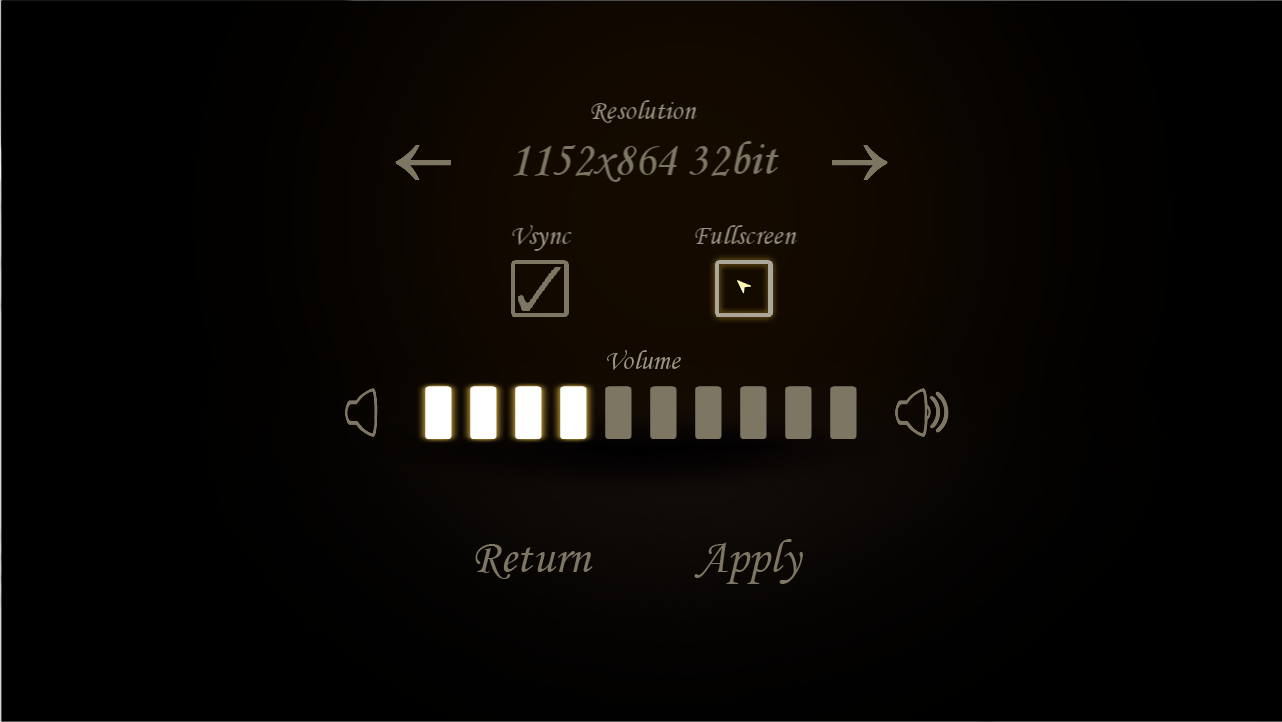
This is how the Options menu looks now. Not too different from the last post, since the most work with it has been adding every buttons respective functionality. Every piece of artwork in there is final, so no placeholders anymore. The really problematic function to implement was the resolution option, that however was done by our lead programmer(http://codergimmic.wordpress.com/), since I couldn’t make it work. All I got was assertion errors when trying to change the windows resolution. So when he offered to solve the issue I decided to create the credits screen.

Credits Screen
Creating it was not hard really, just time-consuming and tiring, but this time I had learned from my mistakes when adding the buttons to the Options menu last week and simply copied-and-pasted the code after I had written it once. It didn’t create nearly as many problems as it did when I wrote the code for each button manually, since just copy-and-pasting it wasn’t nearly as tiring. The hardest part of it was getting all the text aligned with each other and getting it placed correctly when changing the resolution, the issue regarding the resolution we have solved by using a variable that holds the windows scaling, both width and height, to calculate objects, sprites and texts positions in the window. The way this variable work is that it calculates the difference between the current resolution and the base resolution(1280x720), which is what we develop the game in, and holds a decimal number that tells us the windows current dimensions relative to the base.

scale.x = windows width/1280
scale.y = windows height/720

A lot of words for just a little bit of code. The variable however is very important in the game as it is used by every object, sprite, button and text through the game, since it makes sure the proportions and positions of everything stays the same, despite of resolution.

Now to the AI. It is very simple actually, yet more challenging to program than what I imagined. The AI I’m creating will belong to the “critter”, which is a chaser-type enemy. It checks if the player is within a certain radius of the enemy, it goes straight for the player and tries to put out the candle the player is holding. If the enemy and the player collide, the candle is put out, but if the chase goes on for a certain amount of time or the “critter” collides with another object, it returns to where it spawned. The only thing I’m going to say code-wise about the AI is that in order to the this to work I knew I needed to create at least two new methods, one that checks the distance between two points, and one that makes the enemy move towards that point. I also needed a method that rotates the sprite towards a certain point, but that already existed.

That was all I had to write this week, hope you found it interesting.

Regards
Calle Johansson, Gamedesign and Programming