Week 7: Beta Presentation
|
Right now I am getting ready for the Beta presentation we are having for tomorrow. The last time I held the presentation I didn’t get that much sleep because I was up crunching with two other members from our group, and I was one of the few who didn’t have a PowerPoint for it. The critique I got was mostly that we needed to show some pictures of the icons we had; I didn’t think of that. We were going to show how our game worked right on the big screen, and I thought that it should be enough visuals to present. But I have to agree, showing more pictures would’ve been ideal. This time I have prepared a PowerPoint presentation, and I have played around a bit with the layout, but I think it needs more work (maybe I should add some effects). Now for the aesthetic side of this blog! Animation I am working on the ending screens and the baton hit animations that I didn’t present the last time. The animation looks like this: 
Attack Animation
I needed to redo the swing light, but I don’t have that much more time left to adjust that. Lets save it for the final! Victory/Loose Screens On to the loosing screen I need to make it look like the player is being dragged away after being caught or disabled. And I still need to use the dark setting to represent the same style we are using throughout this project. We haven’t made a lot of concept art, just a few sketches of the characters. I chose to use only the silhouettes of our characters, and I asked some friends to help me out so that I can take some pictures, and then I re-edited them in Photoshop using a selection tool to mark out the contours. And on top of that I added the armor and helmet silhouette. Then in the background I put a door where they would move towards. 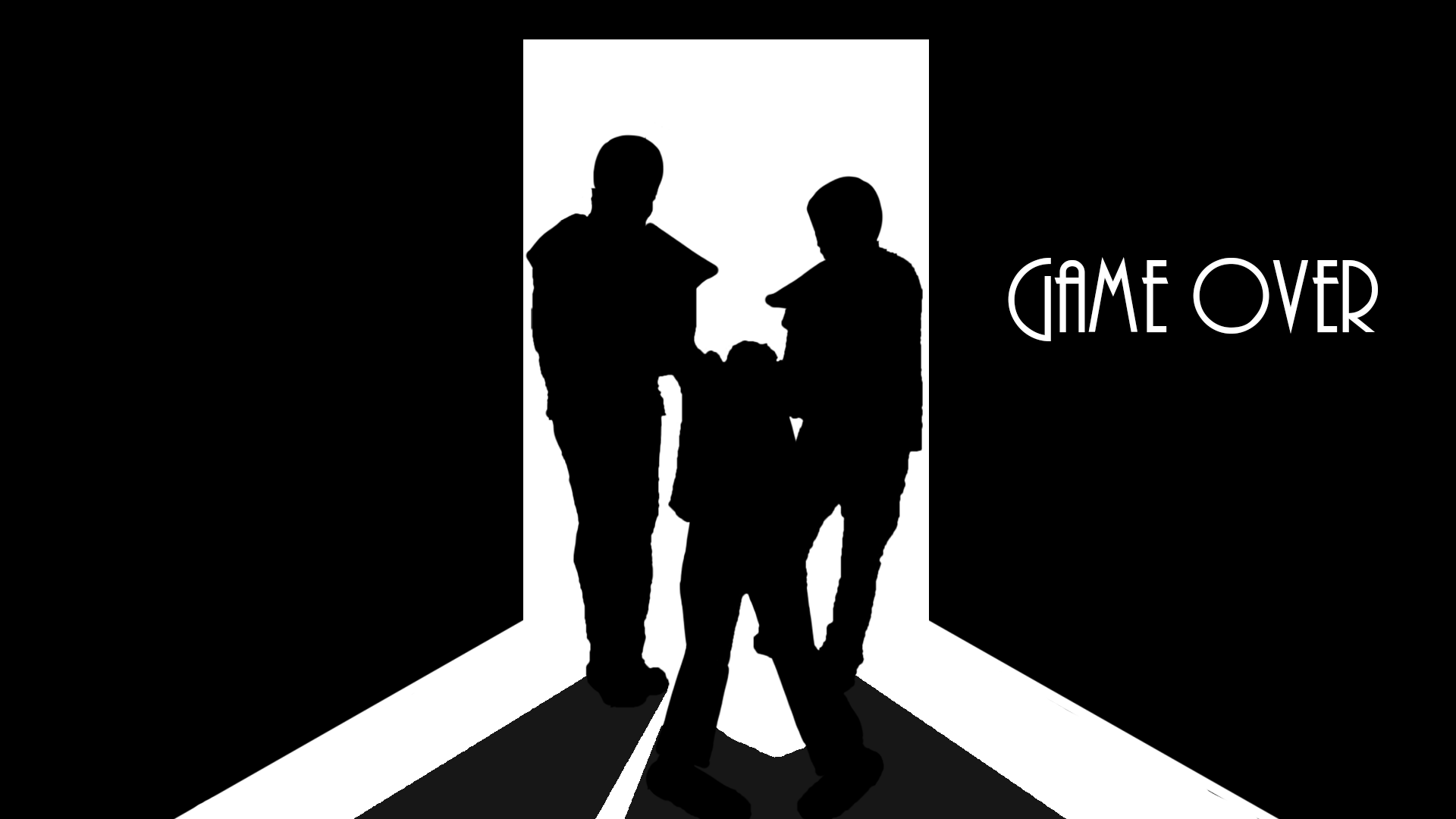
Game Over Screen
For the winning screen I use the same method but here I wanted to display the “Spy” exiting the building. Making him run towards the same exit was an obvious choice for me. The same exit makes it clean and If the door is positioned in the middle, the programmers could easily put alternative buttons like “restart” or “quit” to the left side of the door and my indication for the winning or the loosing screen to the right. Placing all the objects like this makes the picture symmetrical and pleasing for the eye to watch. 
Victory Screen
That’s about it from me this week, folks! Wish me luck! |

