Project Aurora, post 9, (Blog Assignment 5) Darkness in the deep
|
In our game it gets darker the deeper you go in the ocean and I was tasked to implement this feature because I had already worked with the camera and the black filter that covers the view (see earlier posts). My first thought was to implement this so the changes of opacity are only happening where the camera is but I started with asking my fellow group mates and class mates how they would go about doing this. All of them basiclly said why not cover the whole world with a black filter with a gradient that starts at a certain position / depth on the Y-axis and that covers the whole X-axis. (see picture) 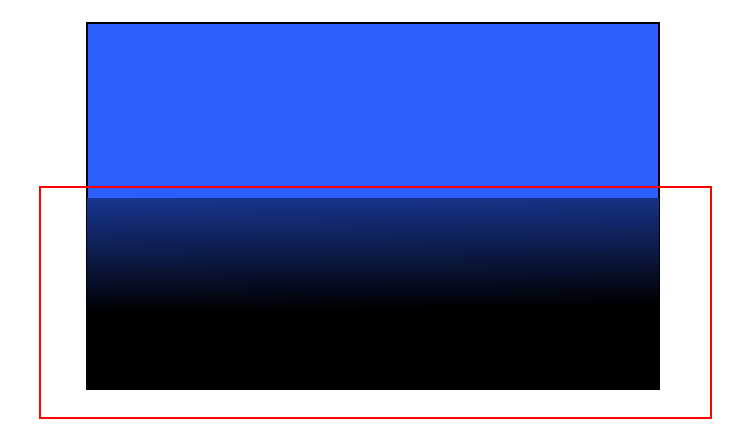 I thought, sure that might work. I just have to do some changes to how the sf::RenderTexure works with the camera (again earlier posts) I then went on to try to make the RenderTexure as big as half our game world and it ended with a size of 22.000 pixels in X-axis and around 8000 pixels in Y-axis. considering our game world will probably grow to the double of this size it’s going to be HUGE!
Since RenderTexture don’t load a texture from a file I thought it would be fine but it seems like there is a limit of some sort. When I made it too big, the RenderTexture / Black filter wasn’t drawn at all. If i made it too big in Y-axis it crashed our animations in some way I don’t yet understand.
So I went back to my earlier thought to only make the changes where the camera is. I found the solution to be fairly simple actually. Since the sf::RenderTexture work similar like a sf::RenderWindow with a clear(), draw() and a display() funtion I came up with an idea to try. The clear()- function works like this. It clears the window or in this case RenderTexture with a RGB color and a Alpha value.
 So I though why not just manipulate this alpha value the deeper I go? So thats what I did.
I started thinking I need to know how deep the player is so I took the players Y-position for that. Then I also need a position where the darkness start to kick in. because we don’t want our game to start getting darker until the player reach a certain depth. and Then I need to determine how fast it gets darker.
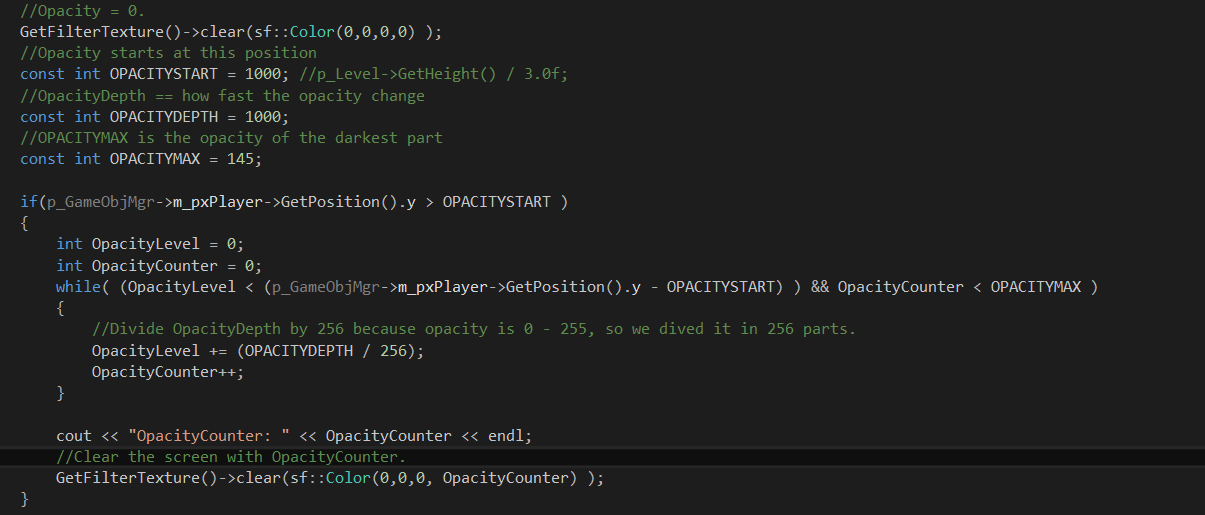 So first I use the clear() function with zero alpha so everything is seen. Then when you reach a certain depth it starts getting darker. I added a constant called OPACITYSTART to keep track of that position.
Since the alpha value can only be 0-255 I thought if every pixel movement in Y-axis the player makes increase the alpha by 1 then it gets dark very fast. So I increased this value and called the constant OPACITYDEPTH and set a fixed value of 1000 pixels. so this gives 1000 / 256 so basicly the alpha value/opacity is increased by 1 every 4 pixels. (still very fast but all these numbers are only for testing and the final game will have different values.)
Then in our game we don’t want it pitch black except maybe for the deepest levels of the ocean so I put in another constant called OPACITYMAX. This is the darkest it can get.
So if the Player position is higher than OPACITYSTART it starts getting darker.
I added a while loop that checks if the player is within the limit OPACITYSTART and a check that the OpacityCounter is within the maximum limit OPACITYMAX.
The variable called OpacityLevel gets the value of 1000/ 256 that I mentioned. This is added for every iteration creating a leveled layer, like 4, 8, 12 ,16 and so on.(not exakt numbers) An OpacityCounter counts what level you are in and it’s this counters value that then determine how high the alpha value/ opacity will be seen in the last line of code.
Then I call the draw() function and display() function to draw /cut the light circle out from the black filter like I mentioned in earlier posts, and now with a gradient darkness depending on position instead of completely black as it was before.
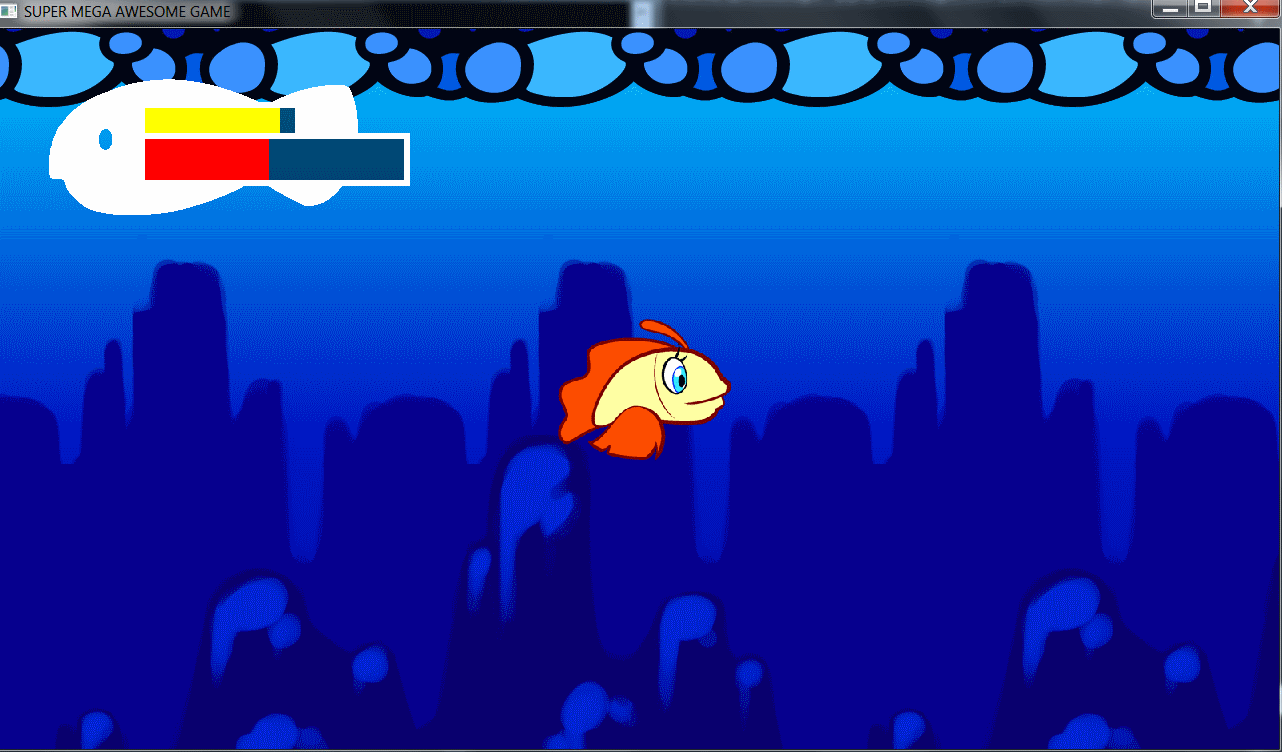
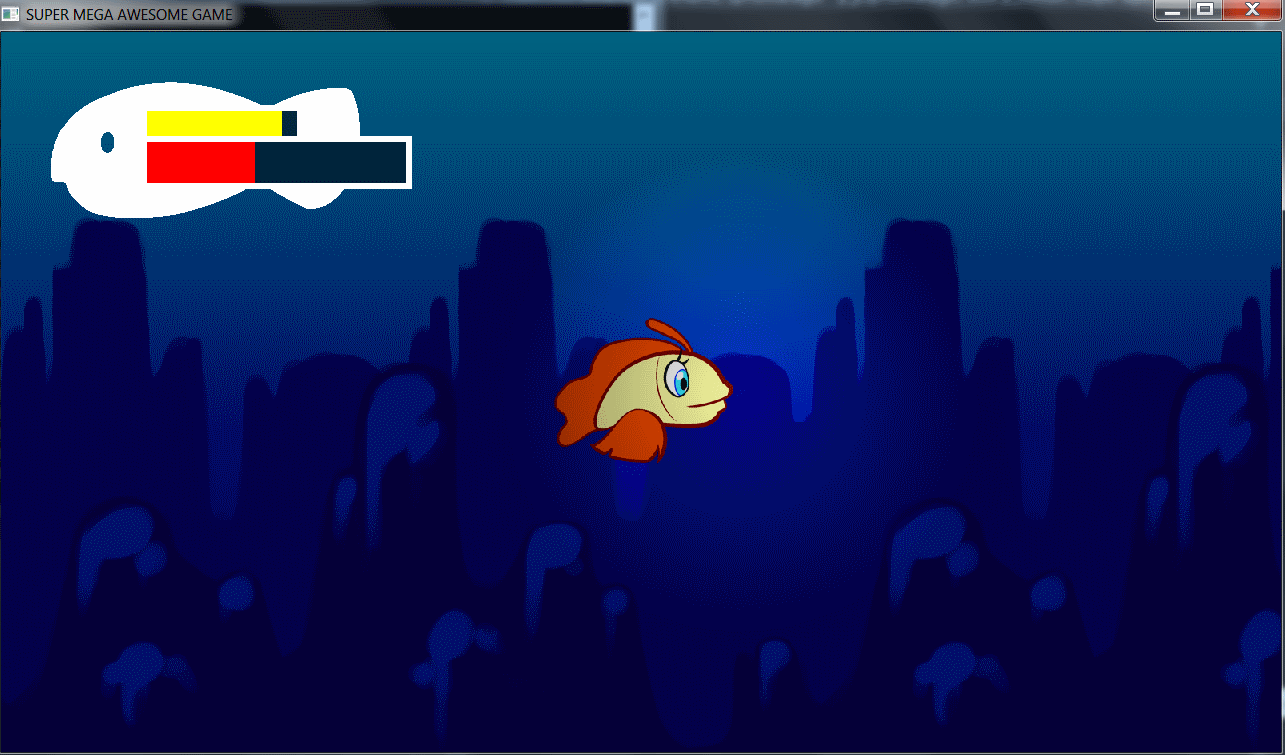
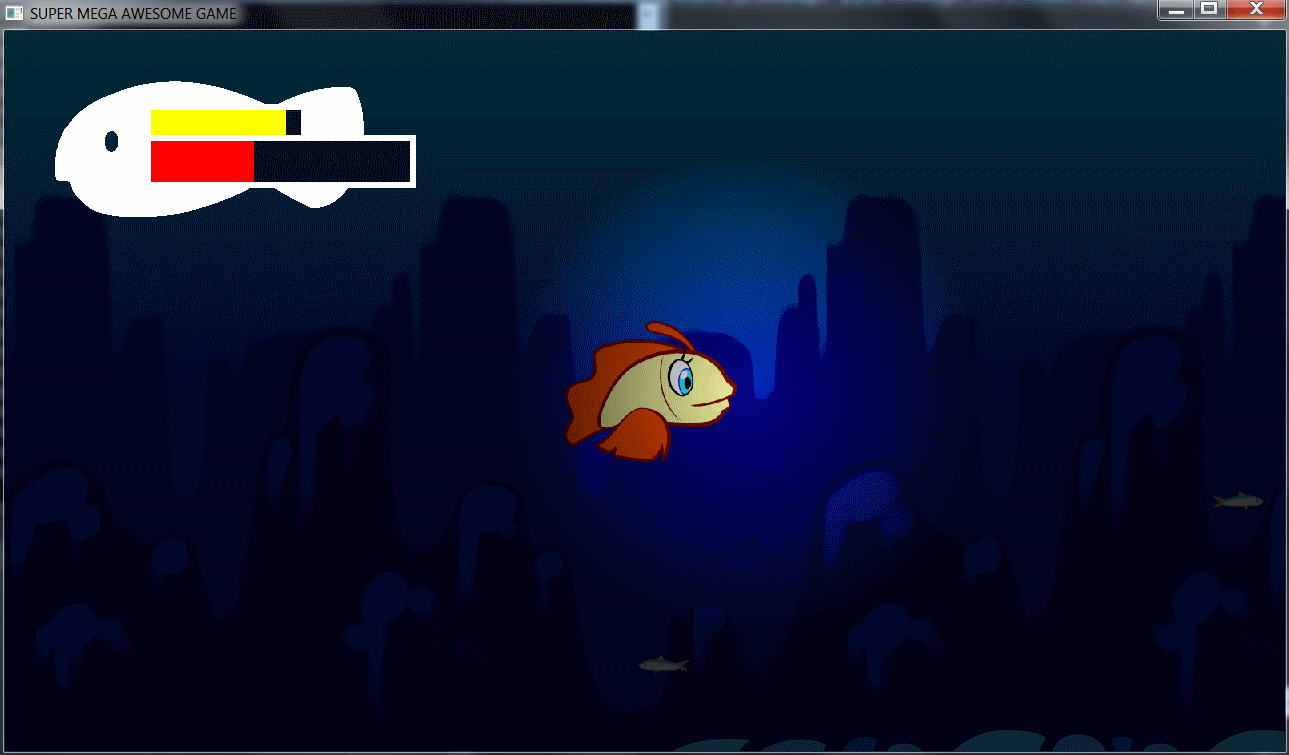
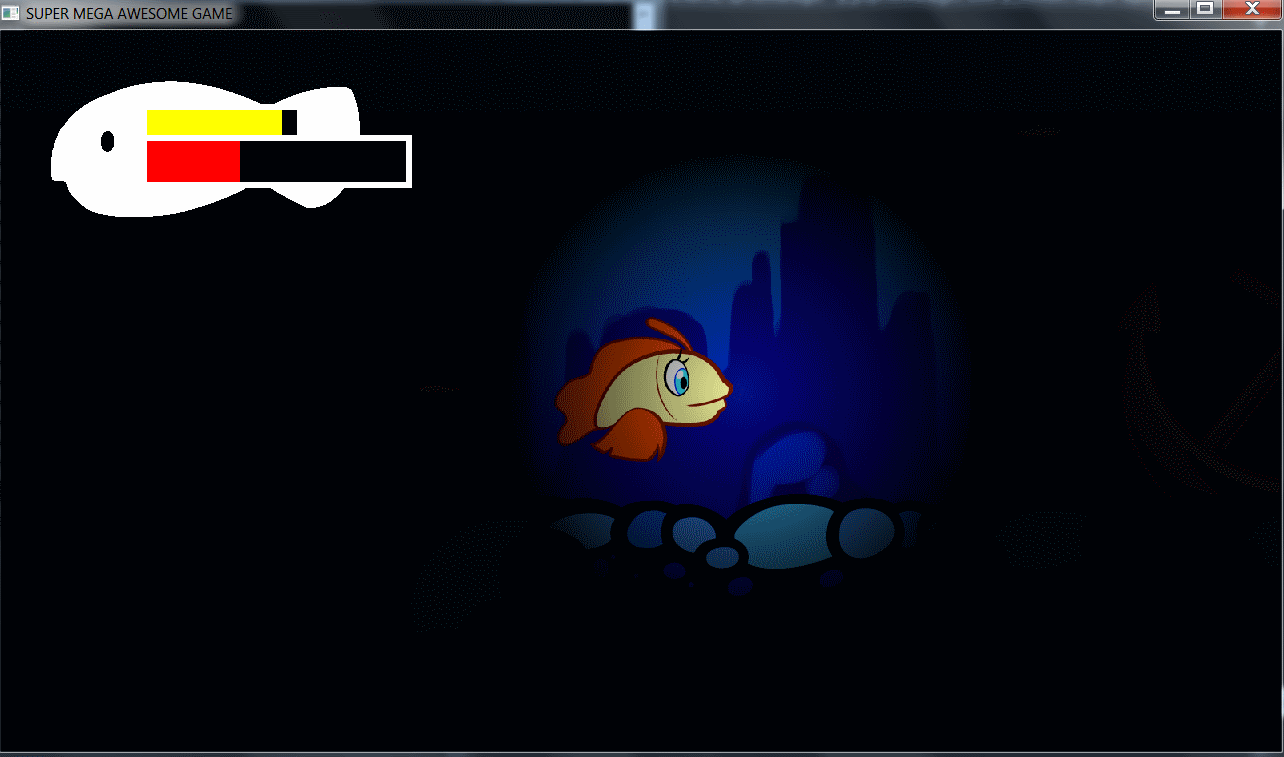
The result is shown below, the deeper the player is the darker it gets. The last picture look pitch black but it isnt.
    |
