10 Week Project – Post 2 – Camera Pans and Objectives
|
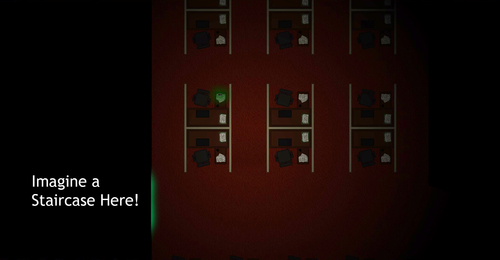
Ok, so in the last post I wrote about my reflections on using the tutorial part of the level to introduce the player to the game world. I will now focus on how to introduce the player to the objectives in the levels. Last week I hadn’t really started with the level designing officially, but I had written down a few ideas of what I wanted to do. This time, I’m armed with some feedback from our pre-alpha, I’ve gathered some more thoughts and I have read the Level Design chapter of Fundamentals of Game Design, by Ernest W. Adams and also the chapter of Visual Story Telling from Imagineby Leo Sandberg. Now, time for some objectives! The level we used during our pre-alpha tests was the tutorial level Henrik put together from my design (but without any of the parts that made it tutorial-ly, like the exact placement of the guards. Just the level background, some wall collision and some guards strewed on the level). A lot of feedback we received regarding the level was that the players did not know where to go and what to do once the game started. So how can we show the player where to go and what the objective is? The game is about finding the exit by being stealthy and exploring the level while avoiding guards. So we do not want any strict guidelines of where the player should walk to, since it should be up to the player to choose a route which seems the most exciting. And as previously mentioned we do not want any pop up of information with texts like: “Reach the End of the Hallway and Grab the Key”. So I thought long and hard on this and how we can make it clear to the player where to go and what to do in the beginning of the level and I started to think of one of my favorite childhood games: Commandos 2. In Commandos, every level starts off with the camera positioned in such a way that it shows where the objective or final waypoint is and then it pans over to where the playable characters are. This gives the player an idea of where to go and what dangers might lay in ahead. (Although in Commandos, they also feature a lowpoly face telling the player what to do at these locations). If we could do something similar, we might be able to tell the player where to go. We might be able to show the player where to go by showing the final room/exit and roughly how to get there with a slow camera pan back to the player. Even without any text, the player should (hopefully ) see some importance of that room/exit since we bother to show it. In the tutorial level, the objective should be to find a key to unlock a door with and then exit the level by, for example, a staircase. The exit will be shown directly behind the door. This room (containing the door, staircase, and key) is what the camera will show in the beginning of the tutorial level to introduce the player to the final waypoint and also to introduce the importance of the unlockable doors.
In the next level (the first one after the tutorial), the camera will show the staircase at the end of the level and then pan back to the player. No unlockable doors this time. The doors will be featured throughout the level, but we are debating whether or not to show their location. It might reveal too much of the layout of the level, which would spoil the exploration part. These are just thoughts and we can only speculate whether or not this will work until we have a full level to test these ideas on. But with this simple solution, we can probably tell the player where to go without using a bunch of text. We could also skip the pan back to the player and just show the final exit. That would make it harder for the player, since we wouldn’t give any hints of the general direction the exit is in. But a player who likes exploration might see that as a good challenge. For the one/s reading this, I’d love to get your input on this since we are still not sure of what the best solution is. Thanks! |