Project Aurora, post 3, Things are happening!
|
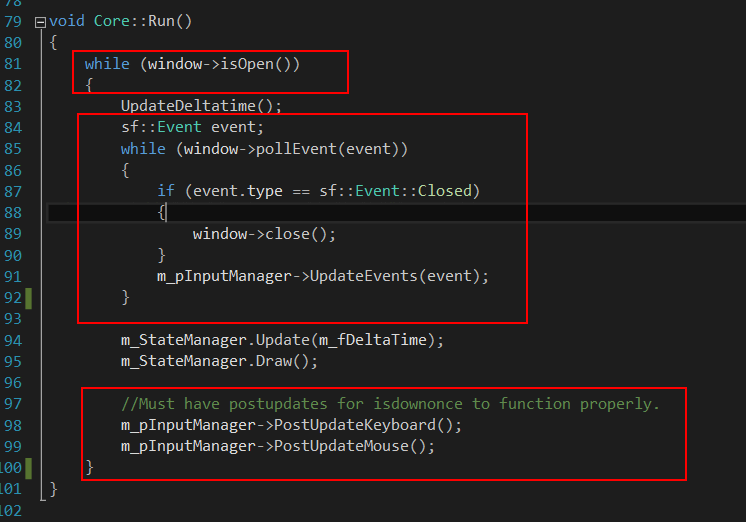
I have been doing alot of programming and no blogging so I will try to catch up now. On last sunday I did alot of changes in the code. For better and worse. It looked like Gamestate::Update
I also changed the StateManager to a pointer put that wasn’t liked by the group either so that was also changed back. All in the red squares is what I moved out of the game loop and I wanted it to be called only in the State where its needed. I lost that battle as well. I started making all these changes when I noticed that I couldnt get animations to work and I soon realised that I was missing an important piece……time! 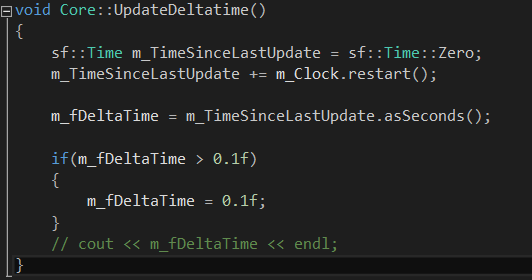 So I looked at Tommi Lipponen’s (our teacher) code from a C++/SDL project and I tried to translate that to SFML library and I ended up with the code to the right. So what it does is it sets a sf::Time object to zero and then get the time passed since last iteration and restarts the clock. With this in place I started working with adding animations to the player. I did some small changes in how the GameObjects and updated and drawn. I added movement to the player and also added so that a camera is centred on the player and follows player movement. I will probably play around with that so it behaves less fixed to the player after som tips from Linus (third year student and counselor to us newbies) Last night after the animations, movement and camera was in place I pushed it up to Github so my group members could take part of it. After that, one of my group pushed his changes as well and because we had been working on almost two different versions of the project it caused major mayhem. Bunch of conflicts and crashes! Visual studio didn’t even open. It felt like all was lost. Luckily we have a Github genius in our group ->David . He fixed it all in about 2 hours and we were up and running again today at lunch time….phew! So today: We got everything to be drawn out at the writing of my last blogpost but it wasn’t handled so good. It took between 2-5 seconds for things to be drawn to screen after the GameState was entered. So I changed this row in the SpriteManager.h file and made the Texture element in the map a pointer.  I had done that already and all changes in the pictures below as well but It only gave me white squares instead of sprites when I did it…I was about to lose it! Thats when I asked Tommi.
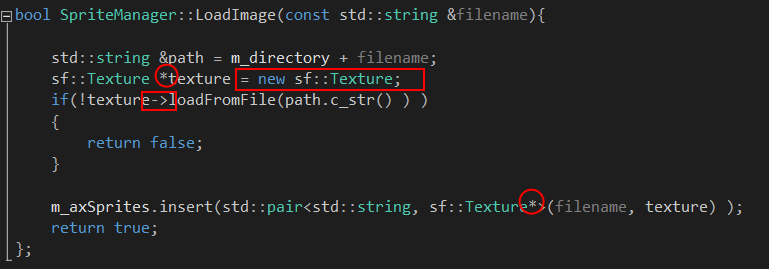 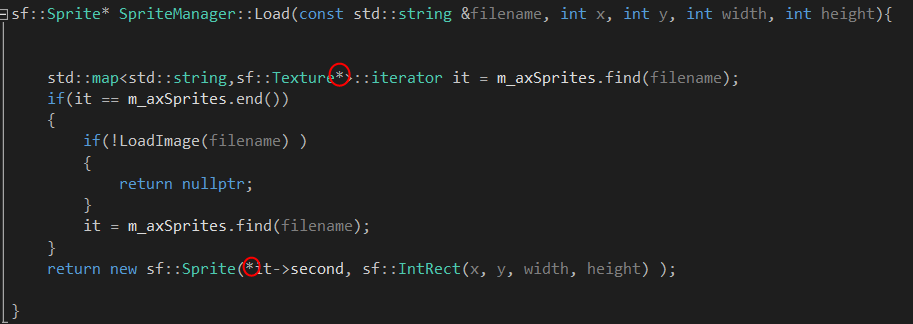 The only thing I missed was whats in the red square. (new sf::Texture) with that in place it all worked so great!. I would probably have solved it eventually…..I was so close. But Tommi saved me a few days of headache. Thank you! I then started working on the PlayerObject some more. trying to figure out animations and keeping track of movement. I added 2 different Enums. One that will keep track of the player state. Idle, Moving Dash, Eat, and so forth and one to keep track of the direction the player is moving. I added an easy dash mechanic that makes the player dash forward a few pixels when spacebar is pressed. I will keep working and fine tuning movement and animations to the player the following days. So I will get back to you on the next blog on how that works out. Here is latets screen of our game so far: Player and Camera movement in place as well as animation. 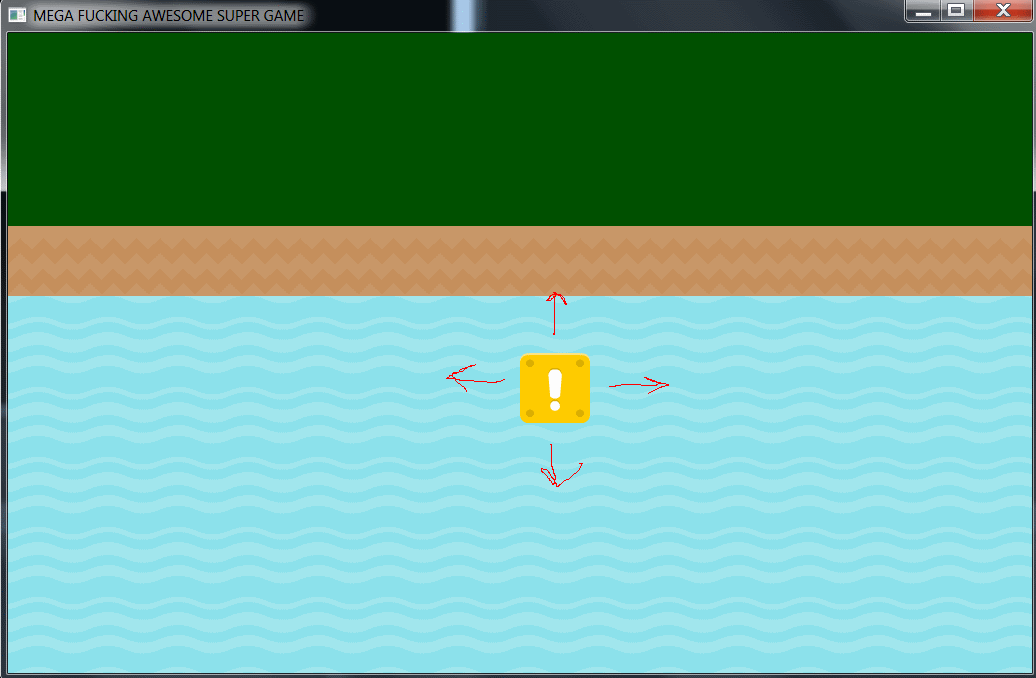 (animation not show in the screenshoot….duh!)
|